 Owner’s manual




What are the disadvantages of a microwave oven combo?
A microwave wall oven combo like the Jenn-Air JMW2430IL01 saves cabinet space and looks built-in, but the tradeoffs are higher purchase and repair costs, more complex service (one failure can affect both cooking modes), and less flexibility than having separate appliances.
Common disadvantages to plan for
- Higher repair complexity: More electronics, sensors, and interlocks mean more potential failure points.
- Downtime risk: If the combo is out of service, you can lose both microwave and oven convenience at once.
- Tighter fit and airflow needs: Built-in units rely on proper venting and cooling airflow; blocked vents can hurt cooking and cooling performance.
- Capacity and layout compromises: Some combos have smaller cavities or less usable space than a dedicated wall oven plus a separate microwave.
- Installation and replacement effort: Swapping a built-in combo can require careful measurements, electrical considerations, and cabinet compatibility.
What to check before you buy or replace one
Use your owner's manual to confirm how your JMW2430IL01 is intended to be installed and operated, then compare these practical factors:
| Decision factor | Combo unit impact | Why it matters |
|---|---|---|
| Service access | More components in one chassis | Repairs can take longer and cost more |
| Kitchen workflow | Microwave and oven are in one location | Less flexibility if multiple people cook at once |
| Venting/cooling | Vents must stay clear | Poor airflow can affect cooking and cooling |
| Long-term ownership | One appliance, many systems | A single failure can reduce overall usability |
Why it matters for performance and reliability
Your oven’s heating system cycles on and off to maintain temperature, and opening the door affects that cycling. In a combo design, proper airflow and normal operation habits (not blocking vents, minimizing door openings during preheat) help the appliance cook consistently and cool correctly.
Parts and repair considerations
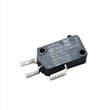
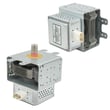
If you already own the JMW2430IL01, the most common “combo-specific” service issues tend to involve door safety interlocks and microwave heating components. Examples of parts we commonly see replaced include the microwave door switch W10211972 and the magnetron W11346197. You can order replacement parts from the parts list for this model, or search by model number on Sears PartsDirect.
Last updated: February 2026
Can you replace the microwave on a wall oven microwave combo?
On the Jenn-Air JMW2430IL01 wall oven/microwave combo, the microwave is built into the combo chassis, so it is not replaced as a separate “drop-in” appliance. In practice, you either repair the microwave section (common service parts) or replace the entire combo unit; see the owner's manual for safety and service guidance.
What you can do instead (most common options)
- Repair the microwave section when a specific component fails (door interlock, turntable drive, heating circuit, controls).
- Replace a failed part using the model-specific parts list for JMW2430IL01.
- Replace the full combo unit if the microwave cavity, chassis, or multiple major systems are damaged.
- Use a qualified technician for any internal microwave repair; high voltage components can be hazardous.
Parts that commonly fix “microwave not working” symptoms
If the microwave won’t start, stops when the door moves, or runs but does not heat, these model-matched parts are frequent culprits:
- Microwave door switch W10211972 (door interlock switch issues)
- Magnetron W11346197 (no heat or weak heat)
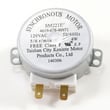
- Microwave turntable motor W10911403 (turntable not rotating)
- Electronic control board WPW10260060 (dead display, erratic operation)
Quick decision guide
| Symptom | Most likely path | Example part to check |
|---|---|---|
| Won’t start, door feels “touchy” | Repair | Door interlock switch |
| Runs but does not heat | Repair (high voltage circuit) | Magnetron |
| Turntable not moving | Repair | Turntable motor |
| Multiple failures, physical damage | Replace combo | Full unit replacement |
Why it matters
Combo units share a cabinet, wiring, and mounting system. That integrated design is why the microwave section is typically serviced by replacing internal components rather than swapping the microwave as a standalone appliance.
To order model-matched replacement parts, use the parts list for JMW2430IL01 or search by model on Sears PartsDirect.
Last updated: February 2026
What model is my Jenn air oven?
Your Jenn-Air oven/microwave combo model number is printed on the model and serial number plate; on model JMW2430IL01, that plate is located on the right-hand side underneath the control panel. Use that exact model number when ordering parts or looking up operating instructions in the owner's manual.
Where to look on JMW2430IL01
We use the model and serial number plate location shown in the manual for this Jenn-Air wall oven/microwave combo:
- Open the oven door for access and lighting
- Look on the right-hand side of the front frame area
- Check underneath the control panel area (the plate is positioned there)
- Write down both the model number and serial number
- Use the full model number (including any ending digits) when searching parts
What the model number helps you do
The model number is the key to matching the correct Jenn-Air parts and documentation for your exact configuration.
| What you need | Use the model number for | Example on this page |
|---|---|---|
| Replacement parts | Matching exact fit and wiring | JMW2430IL01 parts list |
| Troubleshooting steps | Finding the right feature and error info | Owner's manual |
| Service identification | Confirming production series | Model and serial plate |
Why it matters
Jenn-Air wall oven/microwave combos can look similar across series, but parts like the electronic control board, door latch, or microwave door switch can vary by model and revision. Using the model number from the plate prevents ordering the wrong component.
Ordering tip
Once you have JMW2430IL01, you can order parts directly from the parts list for this model, or search by model number on Sears PartsDirect if you are shopping multiple appliances.
Last updated: February 2026
What are the parts of a microwave oven?
A microwave oven uses a high-voltage system to power a magnetron that creates microwave energy, plus safety interlocks, a control panel, and a cooking cavity to heat food. On the Jenn-Air JMW2430IL01 combo unit, the microwave section shares the overall appliance’s controls and door safety design; see the owner's manual for the full parts and features overview.
Common microwave parts (what they do)
- Magnetron: generates the microwave energy that heats food.
- Door interlock switches: confirm the door is closed so the unit can run safely.
- Waveguide cover (mica plate): protects the waveguide opening from splatter.
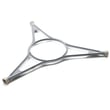
- Turntable system: rotates food for more even heating (tray, support, motor).
- Control system: keypad/touch panel and electronic controls that run cook cycles.
- Cooling fan and vents: move air to keep components from overheating.
Parts you can match to this model
If you are troubleshooting a no-heat, no-run, or no-turntable issue on JMW2430IL01, these model-matched parts are commonly involved:
| Symptom | Commonly related part | Example from this model’s parts list |
|---|---|---|
| Microwave runs but does not heat | Magnetron | Magnetron W11346197 |
| Microwave will not start, door error, intermittent running | Door interlock switch | Microwave door switch W10211972 |
| Sparking or burning smell near the side wall | Waveguide cover | O mica plate W10915651 |
| Turntable does not rotate | Turntable motor | Microwave turntable motor W10911403 |
Why it matters
Knowing which component does what helps you troubleshoot faster and order the right replacement part the first time. For example, a “runs but no heat” complaint points you toward the high-voltage heating system (often the magnetron), while a “won’t start” complaint often points to door interlocks.
Ordering the right part
- Confirm the full model number: JMW2430IL01.
- Compare the symptom to the table above.
- Use the model’s parts list to match the part ID exactly.
- If you are shopping for additional parts beyond the list shown, search by model number on Sears PartsDirect.
Last updated: February 2026

