 Owner’s manual


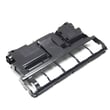
How to change the belt on a Kenmore vacuum?
To change the belt on a Kenmore vacuum PowerMate for model 11652614310, we remove the PowerMate cover, lift out the agitator, swap the worn belt, clean the end caps, then reinstall everything. Always turn the vacuum off and unplug it before starting; see the owner's manual.
- Unplug the vacuum cleaner.
- Turn the PowerMate upside down.
- Remove the two PowerMate cover screws.
- Turn the PowerMate right side up.
- Press the handle release pedal and lower the swivel.
- Lift the rear and side latches, then pull the cover off.
- Lift the agitator assembly out and remove the worn belt.
- Clean the agitator end caps and any wrapped hair or debris.
- Install the new belt on the agitator and drive area (keep it centered and untwisted).
- Reinstall the agitator, then reinstall the cover, latches, and screws.
A belt issue is one of the most common reasons the brush roll stops.
- Confirm the PowerMate electrical connections are fully seated.
- Check for a jam (string, rug fringe, debris) and clear it.
- Clean the agitator and end caps again if it binds.
- Reset the PowerMate overload protector if it tripped.
- Make sure the floor selector is set to CARPET when you want brush agitation.
This model page is for tools and attachments for Kenmore 11652614310. If you are replacing the entire PowerMate (instead of just the belt), the compatible attachment listed here is the vacuum powermate KC50XDYUZP0D.
| What you are fixing | Typical symptom | What to do first |
|---|---|---|
| Worn/broken belt | Brush roll stops, poor carpet pickup | Replace belt and clean end caps |
| Jammed agitator | Burning smell, belt breaks repeatedly | Remove debris, verify agitator spins freely |
| Overload protector tripped | PowerMate stops, light may go out | Clear jam, reset protector |
A properly tensioned belt transfers motor power to the agitator; when the belt is worn, stretched, or the end caps are dirty, carpet cleaning drops fast and the PowerMate can overheat or trip its overload protection.
Last updated: February 2026
What model is my Kenmore vacuum?
Your Kenmore vacuum’s model number is printed on the Model and Serial Number Plate on the vacuum. Use that plate to record the complete model and serial numbers; you will need both when looking up parts, using the guide, or requesting service information in the owner's manual.
We look for the Model and Serial Number Plate on the vacuum itself (not on the tools). Common places include:
- On the canister body near the rear or bottom
- Under a lid or cover (near the bag or dust compartment)
- On the underside of the PowerMate nozzle
- Near the cord rewind area or power cord entry point
- On a label close to the wheels or base
Record the full model number and the serial number exactly as shown. This matters because Kenmore vacuum attachments and parts can vary by series.
| Item to record | What it’s used for | Example format |
|---|---|---|
| Model number | Matching the correct parts list and diagrams | 116.52614310 |
| Serial number | Identifying production run details | Letters and numbers |
| Date of purchase | Warranty and maintenance records | Month/day/year |
If your vacuum uses this attachment family (model 11652614310), one common replacement is the vacuum powermate KC50XDYUZP0D. Matching the model number on the plate is the fastest way to confirm fit.
- Confirm the model number from the plate (not just the series)
- Compare the attachment style and connection type (wand latch, button lock)
- Check for visible wear: brush roll area, wheels, and neck swivel
- Verify the issue is in the nozzle, not the hose or wand connection
Using the exact model number prevents ordering the wrong Kenmore vacuum cleaner parts and helps ensure attachments like a PowerMate connect correctly and operate safely.
Last updated: February 2026
Why is my Kenmore vacuum not suctioning?
Loss of suction on a Kenmore vacuum is almost always caused by a clog in the airflow path or a dirty filter. For Kenmore model 11652614310, we recommend checking the dust cup, pre-filter, primary filter, and exhaust filter first, then checking the hose, wand, and PowerMate for blockages (in that order) using the steps in the owner's manual.
- Empty the dust cup if it is full.
- Clean or replace the pre-filter, primary filter, and exhaust filter if they are dirty.
- Check the hose handle for suction with the hose connected to the canister and the vacuum running.
- If hose suction is weak, clear debris from the hose and handle.
- If hose suction is good, reconnect the wand and check suction at the end of the wand.
- Inspect the PowerMate swivel and nozzle path for packed lint, hair, or debris.
Use this simple isolation test so you do not guess.
| Test point | What to do | What the result means |
|---|---|---|
| Hose handle | Run vacuum; feel suction at hose end | Good suction here usually means the hose is clear |
| End of wand | Connect wand; check suction at wand end | Weak suction here points to a wand blockage |
| PowerMate swivel/nozzle | Inspect swivel and nozzle opening | Debris here commonly causes poor pickup even if suction is OK upstream |
If suction seems OK at the hose or wand but pickup is poor at the floor, focus on the PowerMate:
- Remove strings and hair from the agitator area and end caps.
- Clear debris from the belt path area.
- Make sure the wand is fully seated into the PowerMate until it clicks.
- If the nozzle is damaged or not performing, replace the attachment: vacuum powermate KC50XDYUZP0D.
A clogged filter or blocked hose forces the motor to work harder and reduces cleaning performance. Clearing the airflow path restores suction and helps prevent overheating and premature wear.
Last updated: February 2026
Why won't my Kenmore vacuum brush spin?
If the brush on your Kenmore vacuum (model 11652614310) will not spin, the most common causes are a jam in the brush area, a worn or slipped belt, or the PowerMate nozzle not getting power. Unplug the vacuum first, then clear obstructions and check the belt and brush roll.
The manual specifically advises disconnecting power before servicing or cleaning out the brush area because the brush can start unexpectedly. Use the owner's manual steps for your exact PowerMate care and troubleshooting sequence.
- Confirm the vacuum is unplugged before opening the nozzle.
- Remove hair, string, or debris wrapped around the brush roll.
- Check the belt for breakage, stretching, glazing, or slipping off the motor shaft.
- Make sure the brush roll turns by hand; it should rotate with some resistance, not bind.
- Reseat the PowerMate connections (wand to nozzle); a loose connection can stop the brush motor.
- If your nozzle has a brush on/off control, verify it is set to brush on for carpet.
| What you see | What it usually indicates | What to do next |
|---|---|---|
| Brush roll is packed with hair | Brush is physically jammed | Clean the brush roll and end caps, then retest |
| Belt is broken or loose | Belt is worn or slipped | Replace or reinstall the belt correctly |
| Brush roll is hard to turn by hand | Bearing/end cap drag or debris | Clean ends; replace brush roll if it still binds |
| Suction is fine but brush never runs | PowerMate power issue | Check connections; inspect cord/wiring for damage |
If the issue is isolated to the powered nozzle (PowerMate), replacing the complete nozzle assembly is a common fix when internal components are worn or damaged. For this model page, the available powered nozzle is the vacuum powermate KC50XDYUZP0D.
A non-spinning brush reduces carpet agitation, leaving dirt behind and forcing the motor to work harder. Clearing jams and correcting belt or nozzle issues restores cleaning performance and helps prevent overheating.
Last updated: February 2026