
Which is better, a 20 volt or 40 volt trimmer?
A 40-volt trimmer is better for thicker weeds, longer run time, and faster cutting; a 20-volt trimmer is better for lighter trimming because it’s typically lighter and easier to handle. For your Weed Eater RT112C, choose based on how heavy your trimming is and how long you need to run.
| Feature | 20-volt trimmer | 40-volt trimmer |
|---|---|---|
| Best for | Light grass edging, small yards | Taller grass, thicker weeds, larger yards |
| Typical weight | Lighter | Heavier |
| Cutting power | Moderate | Higher |
| Run time | Shorter | Longer |
| Fatigue over time | Lower | Higher |
- Pick 20V if you want the lightest tool for quick touch-ups and edging.
- Pick 40V if you routinely cut dense growth or want fewer stops to recharge.
- If you have shoulder or wrist strain, prioritize lower weight over maximum power.
- If you often “bog down” in thick weeds, prioritize higher voltage.
- If you already own batteries in one platform, staying in that platform usually saves money.
Voltage is a practical shortcut for how a cordless trimmer behaves in real use: higher-voltage systems usually deliver more cutting strength and longer usable run time, but they also tend to add weight, which increases fatigue during longer trimming sessions.
Even with the right voltage, cutting performance depends heavily on the cutting head staying intact and feeding line correctly. If your line won’t feed or the head won’t stay together, check the spool hardware for wear.
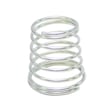
- If the spool cap or retainer won’t hold securely, replace the line trimmer spool retainer clip 530401957.
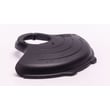
- If the head hardware won’t tighten or keeps loosening, inspect the wing nut plate 530091373.
Last updated: February 2026
What are the common problems with weed eaters?
Common problems on a Weed Eater RT112C electric line trimmer are line-feed failures, the head not spinning, intermittent power, overheating shutdowns, and excessive vibration. Most fixes come down to correcting the spool setup, clearing debris, tightening the cutting head hardware, or replacing worn spool-retaining parts.
- Line will not feed or keeps breaking: line is wound the wrong direction, line is too thick, spool is jammed, or the retainer is worn.
- Line feeds too much: spool is not seated, retainer clip is weak, or line is wound loosely.
- Head spins but cuts poorly: line is too short, wrong diameter, or the guard area is packed with grass.
- Trimmer stops after a short time: thermal overload from heavy cutting, blocked vents, or an extension cord that is too long or too light-gauge.
- Won’t start (no power): bad outlet/GFCI trip, damaged cord, or a failed switch.
- Vibration or rattling: debris wrapped around the head, cracked spool, or loose fasteners.
- Unplug the trimmer and remove the spool.
- Clean the head and guard area; remove wrapped grass and string.
- Rewind line evenly and snugly; keep the coils level.
- Reseat the spool so it locks in place and turns smoothly.
- Verify your extension cord is heavy enough for outdoor power tools (lighter cords cause voltage drop and heat).
If the spool will not stay seated or the head cover will not hold tension, these model-compatible parts are the first ones we check:
| Symptom | Likely cause | Part to inspect/replace |
|---|---|---|
| Spool pops loose, cover won’t stay secure | worn or broken retainer | Line trimmer spool retainer clip 530401957 |
| Head hardware won’t tighten or stays loose | damaged mounting plate | Wing nut plate 530091373 |
Line-feed and head-retention problems waste cutting time and can overwork the motor. A properly seated spool and clean head reduce overheating, improve cut quality, and help the RT112C run smoothly.
Last updated: February 2026
How to replace an electric trimmer head?
To replace the trimmer head on your Weed Eater RT112C electric line trimmer, we remove the spool housing, lock the shaft (if equipped), then unthread the head (many heads loosen by turning clockwise because they use left-hand threads). Reinstall the new head snugly and verify the spool retainer locks in place.
- Unplug the trimmer (never work on the head while it is powered).
- Wear gloves; the guard and line can be sharp.
- Clean grass and debris from the head area so parts seat correctly.
- Keep track of small hardware like clips and plates.
- Remove the spool cover/housing so you can access the inner hub.
- Lock the shaft: many trimmers have a small hole in the gear head where you insert a screwdriver, nail, or hex key to keep the shaft from turning.
- Unthread the head:
- Try loosening by turning clockwise first (common on left-hand threaded heads).
- If it does not move, try counterclockwise.
- Install the replacement head by threading it on by hand first to avoid cross-threading, then tighten firmly.
- Reassemble the spool system and confirm the retainer/cover snaps and holds securely.
If the head will not stay together after reassembly, these RT112C parts are common culprits:
- Shaft will not lock: re-seat the tool in the lock hole and rotate the head slightly until it drops into place.
- Head is stuck: apply steady pressure (avoid sudden jerks) and clean packed debris from the threads.
- Threads feel rough: back off and restart by hand; cross-threading can damage the shaft.
| What you try | What it means | Next move |
|---|---|---|
| Clockwise loosens | Left-hand thread | Keep turning clockwise to remove |
| Counterclockwise loosens | Standard thread | Keep turning counterclockwise to remove |
A correctly installed head keeps the spool seated, feeds line consistently, and prevents vibration that can wear the drive hub and fasteners.
Last updated: February 2026
How to change string on electric trimmer?
To change the string on your Weed Eater RT112C electric line trimmer, remove the spool cap, take out the spool, wind on new trimmer line in the correct direction, then reinstall the spool and snap the cap back on so the line feeds smoothly.
- Unplug the trimmer (electric shock risk if the trigger is bumped).
- Clean grass and debris from the trimmer head so the spool seats fully.
- Cut two equal lengths of line if your head uses dual line (many do).
- Use the same diameter line your head is designed for (common sizes are 0.065 in or 0.080 in).
- Remove the spool cap: Press the side tabs or release points on the cap and lift it off.
- Remove the spool: Pull the spool straight out.
- Anchor the line: Insert the line end(s) into the spool’s start hole(s) or retaining notch(es).
- Wind the line: Wrap tightly and evenly in the direction of the arrow on the spool (if marked). Keep the wraps level to prevent tangles.
- Lock the line temporarily: Use the spool notches to hold the line ends so they do not unwind.
- Reinstall the spool and cap: Feed the line ends through the eyelets, seat the spool, then snap the cap back on.
- Line is wound backward; rewind in the opposite direction.
- Line is crossed or loose; rewind with tight, even layers.
- Spool cap is not fully snapped in; reseat it.
- The cap or retainer is worn; replace the line trimmer spool retainer clip 530401957.
| Check | What you want | What happens if it’s wrong |
|---|---|---|
| Wind direction | Matches spool arrow (or original wind) | Jams, poor feed |
| Wrap tension | Tight, even layers | Tangling, sudden line dump |
| Cap fit | Fully seated and locked | Spool wobble, line won’t advance |
Correct winding and a fully seated spool cap keep the RT112C cutting consistently and prevent line jams that can overheat the head or wear the spool components faster.
Last updated: February 2026
Why do landscapers take the guard off string trimmers?
Many landscapers remove the debris guard to reach tight spots and get a clearer view of the cutting line, but on the Weed Eater RT112C electric line trimmer the guard is an important safety and debris-control part. We recommend keeping it installed and adjusting technique instead.
- Deflects rocks, sticks, and mulch away from your legs and eyes
- Helps prevent accidental contact with the spinning head
- Reduces the chance of throwing debris toward windows, siding, or vehicles
- Often helps control line length so the motor is not overloaded
Pros sometimes remove guards for speed and access in cramped areas.
- Fits the head into narrow gaps (around posts, under shrubs)
- Improves sightline when “freehand edging”
- Reduces guard drag in dense groundcover
- Change your approach angle instead of forcing the head into a tight pocket
- Trim in lighter passes; do not bury the head in heavy weeds
- Keep line at the correct length and replace worn line promptly
- Fix loose head hardware so the trimmer feels stable and controllable
A loose spool cover or missing hardware can make trimming feel awkward, which is one reason people start removing guards.
| Symptom | What to check | Part |
|---|---|---|
| Spool cover will not stay secured | Retainer clip worn or missing | Line trimmer spool retainer clip 530401957 |
| Head hardware will not tighten | Wing nut plate damaged/stripped | Wing nut plate 530091373 |
Removing the guard increases injury and property-damage risk because debris leaves the cutting zone with less control. Keeping the guard on also helps the RT112C run more consistently.
Last updated: February 2026