Owner’s manual
 View engine


How to find Craftsman lawn mower model?
Your Craftsman walk-behind mower’s model number is printed on the model label; for model 917375631, the label is typically on the mower deck near the rear guard (rear discharge area) or on the side/rear of the deck. Use that full number to match the correct parts and manual.
Where to look on a Craftsman walk-behind mower
Check these common label locations first:
- On the rear of the mower deck, under or near the rear guard (rear skirt area)
- On either side of the mower deck near the rear wheels
- On the back of the deck, just above the height adjuster area
- On the handle support area near where the handle bolts to the deck
If the label is dirty or faded, wipe the area clean and use a flashlight; the stamped or printed characters can be hard to see.
What number to use (and what it looks like)
For this mower, the owner’s manual shows the model in this format: 917.375631. When searching parts, you’ll usually enter it without the dot as 917375631.
| You might see it as | Use this for parts lookup | Why |
|---|---|---|
| 917.375631 | 917375631 | Some labels include a dot |
| 917375631 | 917375631 | Common parts-site format |
Why the exact model number matters
Craftsman walk-behind mowers often share the same deck size (like 22-inch) but use different handle hardware, drive parts, and blade adapters. Using the exact model number helps ensure you get the right items, such as the lawn mower 22-in deck mulching blade 532406713 or the correct drive components.
Quick tip once you find the label
Write the model number down and keep it with your paperwork; then use the 917375631 owner's manual to confirm maintenance and adjustment details.
Last updated: February 2026
What are the common problems with Craftsman lawn mowers?
Common problems on the Craftsman 917375631 gas walk-behind mower are no-start conditions (stale fuel, dirty air filter, bad spark plug, control bar not held down), loss of power from grass buildup under the deck, and self-propelled drive issues caused by debris in the drive wheels or worn drive parts. See the owner's manual for the model-specific troubleshooting chart and maintenance cautions.
Most common symptoms and what to check first
- Won’t start: fuel level and freshness, air filter condition, spark plug and wire connection, and that the operator presence control bar is held to the handle while starting.
- Starts then runs poorly or loses power: grass and debris packed under the mower deck, dirty air filter, cutting too much grass at once.
- Hard to pull starter rope: blade dragging in grass, excessive debris under the deck, or a blade/adapter issue.
- Excessive vibration: worn or bent blade, loose blade hardware, or a damaged blade adapter.
- Self-propelled won’t move or is weak: drive wheels not turning freely due to grass and trash in the wheel gear area.
Self-propelled drive problems (very common)
The manual calls out drive wheels that do not turn freely as a frequent cause; cleaning the wheel gear area often restores drive.
Typical cleanup steps:
- Remove the wheel covers and hardware.
- Clear grass and debris from the dust cover, pinion, and gear teeth.
- Reinstall and confirm both front wheels spin freely.
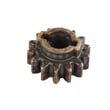
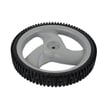
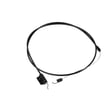
Helpful model-matched parts if yours are worn or damaged:
Quick reference: symptom to likely cause
| Symptom | Most likely causes | Good first action |
|---|---|---|
| Won’t start | stale fuel, dirty air filter, bad spark plug, control bar released | refresh fuel, service air filter, check plug and wire, hold control bar down |
| Loss of power | deck packed with clippings, cutting too low in tall grass | clean underside of deck, raise cut height, slow down |
| Excessive vibration | bent/worn blade, loose blade, blade adapter issue | inspect blade and adapter, tighten hardware |
| Won’t self-propel | debris in drive wheels, worn belt/pawl | clean wheel gears, inspect drive parts |
Why it matters
Catching these issues early prevents hard starting, uneven cutting, and premature wear on the drive system and blade components. The manual also warns against hazardous attachments (such as de-thatcher blade attachments) that can damage the mower.
Last updated: February 2026
What is the average lifespan of 917375631?
A Craftsman walk-behind mower like model 917375631 typically lasts 8 to 12 years with normal residential use and routine maintenance. Consistent oil changes, blade care, and drive-system upkeep make the biggest difference in how long the engine and self-propel components hold up.
What affects lifespan the most
- Engine maintenance (oil level, oil changes, clean cooling fins)
- Blade condition (sharp, balanced, not bent)
- Deck care (keep the 22-inch deck clean and dry to reduce corrosion)
- Drive system wear (belt, pulleys, transmission, drive wheels)
- Storage habits (dry storage, fuel stabilizer for off-season)
Maintenance checkpoints to hit each season
Use the maintenance schedule and specs in the owner's manual as your baseline. These items most often determine whether you get closer to 8 years or 12+ years:
- Change engine oil at the recommended interval (many small engines use SAE 30)
- Replace or sharpen the blade regularly; a damaged blade stresses the crankshaft
- Inspect the self-propel drive for slipping or surging
- Check cables and control bar operation for full engagement
- Clean under the deck after mowing (with the spark plug wire disconnected)
Common wear items and what they impact
| Wear item | What you notice | What it can lead to |
|---|---|---|
| Drive belt | Self-propel slips or stops | Premature transmission strain |
| Blade adapter | Vibration, poor cut | Blade loosening, uneven cut |
| Drive wheels/pawls | One wheel drives, clicking | Reduced traction, uneven drive |
| Cables | Weak engagement | Poor control, extra wear |
Why it matters
A mower can “still run” but lose cut quality and drive performance as parts wear. Replacing key wear parts on time (especially in the drive system and cutting system) prevents secondary damage and extends the useful life of your 917375631.
Last updated: March 2026