 Owner’s manual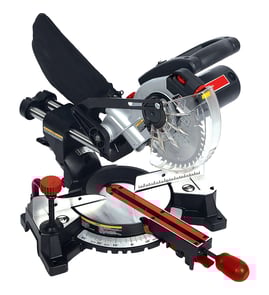
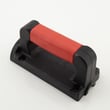
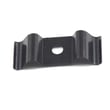
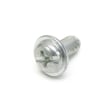


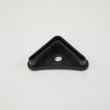
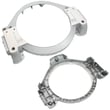
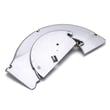
What are the parts of a miter saw?
On the Craftsman 137242760 10-inch compound miter saw, the main parts include the base and table, the miter and bevel (tilting) scales, the cutting arm and return spring, the blade and arbor hardware, the motor and switch/trigger, and the lower blade guard. For diagrams and the full parts list, use the owner's manual and shop parts on Sears PartsDirect.
Key parts you will see on this saw
- Base and table: supports the workpiece; includes the table insert
- Miter system: miter scale/pointer and locking handle to set left or right angles
- Bevel (tilt) system: tilting scale to set bevel cuts
- Cutting arm assembly: upper arm, pivot points, and arm return spring
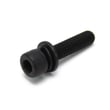
- Blade drive parts: 10-inch blade, arbor shaft, arbor collar, and arbor bolt
- Guard system: lower blade guard and guard spring components
- Controls and electrical: trigger/switch, limit switch, lead wire assembly, motor housing
Quick “what it does” guide
| Part or assembly | What it does | Common symptom if it has an issue |
|---|---|---|
| Lower blade guard and guard spring | Covers the blade as the arm rises | Guard does not fully close when you raise the arm |
| Miter scale, pointer, locking handle | Sets and locks miter angle | Cuts are off-angle or miter will not hold position |
| Tilting scale (bevel) | Sets bevel angle | Bevel setting drifts or will not repeat accurately |
| Motor, trigger, limit switch | Powers and controls the saw | Saw will not start or cuts out intermittently |
How we recommend checking parts before you use it
- Unplug the saw and inspect for missing, bent, damaged, or broken parts
- Check alignment and binding of moving parts
- Inspect the power cord for damage
- Test the arm return spring: push the arm down, then release; it should rise smoothly
- Confirm the lower guard fully closes when the arm returns to the top
Why it matters
Knowing the major assemblies helps you troubleshoot safely and order the right replacement components, especially for guard operation, angle accuracy (miter and bevel), and electrical start/run problems.
Last updated: February 2026
How to unlock an old Craftsman miter saw?
On the Craftsman 137242760 10-inch compound miter saw, “unlocking” usually means releasing the cutting head lock (stop latch knob) and unlocking the miter table so it can rotate. Push down slightly on the handle, pull out the stop latch knob to raise the head, then use the miter handle and positive stop lever to set your angle (see the 137242760 owner's manual).
Unlock the cutting head (raise the saw)
Use this when the saw is locked down for storage or transport.
- Unplug the saw.
- Push the cutting head down slightly to take pressure off the lock.
- Pull out the stop latch knob (the head lock) to release it.
- Let the cutting head rise to the up position in a controlled way.
- If the head feels stuck, check for sawdust buildup around the pivot and guard area.
Unlock the miter table (change the miter angle)
If the table will not rotate, it is typically still locked or packed with dust.
- Press down on the positive stop locking lever to unlock the table.
- While holding the lever down, use the miter handle at the front to rotate left or right.
- Release the lever and “wiggle” the handle slightly to ensure the positive stop engages.
- If you cannot adjust the miter, clean sawdust from under the table (vacuum or blow out; wear eye protection).
Common miter positive stops
| Common stop | Typical use |
|---|---|
| 0° | Straight crosscuts |
| 15° | Quick trim angles |
| 22.5° | Picture frames |
| 31.6° | Crown molding (common spring angle) |
| 45° | Miters for corners |
Why it matters
A locked cutting head or miter table can make the saw feel “jammed,” and forcing it can throw off alignment or damage moving parts. Keeping the lock points clean helps the saw cut accurately and operate smoothly.
Parts and diagrams
We list model-specific diagrams and replacement parts for Craftsman 137242760 on this model page; for broader parts searches by model number, use Sears PartsDirect.
Last updated: February 2026
How to change a 10 inch miter saw blade?
To change the blade on your Craftsman 137242760 10-inch compound miter saw, unplug the saw, lock the arbor using the arbor lock button, then use the supplied blade wrench to loosen the arbor bolt by turning it clockwise. Install the new 10-inch blade with the teeth pointing down at the front.
Blade change steps (Craftsman 137242760)
- Unplug the saw; confirm the switch is OFF before you touch the guard or bolt.
- Raise the saw to the upright position.
- Lift the lower clear blade guard to the upright position.
- Loosen the cover plate screw with a Phillips screwdriver.
- Rotate the cover plate to expose the arbor bolt.
- Press and hold the arbor lock (on the motor, below the switch handle).
- While holding the arbor lock, turn the blade wrench clockwise to loosen the arbor bolt.
Installing the new blade correctly
Use only a 10-inch diameter blade.
- Match the blade’s rotation arrow to the clockwise rotation arrow on the upper guard.
- Set the blade so the teeth point downward at the front of the saw.
- Reinstall the outer blade collar and arbor bolt.
- Make sure the flats on the blade collars engage the flats on the arbor shaft.
- Tighten the arbor bolt, then tighten the cover plate screw.
| Task | What to check | Why it matters |
|---|---|---|
| Blade direction | Teeth down at the front | Prevents poor cutting and kickback risk |
| Rotation arrows | Blade arrow matches guard arrow | Ensures correct motor rotation |
| Collars seated | Collars clean, flats engaged | Prevents wobble and vibration |
Quick safety and performance checks before you plug in
- Hand-spin the blade (with the saw unplugged) to confirm it clears the guard.
- Verify the lower guard opens and fully closes as the arm moves.
- Confirm clamps, locks, and fasteners are snug before cutting.
Why it matters
A correctly installed blade (right direction, clean collars, tight arbor bolt) cuts straighter, reduces vibration, and helps the guard work properly. For the exact diagrams and part orientation, follow the 137242760 owner's manual.
To shop parts by model number and keep your saw running strong, search using your model on Sears PartsDirect.
Last updated: February 2026
Will any miter saw stand work with any miter saw?
No. Miter saw stands are not truly universal; you must match the stand’s mounting method to the saw’s base mounting holes and the stand’s weight and stability ratings. For Craftsman model 137242760, use the mounting instructions in the 137242760 owner's manual to bolt the saw down correctly.
What determines stand compatibility
- Mounting-hole alignment: the stand’s brackets or rails must line up with the mounting holes in the saw base.
- Hardware fit: bolts, washers, and lock nuts must fit the stand slots and the saw base holes.
- Weight capacity: the stand must be rated for the saw plus any work support load.
- Stability: the stand must sit level and not rock after tightening fasteners.
- Work support: extension arms or rollers must support long stock without tipping the stand.
If the stand holes do not line up
For portable setups, a standard solution is an adapter plate. The 137242760 manual describes fastening the saw to a 3/4-inch plywood piece for portable use, then bolting or clamping that plywood to your stand or bench.
Mounting options comparison
| Mounting approach | Best for | What to verify |
|---|---|---|
| Direct bolt to stand | Quick setup | Brackets align to your saw’s base holes; hardware fits |
| 3/4-inch plywood adapter | Mismatched hole patterns | Saw is bolted tight to plywood; plywood is secured to stand |
| Bolt to workbench | Permanent shop setup | Bench is rigid, flat, and provides infeed/outfeed support |
Why it matters
A stand that does not match the mounting holes or is not stable can let the saw shift during a cut. That reduces miter and bevel accuracy and increases the risk of binding, kickback, or tipping when cutting long boards.
Helpful next steps
- Follow the stand and saw mounting steps and tightening cautions in the 137242760 owner's manual.
- If you are shopping accessories by model number, search by model on Sears PartsDirect.
Last updated: February 2026