 Installation guide
 Owner’s manual


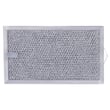
How big is a Kenmore microwave model 66560652000 in inches?
The Kenmore microwave/hood combo model 66560652000 is approximately 29-7/8 inches wide and 16-1/4 inches high. For planning cabinet fit and venting clearance, we recommend confirming the full cutout and mounting requirements in the 66560652000 installation guide.
Dimensions and fit notes
These measurements are the key ones most customers need for replacing an over-the-range microwave:
- Width: 29-7/8 in. (fits a standard 30-in. opening)
- Height: 16-1/4 in.
- Minimum opening width: 30 in.
- Recommended upper cabinet depth: 12 to 14 in.
- Minimum clearance to cooking surface: 30 in.
Quick reference table
| Measurement | What it affects | What to plan for |
|---|---|---|
| 29-7/8 in. width | Cabinet opening | 30-in. minimum opening |
| 16-1/4 in. height | Vertical fit | Space between cabinet and range |
| 12 to 14 in. cabinet depth (recommended) | Service access | Easier removal and future repairs |
| 30 in. minimum to cooktop | Safety and usability | Proper clearance over the range |
Why it matters
Over-the-range microwaves like this Kenmore model mount to a wall plate and the upper cabinet; the opening size and clearances affect whether the unit sits level, vents correctly, and can be removed later for service.
Last updated: February 2026
How do I reset a Kenmore microwave?
To reset your Kenmore microwave/hood combo model 66560652000, unplug it (or turn off the circuit breaker) for about 1 minute, then restore power. This clears many control glitches and returns the control to a normal standby state; use the 66560652000 owner's manual for model-specific control settings.
Quick reset options (most common)
- Power reset (recommended): Unplug for 60 seconds, then plug back in.
- Breaker reset: Turn the microwave circuit OFF, wait 60 seconds, then turn it ON.
- Clock re-set: After power returns, set the clock and re-enter any preferred settings.
If the display is on but the microwave will not run
A “reset” will not fix issues caused by a door-safety or heat-protection condition. Check these common causes:
- Door not fully closed or misaligned
- Interlock problem (door switch not engaging)
- Overheating condition that opened a safety device
- Control panel keys stuck from moisture or cleaner residue
Parts that commonly relate to “won’t start” symptoms
| Symptom | Common area to check | Example part for this model |
|---|---|---|
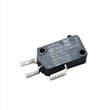
| Runs sometimes, stops when door moves | Door interlock system | Primary switch W10211972 |
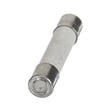
| Completely dead after a heat event | Safety cutout | Thermal fuse W11707984 |
Safety note (important)
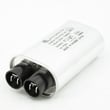
We recommend not removing the outer cover for troubleshooting. Microwaves contain high-voltage components (such as the capacitor and diode) that can store a dangerous charge even when unplugged.
Why it matters
Resetting power is the fastest way to clear a temporary control lockup, but if the problem is a door interlock or thermal safety issue, the microwave can appear “stuck” until the underlying condition is corrected.
Last updated: February 2026
How do you take out a Kenmore microwave?
To take out a Kenmore over-the-range microwave like model 66560652000, we unplug power, remove the grease filters and vent grille, then remove the two upper-cabinet mounting bolts. With the unit supported, we release the latch/hook and rotate the microwave down and off the mounting plate tabs (use the steps in the 66560652000 installation guide).
Before you start (safety and prep)
- Turn off power: unplug the cord from the upper cabinet or switch off the breaker.
- Clear the oven: remove the turntable, rack, and any accessories.
- Protect surfaces: cover the cooktop with a thick towel or cardboard.
- Use two people: over-the-range units are heavy and awkward.
- Tape the door shut so it cannot swing open while lowering.
Removal steps (typical for model 66560652000)
- Remove filters and vent grille
- Push the filter tab in and slide the filter outward to remove.
- Remove the two top screws near the front corners, then remove the vent grille.
- Remove the upper-cabinet bolts
- With the door taped shut, remove the two bolts securing the microwave to the upper cabinet.
- Release the latch and lower the unit
- Support the microwave with one hand (or have a helper support it).
- Pull the hook/latch to release it from the mounting plate.
- Rotate the front downward, then lift the unit off the bottom support tabs.
What hardware you will remove (quick reference)
| Item | Where it is | What it does |
|---|---|---|
| Vent grille screws | Top front corners | Holds vent grille in place |
| Upper-cabinet bolts | Through upper cabinet into microwave | Main support fasteners |
| Mounting plate tabs | Bottom of wall plate | Supports weight while hanging |
Why it matters
The upper-cabinet bolts and mounting plate tabs carry most of the microwave’s weight. Supporting the unit while removing bolts prevents cabinet damage, bent brackets, and dropped microwaves.
Last updated: February 2026


