


What is the average lifespan of a Whirlpool microwave?
A Whirlpool microwave typically lasts 7 to 10 years in normal household use. For an over-the-range microwave/hood combo like WMH31017HZ11, heavy daily use, poor ventilation, and frequent door slamming can shorten life, while routine cleaning and proper airflow help it reach the high end of that range.
What usually wears out first
Most “end of life” microwave problems come from a few common components rather than the entire unit failing at once:
- Heating stops or becomes weak (high-voltage system issues)
- Buttons stop responding (control or keypad related)
- Turntable stops rotating (motor or drive issues)
- Door won’t close or unit won’t start (interlock/switch issues)
- Hood fan or lights act up (hood or lamp issues)
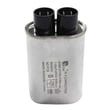
If your microwave runs but does not heat, the high-voltage circuit is a common place to focus; model-matched parts include the magnetron W11737891, capacitor WPW10574736, and gaoxin-hvd c W11256462.
Quick “repair vs. replace” checklist
Use this to decide whether it is worth repairing your WMH31017HZ11.
| What you’re seeing | Most likely area | Typical next step |
|---|---|---|
| Runs but does not heat | High-voltage components | Diagnose safely; replace failed part(s) |
| Dead display, no response | Power/control | Check power supply, then control |
| Won’t start when door closes | Door interlock system | Inspect/replace interlock parts |
| Loud hum or burning smell while heating | High-voltage system | Stop using; inspect before further operation |
For door-related no-start symptoms, the interlock WPW10156813 or the assembly, lower interlock (includes switches) W11551761 are common repair paths.
How to help your microwave reach 10 years
These habits reduce stress on the magnetron, control board, and door switches:
- Keep the interior clean to prevent arcing and hot spots
- Run the hood fan when cooking on the range to reduce heat buildup
- Avoid running the microwave empty
- Use microwave-safe containers only (no metal or foil contact)
- Close the door gently so the interlock system stays aligned
A good safety and usage refresher is never do these things with a microwave.
Why it matters
Microwave/hood combos live above the range, so heat, steam, and grease can accelerate wear. Protecting airflow and keeping the cavity clean helps prevent premature failures in high-voltage parts, the electronic control, and the door interlock system.
Last updated: February 2026
What are common problems with Whirlpool microwaves?
Common problems we see with Whirlpool microwaves like model WMH31017HZ11 include not heating, not starting, turntable not rotating, sparking/arcing, loud buzzing or humming, and dim or failed cooktop lighting. Many issues trace back to door interlock parts, the high-voltage circuit, or the control system.
Most common symptoms and likely causes
- Runs but does not heat: high-voltage diode, magnetron, capacitor, or high-voltage transformer
- Dead or won’t start: power supply issue, door interlock not closing, or control board problem
- Starts then stops when you close the door: misaligned or failed door interlock switch/assembly
- Turntable not turning: turntable motor or drive components
- Sparking inside cavity: food splatter, damaged waveguide cover (if equipped), or metal contact from cookware
- Light out under the microwave: failed halogen lamp
Parts that commonly fix these problems (WMH31017HZ11)
For this model, these are frequently involved when troubleshooting:
| Symptom | Common part involved | Example part on this model |
|---|---|---|
| No heat | High-voltage diode | Gaoxin-hvd c W11256462 |
| No heat or loud hum | Capacitor | Capacitor WPW10574736 |
| No heat | Magnetron | Magnetron W11737891 |
| Won’t start or door-related stopping | Door interlock | Assembly, lower interlock (includes switches) W11551761 |
| Turntable not rotating | Turntable motor | Microwave turntable motor W10642989 |
| Under-cabinet light out | Halogen lamp | Halogen g9 lamp 120v/40w 60hz W11520384 |
Quick checks we recommend before replacing parts
- Confirm the outlet has power (try a small appliance in the same outlet).
- Make sure the door closes firmly and the latch area is not obstructed.
- Test with a cup of water for 60 seconds; “runs but no heat” points to the high-voltage circuit.
- Inspect and clean the interior; baked-on splatter can trigger arcing.
- If the unit is over-the-range, verify the vent grille is seated and not vibrating.
Why it matters
Microwave/hood combos combine cooking electronics with a vent fan and lighting, so a single symptom can come from different systems. Door interlock problems can prevent safe operation, and high-voltage heating problems can sound like buzzing or humming even when the display looks normal.
For deeper troubleshooting steps by symptom, use our DIY guide: why is my microwave not heating.
Last updated: February 2026
Is the WMH31017HZ11 easy to use?
Yes. The Whirlpool WMH31017HZ11 microwave/hood combo is designed for straightforward daily use with a simple control panel, a standard turntable setup, and typical over-the-range microwave functions (cook, reheat, timed cook, and hood fan/light controls).
What “easy to use” usually means on this model
Most owners consider a microwave/hood combo easy when the basics are quick and consistent. For WMH31017HZ11, that typically comes down to:
- Clear, responsive keypad or touch controls
- Predictable cook times for common tasks (reheat, beverages, leftovers)
- Simple door operation and stable turntable rotation
- Easy access to the vent grille area for basic cleaning
- Convenient cooktop lighting and hood fan controls
Quick checks if operation feels confusing or inconsistent
If the microwave seems harder to use than expected, these are the most common setup or usability issues we see:
- Turntable not rotating: make sure the roller/driver is seated; a worn drive can cause slipping (see driver, turntable W11245707).
- No heat or weak heat: this is not a “settings” issue; it points to a heating circuit problem (use why is my microwave not heating for symptom-based guidance).
- Buttons not responding: a failing control interface or control board can cause intermittent input.
- Door not closing smoothly: door alignment and interlock switching can affect starting and stopping.
Parts that affect day-to-day usability
These parts are commonly involved when the microwave works but is frustrating to operate:
| Symptom | What you notice | Part often involved |
|---|---|---|
| Turntable issues | Plate stalls, jerks, or won’t turn | Microwave turntable motor W10642989 or driver, turntable W11245707 |
| Start/stop problems | Unit will not run unless door is pushed | Interlock WPW10156813 or assembly, lower interlock (includes switches) W11551761 |
| Display/control problems | Random beeps, dead keys, blank display | Electronic control W11552018 |
Why it matters
When a microwave/hood combo is truly “easy to use,” it starts reliably with the door closed, heats consistently, and the turntable rotates smoothly. If any of those basics are off, the fix is usually a specific part (interlock, control, or turntable drive), not a learning curve.
Last updated: February 2026


