



Does a microwave need a 15 or 20 amp circuit?
For the Hotpoint RVM5160DH8WW microwave/hood combo, the exact required circuit amperage (15A vs 20A) cannot be identified from the model-specific information available. In most homes, a microwave can run on a 15-amp circuit, but higher-wattage units are better supported by a dedicated 20-amp circuit to reduce nuisance tripping.
- Use a dedicated circuit when possible (microwave only).
- Avoid sharing the circuit with high-draw loads (toaster oven, coffee maker, air fryer).
- Plug directly into a wall outlet; avoid power strips.
- If the breaker trips during cooking, stop using the microwave until the cause is found.
- If you see dimming lights or hear buzzing at the outlet, have the circuit checked.
Microwaves draw more current than many people expect. Use this estimate:
| Microwave input (watts) | Estimated amps at 120V | Typical circuit fit |
|---|---|---|
| 900W | ~7.5A | 15A usually OK |
| 1200W | ~10A | 15A often OK (dedicated preferred) |
| 1500W | ~12.5A | 20A recommended |
A tripping breaker can be a house wiring issue, but it can also happen when an internal protective device opens (especially after a surge or component short). If the unit is completely dead (no display), these parts are commonly involved:
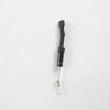
- Microwave fuse WB27X25389 (protects the microwave from overcurrent)
- Fuse asm WB27X35672 (fuse assembly used in the power circuit)
- Door switch problems that create an unsafe condition (interlock system)
For step-by-step guidance, use how to replace a microwave fuse.
Using the right circuit size helps the RVM5160DH8WW run reliably, prevents nuisance breaker trips, and reduces overheating risk at the outlet or wiring when the microwave and hood fan are operating.
Last updated: January 2026
Is Hotpoint a good microwave brand?
Hotpoint is a good microwave brand for straightforward, budget-friendly cooking, and that fits the design intent of the Hotpoint RVM5160DH8WW microwave/hood combo. You typically get simple controls, solid day-to-day heating, and practical vent-hood features, with fewer premium extras than higher-end lines.
- Value-focused performance: dependable reheating and basic cooking features for the price.
- Simple user experience: fewer complicated menus; easy for most households.
- Common tradeoffs: louder vent fan, firmer keypad feel, and more basic fit-and-finish than premium brands.
- Serviceability: many common wear items are replaceable, which can extend the life of the unit.
If your RVM5160DH8WW starts acting “not so good,” it is often tied to a few service parts:
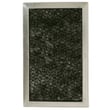
- Venting and odors: a clogged microwave charcoal filter WB02X35687
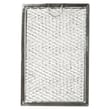
- Grease capture: a dirty microwave grease filter WB02X35491
- No power or intermittent power: a blown microwave fuse WB27X25389
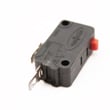
- Door won’t start or stops when closing: a worn door switch such as the microwave door interlock switch WB24X25397
| What you care about | Hotpoint typical experience | What to watch for |
|---|---|---|
| Heating and reheating | Strong for everyday tasks | Uneven results if turntable parts are missing or worn |
| Vent fan and light | Practical for cooktop ventilation | Fan noise and filter maintenance matter |
| Controls | Straightforward | Keypad feel varies by model and age |
| Long-term ownership | Good if maintained | Filters and door switches are common maintenance items |
A microwave/hood combo like the RVM5160DH8WW does two jobs: cooking and ventilation. Keeping filters clean and addressing door-switch or fuse symptoms early helps maintain performance, reduces nuisance shutdowns, and can prevent repeat failures.
Last updated: January 2026
What is the life expectancy of a countertop microwave?
A countertop microwave typically lasts 7 to 10 years. Even though your Hotpoint RVM5160DH8WW is a microwave/hood combo (not a countertop unit), the same core wear items (door switches, fuse, high-voltage parts) drive lifespan, so 7 to 10 years is still the practical expectation.
- Daily run time (more heating cycles shortens life)
- Door use and slamming (stresses interlock switches and latch parts)
- Ventilation and grease (especially on over-the-range units)
- Keeping the cavity clean (prevents arcing and damage)
- Power quality (surges can damage the control board)
- Food heats slowly or unevenly (after ruling out cookware and settings)
- Loud humming, buzzing, or burning smell during heating
- Display/keypad becomes intermittent
- Unit goes dead or repeatedly blows a fuse
- Door does not close firmly or you must “wiggle” it to start
Microwaves often fail due to a few serviceable components. For the Hotpoint RVM5160DH8WW, these are common examples:
| Symptom | Likely area | Example compatible part |
|---|---|---|
| Dead/no power | Line fuse or thermal protection | Microwave fuse WB27X25389 |
| Runs but does not heat | High-voltage circuit | Microwave high-voltage diode WB27X35382 |
| Won’t start when door closes | Door interlock system | Microwave primary interlock switch WB24X10047 |
Knowing the typical 7 to 10 year lifespan helps us decide whether a repair is worth it. If the unit is within that window, replacing a fuse, door switch, or filter is often a practical way to keep your Hotpoint microwave/hood combo working reliably.
Last updated: January 2026


