Error Codes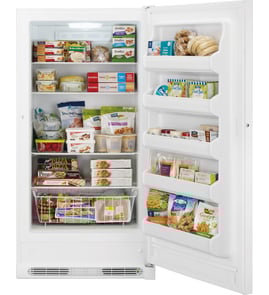




How to reset Hotpoint fridge freezer?
To reset a Hotpoint fridge freezer, we recommend doing a power reset: turn the temperature control to Off (or the lowest setting), unplug the unit for about 10 to 15 minutes, then plug it back in and set the control to your normal setting. For the Hotpoint HUF13STRBWW upright freezer, this clears many control glitches and restarts the cooling cycle.
Quick reset steps (safe and effective)
- Move the temperature control to Off or the warmest setting.
- Unplug the freezer from the wall outlet.
- Wait 10 to 15 minutes (this lets the control board fully discharge).
- Plug the freezer back in.
- Set the temperature back to your normal setting and close the door.
- Give it time to stabilize; most freezers need several hours to pull back down to temperature.
If it still is not cooling after the reset
A reset will not fix a failed component. These checks narrow down what is happening:
- Confirm the outlet has power (try a lamp or small appliance).
- Listen for the evaporator fan and compressor; no sound can point to a control or start issue.
- Check for heavy frost on the back interior panel (often a defrost airflow problem).
- Make sure the door is sealing all the way around; warm air leaks can mimic “not cooling.”
- Verify the freezer is not overpacked; blocked vents reduce airflow.
Common parts involved when a reset does not help
| Symptom after reset | Most likely area | Example model-matched part |
|---|---|---|
| No response, erratic temps | Electronic control | Main control board WR55X39814 |
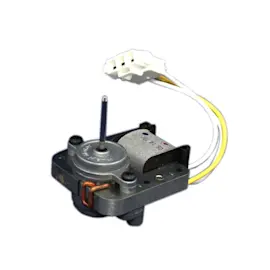
| Runs but warms up, poor airflow | Evaporator fan system | Fan motor WR60X40627 |
| Frost buildup, water/ice issues | Defrost drain/airflow | Hotpoint drain trough WR14X39871 |
| Frost around door, long run times | Door seal | Door gasket WR14X39873 |
Why it matters
A proper reset is the fastest way to clear a temporary control-board lockup or sensor glitch. If symptoms return quickly, the freezer is usually telling you there is an airflow, defrost, door-seal, or control problem that needs a targeted repair.
Last updated: January 2026
What is the average lifespan of an upright freezer?
Most upright freezers, including the Hotpoint HUF13STRBWW, typically last 10 to 20 years, with 12 to 15 years being a common real-world average when the freezer is kept clean, level, and able to seal tightly.
Typical lifespan ranges
Here’s a practical way to think about service life for an upright freezer:
| Condition | Typical lifespan | What usually limits life |
|---|---|---|
| Light use, cool/dry location, good airflow | 15 to 20 years | Normal wear on sealed system and controls |
| Average household use | 12 to 15 years | Door seal wear, fan issues, control problems |
| Hot garage, dusty area, frequent door openings | 10 to 12 years | Compressor strain, frost buildup, poor sealing |
What helps your freezer reach the high end of the range
We see these maintenance habits make the biggest difference:
- Keep the door sealing well; replace a torn or loose gasket such as the door gasket WR14X39873.
- Avoid overpacking; leave space for airflow around shelves and the air tower.
- Defrost and clear frost if airflow gets restricted.
- Keep the freezer in a stable, cooler environment when possible (heat makes the compressor work harder).
- Listen for changes in sound; a noisy or stalled fan can point to a failing evaporator fan motor.
Quick “repair vs. replace” guide
If your HUF13STRBWW is in the 10 to 20 year window, these rules of thumb help:
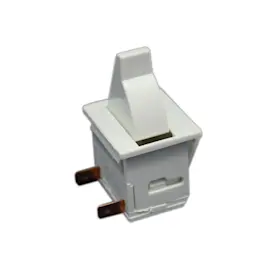
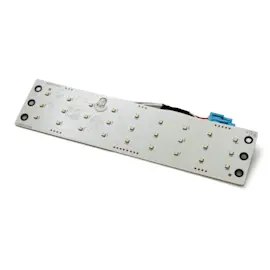
- Worth repairing: door seal leaks, interior light issues, minor control problems.
- Consider replacement: repeated warm-temperature episodes, sealed-system failures, or multiple major parts needed.
- Act fast: if food is softening or thawing, move it to another freezer and troubleshoot immediately.
Why it matters
A freezer that seals tightly and moves air correctly runs fewer hours per day, which reduces compressor wear, helps prevent freezer burn, and lowers energy use over the life of the appliance.
Last updated: January 2026
How do I find the model number on my HUF13STRBWW?
The model number for your Hotpoint upright freezer is printed on the appliance’s rating label. On model HUF13STRBWW, that label is typically found just inside the freezer compartment around the door opening, where it’s easy to read when the door is open.
Where to look on the freezer
Check these common rating-label locations first:
- Along the inner cabinet wall near the top front (inside the door opening)
- On the left or right side wall just inside the compartment
- Near the bottom front edge of the cabinet (inside the door opening)
- Behind the lower drawer or basket area (if your unit has one)
- On the back exterior panel (less common, but possible)
What the label looks like and what to copy
The label usually includes several identifiers. For parts lookup, we recommend copying:
- Model number (example: HUF13STRBWW)
- Serial number (helps confirm production run)
- Brand (Hotpoint)
- Electrical ratings (volts/amps), if you are troubleshooting
Quick ID guide
| Item on label | Why it matters | Example format |
|---|---|---|
| Model number | Ensures correct diagrams and parts fit | HUF13STRBWW |
| Serial number | Helps match revisions and sub-models | Letters and numbers |
| Part number | Identifies a specific replacement part | WR14X39873 |
Why it matters
Hotpoint freezers can use different shelves, gaskets, or controls across similar-looking units. Using the exact model number helps us match the correct door gasket, control board, or door bin for your freezer.
If you are trying to match a specific part
Once you confirm the model number, compare your part to the parts list for HUF13STRBWW. Common examples on this model include the door gasket WR14X39873 and the door bin WR71X40605.
Last updated: March 2026