Owner’s manual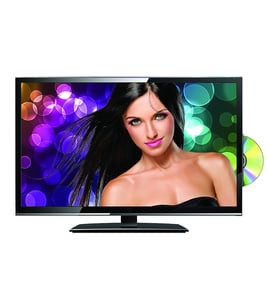



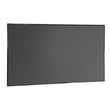
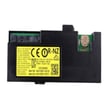
Is the Samsung UN49NU8000FXZA-FB02 a good TV?
Yes. The Samsung UN49NU8000FXZA-FB02 is a strong everyday 4K UHD TV for streaming, cable, and general gaming in a typical living room; Smart Hub is a major plus. For the best experience, use the recommended picture modes and support tools in the UN49NU8000FXZA-FB02 owner's manual.
What “good” usually means on this Samsung UHD TV
Most owners judge “good” by picture quality, smart features, and day-to-day usability. Common strengths and tradeoffs for this type of Samsung UHD TV include:
- Clear 4K picture for TV, sports, and streaming
- Smart Hub for apps, sources, and quick switching
- Good fit for moderate to bright rooms
- Tradeoff: dark-room movie blacks and premium HDR impact are better on higher-end models
Quick fit check for your room and viewing
| Priority | Good fit when… | Not ideal when… |
|---|---|---|
| Bright-room viewing | You watch with lights on or daytime | You want maximum HDR punch |
| Movies | You watch mixed content | You mainly watch in a dark room |
| Gaming | You want casual console play | You want top-tier motion handling |
Settings and support tools to try first
These built-in options often fix “this TV isn’t good” complaints caused by settings or software.
- Open Smart Hub to confirm apps and sources are set up correctly
- Go to Settings > Support for help options
- Use Remote Management for remote diagnosis and software updates (internet required)
- If settings got messy, use Self Diagnosis > Reset to restore TV settings (network settings stay)
When the issue is really an accessory
A missing or failing accessory can make the TV feel unreliable.
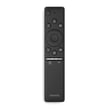
- Replace a nonresponsive remote with Samsung television remote control BN59-01298A
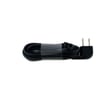
- Replace a damaged cord with power cord 3903-001117
Why it matters
A TV can be “good” but still disappoint if room lighting, content type (movies vs sports), or setup is mismatched. Correct picture settings and built-in support tools usually improve performance without repair.
Last updated: January 2026
Is the Samsung UN49NU8000FXZA-FB02 a smart TV?
Yes. The Samsung UN49NU8000FXZA-FB02 is a smart UHD television because it uses Smart Hub for apps and streaming, and it supports connecting and controlling the TV with the SmartThings app (features can vary by model and region). See the UN49NU8000FXZA-FB02 owner's manual for the exact Smart Hub and network setup steps.
How to confirm smart features on your TV
- Press the Home button on the remote to open Smart Hub.
- Look for apps and content rows such as streaming apps, games, and recommendations.
- Go to Settings and check Network options (Wi-Fi or wired, depending on your setup).
- If you use a phone, install SmartThings and try adding the TV on the same network.
- Sign in to your Samsung account on the TV to enable account-based smart features.
Smart features you can expect (typical)
Smart TVs like this Samsung UHD model commonly support:
- Streaming apps through Smart Hub
- Universal Guide style content discovery (availability varies)
- Mobile device connection and control through SmartThings (supported functions vary)
- HDMI device control features such as Anynet+ (HDMI-CEC) when enabled
| Feature | Where you use it | What it does |
|---|---|---|
| Smart Hub | TV Home screen | Apps, streaming, and content hub |
| SmartThings app | Mobile device | Connect, control, and manage supported functions |
| Universal Guide | TV apps area | Helps find and recommend content (varies) |
Why it matters
Knowing this is a smart TV helps you troubleshoot the right way. Many “no apps” or “won’t connect” issues come down to network setup, Samsung account sign-in, or remote navigation rather than a bad screen or main board.
Last updated: January 2026
When was the Samsung UN49NU8000FXZA-FB02 released?
The Samsung UN49NU8000FXZA-FB02 (NU8000 series UHD television) was released in 2018. For model-specific feature details and region notes that can vary by territory, use the UN49NU8000FXZA-FB02 owner's manual.
How to confirm you have the right model
Samsung often has similar-looking TVs with different suffixes; matching the full model number helps ensure you’re using the correct documentation and ordering compatible parts.
- Check the model label on the back of the TV (or in the TV’s Settings menu under Support/About).
- Match the full model number including the suffix: UN49NU8000FXZA-FB02.
- Compare the TV’s ports and connections (HDMI, optical, USB) to the manual’s connection section.
- If you’re shopping parts, match the part number to your exact model listing.
Why the release year matters
Release year affects Smart TV app support, codec compatibility, and accessory matching (like remotes and internal boards). For example, the manual notes that Samsung TV models released in 2018 do not support DivX and DTS codecs.
Common parts people replace on this model
If you’re troubleshooting or replacing accessories, these are common starting points for UN49NU8000FXZA-FB02:
- Remote control (pairing, button wear, or damage)
- Power cord (intermittent power, damaged insulation)
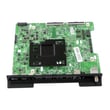
- Main board (no picture, no HDMI detection, boot issues)
- Power supply board (no power, clicking, cycling)
Quick parts reference
| Symptom | Part to check first | Example part for this model |
|---|---|---|
| Remote not responding | Remote control, batteries, pairing | Samsung television remote control BN59-01298A |
| TV will not power on | Outlet, power cord, power board | Power cord 3903-001117 |
| No signal on HDMI | HDMI cable, input settings, main board | Assembly Pcb Main BN94-12925A |
Related setup tip
If you’re using Smart Hub apps or streaming, an unstable connection can cause delays or interruptions; the manual’s network troubleshooting section is the best place to start.
Last updated: January 2026