 Owner’s manual



How many cubic feet is a Kenmore Model 40574229310 microwave?
The Kenmore Elite microwave model 40574229310 has an oven capacity of 2.2 cubic feet (about 62 L). This is the internal cooking space size and helps you judge what dish sizes and cookware will fit comfortably.
Where to confirm the capacity
We list capacity in the specifications section of the 40574229310 owner's manual. It is the most reliable place to double-check model-specific specs like capacity, turntable size, and exterior dimensions.
What 2.2 cu. ft. means in everyday use
A 2.2 cu. ft. countertop microwave is considered a larger-capacity unit. It typically works well for family-size reheating and larger microwave-safe cookware.
- Fits many full-size dinner plates and larger covered dishes
- Gives more clearance for taller containers (depending on the dish shape)
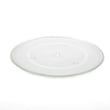
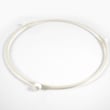
- Pairs well with a larger turntable (this model uses a 16.5-inch turntable)
- Helps reduce spillovers by giving food more space to vent
Quick spec snapshot (model 40574229310)
| Spec | Value |
|---|---|
| Oven capacity | 2.2 cu. ft. |
| Turntable diameter | 16.5 in. |
| Rated output power | 1200 W |
Why it matters
Capacity affects what you can cook or reheat without crowding, and it also helps when buying accessories like microwave covers or replacing fit-dependent parts such as the turntable tray.
Last updated: January 2026
How to reset a Kenmore Elite microwave?
To reset your Kenmore Elite microwave model 40574229310, unplug it for about 1 minute, then plug it back in to clear many control glitches. If the keypad is locked, unlock it first; otherwise the microwave can look “dead” even though it has power.
Quick reset options (most common)
- Power reset: Unplug the microwave (or switch off the outlet), wait 60 seconds, then restore power.
- Cancel/Stop reset: Press Stop/Cancel once to clear an incorrect entry; press again to return to the clock display.
- Unlock the controls: Press and hold the Lock pad for 3 seconds until “LOC” disappears.
- Clock refresh: After a power reset, set the clock again if needed (some settings return to default).
Step-by-step: control lock vs. reset
If you see “LOC” on the display, the microwave is locked, not broken.
| What you see | What it means | What to do |
|---|---|---|
| “LOC” | Control lock is on | Press and hold Lock for 3 seconds |
| “0:00” after power loss | Clock not set | Set the clock per the 40574229310 owner's manual |
| Beeps but won’t start | Door or programming issue | Close door firmly, re-enter cook time, press Start |
Why it matters
A power reset clears temporary control-board errors, while the lock function prevents unintended use. Mixing them up can lead to unnecessary parts replacement or service calls.
When a reset does not fix it
If the microwave still will not start after a power reset and unlocking:
- Confirm the outlet has power (try a small appliance).
- Make sure the door fully latches.
- Avoid running the microwave empty (can cause arcing and damage).
- Use the troubleshooting chart in the 40574229310 owner's manual.
Last updated: January 2026
How many watts is the Kenmore Elite microwave?
The Kenmore Elite microwave model 40574229310 is a 1200-watt countertop microwave (rated output power). That 1200 watts is the cooking power you feel in heating performance; the unit’s electrical input is higher.
Watts vs. input power (what you are really asking)
Microwaves list two watt numbers; knowing which one you need helps when comparing models or troubleshooting heating.
- Output power (cooking power): 1200 W
- Input power (power it draws): about 1700 W
- Rated voltage/frequency: 120 V, 60 Hz
- Capacity: 2.2 cu. ft.
| Spec type | What it means | Kenmore Elite 40574229310 value |
|---|---|---|
| Output power | Heating/cooking strength | 1200 W |
| Input power | Electrical draw from outlet | 1700 W |
Why it matters
- Cooking times are based on output watts; 1200 W typically cooks faster than 900 to 1000 W units.
- Electrical load matters for outlets and circuits; higher input wattage means higher current draw.
- Heating problems are diagnosed using output performance symptoms, not just what the unit draws.
If your microwave seems weak even though it is 1200 W
- Confirm you are not using a reduced power level setting.
- Test with a simple water-heat check (same cup, same time) to compare results.
- Make sure the door closes fully and the unit is not running with damaged seals.
- If it runs but does not heat, follow a safe diagnostic path in why is my microwave not heating.
For the full specifications list for this exact model, use the 40574229310 owner's manual.
Last updated: January 2026
Why is my Kenmore Elite microwave display not working?
If the display on your Kenmore Elite microwave model 40574229310 is dark or unresponsive, the most common causes are a power supply issue (outlet, cord, or internal fuse), a door not fully closed, or a problem in the control panel circuitry. Start with basic power and door checks before considering internal repairs.
Quick checks we recommend first
- Confirm the microwave is plugged into a working, properly grounded outlet (try a lamp or phone charger in the same outlet).
- Make sure the door is fully closed; a partially latched door can prevent normal operation.
- Unplug the microwave for 5 minutes, then plug it back in to reset the control.
- If the display shows “LOC”, the control lock is on; press and hold the lock pad for 3 seconds to unlock (the display should return to the clock or “0:00”).
- If the unit is completely dead (no display, no interior light, no response), suspect a blown fuse or failed control board.
What usually causes a dead or blank display
| Symptom | Most likely cause | What to do next |
|---|---|---|
| Display is blank and microwave will not start | No power to unit (outlet, cord, fuse) | Verify outlet power; then follow safe fuse-check guidance in the 40574229310 owner’s manual |
| Display shows “LOC” | Control lock enabled | Hold the lock pad for 3 seconds to toggle off |
| Display works but keypad does not respond | Keypad (membrane) or control board issue | Check for stuck keys; consider control panel service |
| Display flickers or is intermittent | Loose connection or failing control board | Unplug, reseat connections if qualified; otherwise schedule service |
If you suspect a fuse or internal electrical problem
Microwaves store high voltage even when unplugged, so we recommend having a qualified service technician handle internal testing and repairs.
If you are experienced and following safe procedures, use our step-by-step guidance in how to replace a microwave fuse.
Why it matters
A blank display often means the microwave is not getting stable power or the safety circuits (door interlocks/control lock) are preventing operation. Fixing the root cause helps avoid repeat failures and protects the control board.
Last updated: January 2026


