Owner’s manual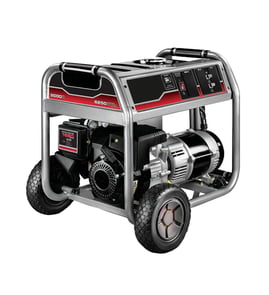



What is the most common problem with generac generators?
Starting and running problems are the most common issues we see with Generac portable generators like the GP7500E-5943-5. In practice, the biggest drivers are fuel-related problems (stale fuel, restricted fuel flow, dirty carburetor) and low-oil shutdown events, which can make the engine act like it will not start or will not stay running. For model-specific operating and maintenance steps, use the GP7500E-5943-5 owner's manual.
- Fuel delivery problems: hard starting, surging, stalling, or only running with choke.
- Low oil level shutdown: engine starts then stops, or will not keep running when oil is low.
- Battery/charging issues (electric start units): slow crank, clicking, or no crank.
- Overload or load mismatch: generator runs but breakers trip, or voltage drops under load.
- Basic maintenance items: fouled spark plug, dirty air filter, or restricted spark arrestor screen.
- Confirm fuel is fresh and the fuel valve is fully open.
- Check oil level; this model family uses a low-oil shutdown system that stops the engine to protect it.
- Reduce the load to zero, then start the generator and add loads one at a time.
- Inspect fuel lines for kinks or leaks and verify fuel is flowing to the carburetor.
- If electric start is weak, charge or replace the battery per the manual.
| Symptom | What to inspect | Part on this model that may help |
|---|---|---|
| Fuel smell, wet carb area, fuel will not shut off | Fuel shut-off operation | Generator fuel shut-off valve 0J0974 |
| Starts then dies, runs rough, needs choke | Fuel flow restriction | Generator engine fuel line 0G9757A |
| Runs poorly after old fuel storage | Carburetor contamination | Generator carburetor assembly 0G8442A112 |
Most “common problems” trace back to protection systems and basics: fuel quality, oil level, and load management. Keeping oil at the proper level, avoiding overload, and maintaining clean fuel delivery prevents no-start complaints and helps protect the engine and alternator.
Last updated: February 2026
Can a GP7500E-5943-5 generator run a whole house?
A Generac GP7500E-5943-5 can power many essential household circuits, but it does not run an entire all-electric home the way a permanent standby system can. Plan to run selected loads and manage start-up surges so you stay within the generator’s rated capacity (see the wattage guidance in the GP7500E-5943-5 owner’s manual).
Most homes have a mix of:
- Continuous loads (lights, refrigerator, router)
- Motor loads with surge (well pump, sump pump, furnace blower)
- High-demand loads (central AC, electric range, electric dryer)
A portable generator in this size range typically covers essentials, not every load at once.
We recommend adding up the watts for everything you want on at the same time. The manual’s guidance is:
- Add the total running watts of connected devices
- Account for starting watts for motors
- If watts are not listed, calculate watts = volts × amps
- List the circuits you want to power (refrigerator, lights, sump pump, etc.)
- Note running watts and starting watts from each appliance data label
- Start the largest motor load first, then add smaller loads
- Avoid running multiple high-surge items at the same time
- Use the generator’s 120/240V, 30A receptacle when powering 240V loads (when applicable)
| Load type | Examples | Works well on GP7500E-5943-5? |
|---|---|---|
| Essentials | refrigerator, lights, TV, chargers | Often yes (with load management) |
| Motor loads | sump pump, well pump, furnace blower | Often yes (watch starting surge) |
| High-demand electric | central AC, electric dryer, electric range | Often no (or only one at a time, if at all) |
To power home circuits, use a proper transfer switch or interlock installed by a qualified electrician. The manual also stresses:
- Do not overload the generator; overloading can damage the generator and connected devices
- Operate outdoors only and far from doors, windows, and vents due to carbon monoxide risk
Sizing the load correctly prevents nuisance breaker trips, voltage drop that can harm electronics, and generator damage from sustained overload.
Last updated: February 2026
How old is my Generac generator by serial number?
For a Generac GP7500E-5943-5 portable generator, the serial number on the data decal is the key identifier, but the manufacturing date is not decoded from a published serial-number chart in the GP7500E-5943-5 owner's manual. The reliable way to get the exact build date is to have Sears PartsDirect support look it up using your model and serial.
Use the unit’s data decal (often labeled with model and serial fields). Record:
- Model number: GP7500E-5943-5
- Serial number: copy every character exactly
- Any “Unit ID” or similar identifier shown on the decal
- Engine information listed on the decal (if present)
Because Generac does not provide a universal, customer-facing serial-number date decoder for this model line, the practical process is:
- Confirm the serial number is complete and legible
- Provide the model number and serial number together
- Use the serial to identify the production record and manufacturing date
- Use that date to choose the correct parts when there are production changes
| What you have | What it tells you | What it does not tell you |
|---|---|---|
| Model number (GP7500E-5943-5) | Exact generator series/configuration | Exact build date |
| Serial number | Unique unit identifier | A guaranteed, readable date code |
| Hour meter reading | How much it has run | How old it is |
Knowing the true manufacturing date helps us match parts correctly when designs change mid-production. That is especially important for fuel and starting components such as the generator hour meter 0G8321 and Generac generator fuel shut-off valve 0J0974.
Last updated: February 2026