
What are the things you put in a drill called?
The things you put in a drill are usually called bits. For your Craftsman model 113213873 (a 17-inch heavy-duty floor model drill press), the most common are drill bits for making holes; you may also use specialty bits (like Forstner or hole saws) depending on the material and hole size.
Common types of “drill bits” (and what they do)
- Twist drill bits: general-purpose holes in wood, metal, and plastic
- Brad-point bits: cleaner, more accurate holes in wood
- Spade bits: fast, rough holes in wood (larger diameters)
- Forstner bits: flat-bottom holes in wood
- Masonry bits: holes in brick, block, and concrete (typically used with a hammer drill, not a drill press)
- Hole saws: large-diameter holes (use the correct arbor and speed)
What about “driver bits”?
Driver bits (Phillips, Torx, hex, square) are made for driving screws. A drill press like the Craftsman 113213873 is designed primarily for drilling; it is not ideal for driving fasteners because you cannot control torque the way you can with a handheld drill/driver.
Quick guide: choose the right bit for the job
| Task | Best bit type | Notes |
|---|---|---|
| Clean holes in wood | Brad-point | Helps prevent wandering and tear-out |
| General holes in metal | Twist bit (HSS/cobalt) | Use cutting oil and slower speeds |
| Large holes in wood | Forstner or hole saw | Clamp the workpiece securely |
| Countersink screw heads | Countersink bit | Often used after drilling a pilot hole |
Why it matters
Using the correct bit type (and the right speed) reduces burning, chatter, and bit breakage; it also helps you get straighter holes and protects your drill press chuck and spindle.
For safe electrical troubleshooting on powered tools and shop equipment, we recommend reviewing are diy appliance repairs safe.
Last updated: February 2026
What are the parts of a drill press called?
A Craftsman drill press like model 113213873 is typically described by a few main assemblies: the base and column (support), the table (work support), and the head (motor and drive). The drilling action happens through the quill and spindle, controlled by the feed handle.
Common drill press parts (names you will see)
- Base: heavy platform that stabilizes the drill press
- Column: vertical post that supports the head and table
- Table: adjustable work surface for supporting the material
- Table clamp / table lock: locks the table height and rotation on the column
- Head: houses the motor and drive components
- On/off switch: power control (often with a safety key)
- Quill: sliding sleeve that moves up and down during drilling
- Spindle: rotating shaft inside the quill that drives the chuck
Parts you may also hear called out (especially on floor models)
These names are common on 17-inch heavy-duty floor model drill presses:
| Part name | What it does | Where it is |
|---|---|---|
| Chuck | Holds the drill bit | Bottom of the spindle |
| Feed handle | Lowers and raises the quill | Front/side of the head |
| Depth stop | Limits how deep you drill | Near the quill/feed mechanism |
| Belt and pulleys | Set spindle speed (RPM) | Under the belt cover on the head |
| Return spring | Brings the quill back up | Side of the head |
Why the names matter (when troubleshooting or ordering)
Using the correct part name helps you match symptoms to the right area. For example, wobble at the bit usually points to the chuck/spindle, while a quill that will not return smoothly often points to the return spring or quill movement.
Helpful next step
If you are trying to identify a specific component on your drill press, use our guide on locating the model tag first so you are searching parts by the exact model number.
Last updated: February 2026
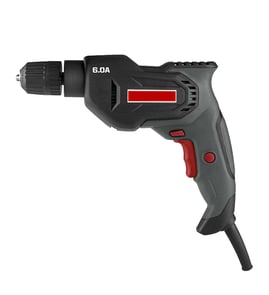
What are the parts of a power drill?
A power drill is built around a motor that spins a chuck to drive a bit; the user controls that power with the trigger and direction switch. On the Craftsman model 113213873 (a 17-inch heavy-duty floor model drill press), you will also see drill-press-specific parts like the spindle/quill, feed handles, and table.
Core parts you will find on most power drills
- Motor: creates the rotation that drives the bit
- Chuck: clamps the drill bit or accessory
- Trigger/switch: turns the tool on and off (often variable speed on handheld drills)
- Forward/reverse switch: changes rotation direction for driving or backing out fasteners
- Gearbox/speed selector (some drills): changes speed and torque ranges
- Clutch/torque collar (many cordless drills): limits torque to prevent stripping screws
- Handle/grip: control and stability (often includes a side handle on higher-torque tools)
Parts that are specific to a drill press (like Craftsman 113213873)
A drill press is designed for accuracy and repeatability, so it adds components you will not see on a typical handheld drill.
- Spindle and quill: the rotating shaft and sliding housing that move the chuck up and down
- Feed handles: the levers you pull to lower the bit into the workpiece
- Depth stop: sets a consistent drilling depth
- Table and table tilt/height mechanism: supports the work and adjusts position
- Column and base: provide rigidity and keep the tool aligned
- Pulley and belt drive (common): changes spindle speed by moving the belt across pulleys
Quick comparison: handheld drill vs. drill press
| Feature | Handheld power drill | Drill press (113213873 type) |
|---|---|---|
| How the bit is fed | You push the tool into the work | Quill feeds straight down via handles |
| Speed changes | Trigger/gear selector (varies) | Belt and pulley steps (common) |
| Best for | Portability, driving screws | Straight, repeatable holes |
Why it matters
Knowing the major parts helps you troubleshoot symptoms faster. For example, slipping bits point to the chuck, speed issues often involve the belt/pulleys (drill press) or gearbox (handheld), and no-start problems commonly trace to the switch, cord, or internal wiring.
For safe electrical checks during troubleshooting, use our how to use a multimeter to test electrical parts video.
Last updated: February 2026
How to unlock chuck on Craftsman drill?
To unlock the chuck on your Craftsman 113213873 17-inch heavy-duty floor model drill press, loosen the chuck by turning the chuck sleeve counterclockwise (left) by hand; if it is stuck, use the chuck key in the chuck’s gear teeth and turn it counterclockwise to break it free.
Quick steps to unlock the chuck
- Unplug the drill press (or switch it off and remove the key if your model has one).
- Hold the chuck body steady with one hand.
- Turn the chuck sleeve counterclockwise to open the jaws.
- If it will not budge, insert the chuck key and turn the key counterclockwise.
- Once it breaks free, keep turning until the jaws open enough to remove the bit.
If the chuck is stuck (common fixes)
A chuck usually binds from overtightening, rust, or debris in the jaws.
| Symptom | Most likely cause | What to do |
|---|---|---|
| Sleeve will not turn by hand | Bit overtightened | Use the chuck key; apply steady pressure (no hammering) |
| Turns a little then jams | Debris in jaws | Open jaws fully; brush out chips; wipe clean |
| Feels gritty or frozen | Light rust/corrosion | Add a small amount of penetrating oil to the jaws; work it open/closed |
| Key slips | Worn chuck key or gear teeth | Try a different key size that fully seats; replace worn parts if needed |
Good habits that prevent a locked chuck
- Tighten the bit firmly, but do not over-tighten.
- Remove the chuck key immediately after tightening.
- Keep chips out of the chuck; blow off dust after drilling.
- Lightly oil the jaws occasionally if you store the drill press in a humid area.
Why it matters
A chuck that is forced can strip the chuck gear teeth, damage the chuck key, or leave the bit clamped off-center, which increases wobble and reduces drilling accuracy.
For more DIY safety and best practices while working on tools and electrical components, use our guide: are diy appliance repairs safe.
Last updated: February 2026