 Owner’s manual




How do you reset a Kenmore Elite microwave?
To reset your Kenmore Elite microwave model 36363693303, unplug it for about 60 seconds, then plug it back in; this clears most control glitches after a power surge and restores normal operation. For model-specific control steps, follow the reset and settings guidance in the owner's manual.
- Power reset: Unplug for 60 seconds, then reconnect power.
- Breaker reset: If the unit is dead, reset the tripped circuit breaker (or replace a blown fuse) and try again.
- Stop/Clear reset: Press STOP/CLEAR to cancel a cooking cycle and return to the clock display.
- Door reset: Close the door firmly and try START/ENTER again (a slightly open door can prevent starting).
A “reset” will not fix a failed safety interlock or a door-switch problem. On model 36363693303, door interlock switches are common no-start culprits.
- If the display works but it will not run, inspect the door latch area for looseness or misalignment.
- If you hear unusual clicking at the door or it starts and stops, the primary interlock switch can be involved.
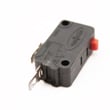
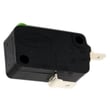
- If you suspect a door-switch issue, use the correct replacement part for this model, such as the micro-switch WB24X10047.
| Reset method | What it fixes | What it will not fix |
|---|---|---|
| Unplug 60 seconds | Control board glitches, power surge odd behavior | Broken door switch, failed internal component |
| Breaker/fuse reset | No power to microwave | Repeated trips from an electrical fault |
| STOP/CLEAR | Cancels a cycle, clears an entry | Loss of power, hardware failures |
Resetting is the fastest way to clear a temporary control issue without replacing parts. If the problem returns quickly, focusing on power supply, door interlocks, or a failing component prevents repeat shutdowns and no-start symptoms.
If you need to order parts for Kenmore Elite 36363693303, use the parts list for this model or search by model number on Sears PartsDirect.
Last updated: February 2026
How to remove a Kenmore Elite over the range microwave?
To remove a Kenmore Elite over-the-range microwave like model 36363693303, we first shut off power, support the unit from below, remove the top grille and upper mounting screws, then tilt the microwave forward and lift it off the rear wall mounting plate. Follow the step-by-step diagrams in the 36363693303 owner's manual.
- Turn off power at the breaker (or unplug if accessible).
- Protect the cooktop with a thick towel or cardboard.
- Use two people; these units are heavy and awkward.
- Wear cut-resistant gloves; sheet metal edges can be sharp.
- If the microwave is hardwired, stop and use a qualified technician.
- Clear the area: Remove the glass tray and any racks so nothing falls.
- Remove the top grille: Take out the grille screws and slide the grille off.
- Support the microwave: Have a helper hold it, or use a sturdy support on the range.
- Remove the upper mounting screws: These usually come down through the upper cabinet into the microwave.
- Tilt forward: With the top screws out, tilt the front of the microwave down.
- Lift off the wall plate: Lift the unit up and away to unhook it from the rear mounting plate.
- Disconnect venting as needed: If ducted, separate the damper or duct connection once the unit is supported.
If you find stripped fasteners or a bent bracket during removal or reinstallation, these model-matched parts are commonly involved:
| What it affects | Part to check | When to replace |
|---|---|---|
| Wall support and alignment | Microwave mounting plate WB56X35363 | Plate is bent, cracked, or missing hardware holes |
| Small fasteners | Microwave nut WB01X10124 | Nut is rounded, seized, or missing |
| Vent door movement | Inlet damper WB06X10668 | Damper is broken, stuck, or noisy |
For additional replacement parts for model 36363693303, we list them on the model parts page, and you can also search by model number on Sears PartsDirect.
Over-the-range microwaves hang on a rear mounting plate and are stabilized by upper cabinet screws. Supporting the unit and removing fasteners in the right order prevents cabinet damage, vent damage, and door alignment problems after reinstall.
Last updated: February 2026
How to unlock control lock on Kenmore Elite dryer?
Kenmore Elite dryers unlock the Control Lock by pressing and holding the Control Lock button (or the key shown with a lock icon) for about 3 seconds until the lock indicator turns off. If you are working on Kenmore Elite model 36363693303, that model is a microwave/hood combo; its lockout uses START/ENTER instead.
- Locate the Control Lock key or the lock icon on the console.
- Press and hold that key for 3 seconds.
- Wait for a beep or for the lock light to turn off.
- Try Start to confirm the keypad responds.
- If the panel still will not respond, unplug the dryer for 1 minute, plug back in, then try the 3-second hold again.
On Kenmore Elite 36363693303, the manual lists Child lockout as:
- Press and hold START/ENTER for about 3 seconds to lock or unlock.
Use the 36363693303 owner's manual to confirm the exact button labels on your control panel.
| What you see | Appliance type | What to press and hold |
|---|---|---|
| “Control locked” or lock light on | Dryer | Control Lock key (lock icon), ~3 seconds |
| “Control Panel LOCKED” message | Microwave/hood combo 36363693303 | START/ENTER, ~3 seconds |
Control Lock is designed to prevent accidental button presses. Unlocking it first avoids unnecessary part replacement and helps you quickly confirm whether the issue is simply a locked keypad.
To look up the correct instructions and parts list by model number, search on Sears PartsDirect.
Last updated: February 2026
Where can I find my Kenmore microwave model number?
On Kenmore Elite model 36363693303, the model and serial number are on a label on the front face of the oven, behind the door. We recommend writing both numbers down for parts lookup and future service reference; see the owner's manual.
Check these common label locations first (in order):
- Open the door and look on the front frame/front face of the microwave (behind the door)
- Look along the door opening area near the latch side
- Check the inner edge around the control panel side of the opening
- If you still do not see it, inspect the back panel (only if safely accessible)
Most Kenmore microwave/hood combo ID labels list both numbers you need:
| Item on label | What it’s used for | Example format |
|---|---|---|
| Model number | Ensures correct parts and diagrams | 36363693303 |
| Serial number | Helps identify production run/version | Letters and numbers |
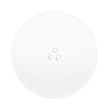
Using the exact model number helps us match the correct parts list and diagrams for your unit. That matters most when ordering fit-critical items such as a glass tray WB49X10129 or door safety components like a micro-switch WB24X10047.
- Copy the model number exactly as printed (all digits)
- Record the serial number too; it can help distinguish similar versions
- Keep the info with your kitchen appliance records for faster repairs
Last updated: February 2026


