 Owner’s manual
 Error Codes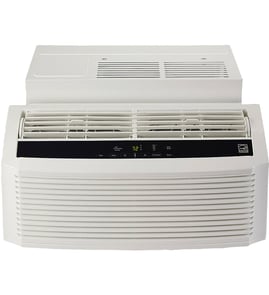





How many square feet does a 14 seer air conditioner cool?
SEER does not determine square footage; it measures efficiency. For a GE AHC14AYL1 room air conditioner, cooling coverage is based on the unit’s BTU rating, your insulation, sun exposure, ceiling height, and climate. Use the sizing guidance in the owner's manual to match capacity to the room.
What to use instead of SEER for sizing
When you are trying to figure out “how many square feet,” focus on capacity (BTUs) and real-world load factors.
- Find the unit’s BTU rating on the model label or in the owner's manual
- Add capacity for hot, sunny rooms and top-floor rooms
- Reduce capacity needs for shaded rooms and efficient windows
- Plan for higher load with high ceilings or open floor plans
- Keep the air filter clean; restricted airflow reduces effective cooling
Quick sizing rule of thumb (BTU to room size)
These ranges are typical for room (window) air conditioners.
| Room size (sq. ft.) | Typical capacity (BTU/hr) |
|---|---|
| 150 to 250 | 6,000 to 8,000 |
| 250 to 400 | 8,000 to 10,000 |
| 400 to 550 | 10,000 to 12,000 |
| 550 to 700 | 12,000 to 14,000 |
| 700 to 1,000 | 14,000 to 18,000 |
Why it matters
If the air conditioner is oversized, it can short-cycle and leave the room humid. If it is undersized, it may run constantly and still not reach the set temperature. Proper sizing also helps features like Eco mode and Sleep mode perform as intended.
A quick maintenance check that affects “coverage”
A dirty filter can make a correctly sized unit feel too small.
- Clean the filter when airflow feels weak
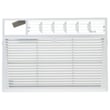
- If your filter is damaged or won’t clean up well, replace it with the correct part for this model: GE filter WJ85X24822
- After cleaning or replacing, use the filter reset feature if your unit has it (see the owner's manual)
Last updated: February 2026
How to check AC model number?
For your GE room air conditioner, the model number is on the rating label located on the side of the unit. Write down the full model number exactly as shown (for this page, the model is AHC14AYL1) and keep it with your paperwork or owner's manual.
Where to look on a GE window or room air conditioner
Most GE room air conditioners place the rating label in one of these spots:
- On the side of the air conditioner (common for AHC-series units)
- Behind the front grille or front cover (you may need to open the inlet grille)
- Near the control panel area (inside the front cover)
- On the outer case where it is visible when the unit is installed
What to copy from the label (and why)
Copy the information exactly, including letters, numbers, and any dashes.
- Model number (used to match parts and manuals)
- Serial number (used to identify production details)
- Electrical ratings (helpful for power and circuit checks)
- Brand and series (GE AHC-series, for example)
Quick guide: model number vs. serial number
| Item | What it identifies | Used for |
|---|---|---|
| Model number | The product design and parts fit | Ordering the correct replacement parts |
| Serial number | The specific unit made | Service history and production info |
Why it matters
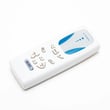
Using the exact model number prevents ordering the wrong air filter, front panel, or sealing parts. Even small model-number differences can change the fit of items like the GE filter WJ85X24822 or the room air conditioner remote control WJ26X20522.
Last updated: February 2026
What are the most common issues with AHC14AYL1?
The most common issues we see with the GE AHC14AYL1 room air conditioner are weak cooling from restricted airflow, water leaking or splashing from drainage problems, and control or remote-operation problems. Many of these are fixed with cleaning, resealing the window kit, or replacing a few common service parts.
Common symptoms and what usually causes them
- Not cooling well: dirty or clogged air filter, blocked coils, incorrect mode or temperature setting
- Water dripping inside: unit not tilted slightly outward, clogged drain path, gaps in the window seal
- Rattling or air leaks at the window: loose mounting, worn foam seals, damaged side panels
- Remote not working: weak batteries, blocked sensor window, failed remote
- Musty odor: moisture buildup on the evaporator and filter, dirty front panel area
Quick checks we recommend first
- Set to Cool and a lower temperature; confirm the fan is running.
- Remove and clean the filter; if it is damaged, replace it.
- Verify the cabinet is pitched slightly downward to the outside so condensate drains correctly.
- Inspect the window kit and foam seals for gaps that let hot air and humidity in.
- Unplug the unit for 2 minutes to reset the control, then restart.
Parts that commonly solve these problems
| Symptom | Part to inspect/replace | What it affects |
|---|---|---|
| Weak airflow, poor cooling | GE filter WJ85X24822 | Airflow through the evaporator and overall cooling performance |
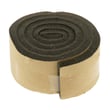
| Air leaks, water intrusion | Gasket seal WJ01X10426 or sealing sponge WJ01X23451 | Sealing around the chassis and window kit |
| Remote issues | Room air conditioner remote control WJ26X20522 | Command input and operation |
Why it matters
Restricted airflow and air leaks make the compressor run longer, reduce cooling capacity, and increase moisture problems. Keeping the filter clean and the window seal tight is the fastest way to restore comfort and efficiency.
Model-specific guidance
For the correct filter removal, cleaning intervals, and operating modes for the GE AHC14AYL1, follow the steps in the AHC14AYL1 owner’s manual.
Last updated: March 2026


