 Owner’s manual



Can I still use the microwave with the SE error?
Yes, you can use your Samsung ME16A4021AS microwave/hood combo after the SE error clears. Unplug the microwave, wait about 1 minute, then plug it back in; if the code is gone and the keypad responds normally, cooking functions are safe to use.
What to do first (safe reset steps)
- Press Cancel/Off to stop any cycle.
- Unplug the microwave (or switch off the breaker).
- Wait 60 seconds.
- Restore power.
- If the display is normal, test with a short 30-second heat cycle using a cup of water.
If the SE error comes back
SE is commonly tied to a stuck key or moisture/contamination on the touch panel area. Use these practical checks before replacing parts:
- Wipe the control panel with a barely damp cloth, then dry it fully.
- Make sure no cleaner residue is left on the keypad surface.
- Avoid spraying cleaner directly onto the panel.
- Power-cycle again after the panel is completely dry.
- If keys act “pressed” by themselves, plan for a control-panel related repair.
When to stop using it and get service
Stop using the microwave and have it serviced if any of these happen:
- The SE error returns immediately after reset.
- The microwave starts by itself or buttons do not respond correctly.
- The door does not close and latch securely.
- You see arcing/sparking, smell burning, or the unit overheats.
Quick decision guide
| What you see | What it usually means | What we recommend |
|---|---|---|
| SE clears after unplugging | Temporary keypad/control glitch | Use normally and monitor |
| SE returns intermittently | Moisture, stuck key, failing panel | Dry/clean, then plan repair |
| SE returns immediately | Control issue that will not self-correct | Schedule service |
Why it matters
An SE error can indicate the microwave is receiving unintended keypad inputs. Clearing the code and confirming normal keypad behavior helps prevent unexpected operation and supports safe day-to-day use. For additional safety rules (door, interlocks, and operating precautions), follow the ME16A4021AS owner’s manual.
Last updated: February 2026
How to hard reset a Samsung microwave?
For the Samsung ME16A4021AS microwave/hood combo, the most reliable “hard reset” is a power reset: unplug the microwave (or switch the circuit breaker off) for at least 10 seconds, then restore power and set the clock. This clears many control glitches after a power interruption.
Hard reset steps (ME16A4021AS)
- Stop cooking first; press STOP/CLEAR to end any active cycle.
- Unplug the power cord from the outlet.
- Wait at least 10 seconds.
- Plug the microwave back in.
- Set the clock (the manual notes you should reset time after unplugging and restoring power).
For the exact button locations and clock steps, use the ME16A4021AS user manual.
If the keypad seems “locked” (not a reset, but common)
This model uses a Child Lock feature that can make it look like the microwave is frozen.
- Press and hold OK/START for 3 seconds to toggle Child Lock.
- Try STOP/CLEAR once to cancel a timer entry.
- Close the door firmly; the oven will not run if the door is not fully latched.
What to check if a reset does not fix it
A hard reset helps with temporary control issues. If the display works but the microwave will not start, focus on basic power and door checks first.
- Confirm the plug is fully seated in a grounded outlet.
- If the outlet is on a wall switch, make sure the switch is on.
- Reset the home circuit breaker (or replace a blown fuse at the panel).
- Try a different small appliance in the same outlet to confirm the outlet has power.
- Inspect the door seal area for anything stuck that prevents full closure.
Quick reference table
| Symptom | Best next step | Why |
|---|---|---|
| Blank display | Power reset (unplug 10 seconds) | Restores control power after a glitch |
| Display on, won’t start | Check door closure and Child Lock | Interlocks prevent operation |
| Works sometimes | Check outlet, breaker, and power cord fit | Intermittent power causes resets |
Why it matters
A true hard reset (power reset) clears the control board state after a power surge or software hiccup. It also helps you separate a temporary control issue from problems like a door interlock or household power supply.
Last updated: February 2026
What is the life expectancy of a Samsung microwave?
Most Samsung microwaves, including the Samsung ME16A4021AS over-the-range microwave/hood combo, typically last 7 to 10 years with normal household use. Heavy daily use, poor ventilation, and running the oven empty can shorten life; good cleaning and prompt repairs can extend it.
Typical lifespan and what affects it
Here’s what most owners see in real-world use:
- Light use (a few minutes/day): often 10+ years
- Normal use (typical household): 7 to 10 years
- Heavy use (multiple long cycles/day): often 5 to 7 years
- Poor airflow or grease buildup (OTR units): can reduce lifespan faster
- Frequent power surges/outages: can shorten control and power-component life
For model-specific care and safety reminders (especially around door interlocks and safe operation), follow the ME16A4021AS owner's manual.
Repair vs. replace: a practical guide
When a microwave/hood combo starts acting up, the decision usually comes down to the type of failure.
| Symptom | Most likely area | Usually worth repairing? |
|---|---|---|
| Runs but does not heat | High-voltage system (magnetron, diode, capacitor) | Sometimes |
| Dead, no display | Power supply, fuse, control board | Sometimes |
| Loud buzzing/hum while heating | Magnetron or transformer | Depends on cost |
| Door won’t start unit | Door switches/latch alignment | Often |
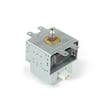
If your ME16A4021AS runs but won’t heat, the high-voltage section is a common cause; the microwave magnetron OM75P-21-ESGN is one of the key heating components used in this model.
Why it matters
A microwave/hood combo does double duty (cooking plus ventilation), so heat, grease, and vibration can wear parts faster than a basic countertop microwave. Keeping airflow clear and addressing small issues early helps you get the full 7 to 10 years.
Tips to help your microwave last longer
- Keep the grease filters clean so airflow stays strong
- Don’t run the microwave empty
- Use microwave-safe cookware to prevent arcing
- Stop using it if you notice burning smell, smoke, or unusual noise; unplug and service it
- Avoid slamming the door; it protects the door interlock switches
Last updated: February 2026
How many watts is a Samsung microwave model ME16A4021AS?
Samsung microwave/hood combo model ME16A4021AS is rated at 1000 watts cooking power (power output). For the same model family, the manual also lists 1580 watts power consumption, which is the electrical draw while running, not the cooking power.
Where to confirm the watt rating
The most reliable place to verify wattage for ME16A4021AS is the specifications section in the ME16A4021AS user manual.
- Power output (cooking power): the number most people mean by “watts”
- Power consumption (electrical draw): what the microwave pulls from the outlet
- Circuit needs: based on electrical draw, not cooking power
Power output vs. power consumption (quick comparison)
| Spec | What it means | What to use it for |
|---|---|---|
| Power output: 1000 W | Heating/cooking performance | Comparing cooking speed across microwaves |
| Power consumption: 1580 W | Electrical draw from the outlet | Circuit planning, energy use expectations |
Why it matters
Knowing the difference helps you set expectations. A 1000 W Samsung over-the-range microwave like ME16A4021AS typically cooks faster than lower-watt models, while the 1580 W consumption figure is what matters for electrical load and troubleshooting power issues.
Related troubleshooting tip
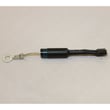
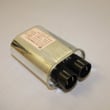
If your ME16A4021AS runs but does not heat, the issue is often in the high-voltage system (not the watt rating). Common suspect parts include the microwave magnetron OM75P-21-ESGN, high-voltage diode, capacitor, or door interlock switch.
Last updated: February 2026





