




Is GE Profile considered high end?
Yes. GE Profile is generally considered GE’s higher-end mainstream line, positioned above standard GE models with more premium features and finishes; it is not the same as a true luxury tier. For parts and repairs on your GE JVM1870SF001 microwave/hood combo, we focus on model-specific replacement parts available through Sears PartsDirect.
What “high end” usually means for GE Profile
GE Profile typically targets customers who want upgraded performance and design compared with basic GE appliances.
Common “premium” differences include:
- More advanced cooking or sensor features (by product)
- More electronic controls and convenience options
- Upgraded exterior styling and finishes
- More feature packages (for example, smart or specialty modes)
- Higher price point than standard GE lines
How this relates to your GE JVM1870SF001 microwave/hood combo
Whether your unit is GE or GE Profile, the most important thing for repairs is matching the exact model number and using the correct parts for the door interlock system, turntable drive, and heating circuit.
Parts on this model that commonly matter for performance and safety include:
- Door interlock components such as micro-switch WB24X830 and microwave door interlock switch lever WB06X10128
- Turntable drive parts such as microwave turntable motor WB26X10038 and microwave glass turntable tray WB49X10063
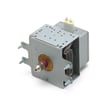
- Heating circuit components such as magnetron WB27X10735 and microwave high-voltage diode WB27X1160
Quick guide: GE vs GE Profile (typical positioning)
| Line | Typical positioning | Typical buyer |
|---|---|---|
| GE | Mainstream/value | Wants solid basics at a lower cost |
| GE Profile | Premium mainstream | Wants more features and a more upgraded look |
Why it matters
“Higher end” often means more electronics and feature sets; that can also mean troubleshooting is more dependent on correct switches, harnesses, and sensors. Using the correct GE JVM1870SF001 parts helps restore normal heating, door operation, and venting performance.
Last updated: February 2026
How many watts is a JVM1870SF001?
The GE JVM1870SF001 microwave/hood combo is typically an 1,100-watt cooking-power microwave in this XL1800 class. If you are comparing models, remember that “watts” can mean cooking power (heating) or the electrical power it draws from the outlet.
Cooking watts vs. electrical watts (what most people mean)
When customers ask “how many watts,” they usually mean cooking power, because that is what affects heating speed.
- Cooking power (output): the microwave’s heating power (commonly around 1,000 to 1,200 watts for over-the-range units)
- Electrical draw (input): what it pulls from the outlet; usually higher than cooking watts
- Vent fan watts: separate from microwave cooking power
- Light watts: cooktop light wattage is separate, too
Quick comparison
| Spec type | What it affects | Typical range for over-the-range microwaves |
|---|---|---|
| Cooking power (output) | How fast food heats | 1,000 to 1,200 W |
| Electrical draw (input) | Circuit load | Higher than output |
Why it matters
Knowing the cooking watts helps you adjust cook times and compare performance. Knowing the electrical draw helps you avoid nuisance trips on a shared circuit and plan safe installation.
Parts that commonly relate to heating performance
If your JVM1870SF001 runs but does not heat, these are common heating-circuit parts we see involved in diagnosis and repair:
- Magnetron WB27X10735
- Microwave high-voltage diode WB27X1160
- Microwave high-voltage capacitor WB27X10011
For step-by-step troubleshooting, we recommend our DIY article why is my microwave not heating.
You can order replacement parts for GE JVM1870SF001 from the parts list for this model, or search by model number on Sears PartsDirect.
Last updated: February 2026
What are common problems with GE Profile microwaves?
Common problems we see on GE over-the-range and GE Profile-style microwaves (including GE model JVM1870SF001) are: the microwave runs but does not heat, it goes completely dead, the door will not latch correctly, or the turntable stops rotating. Many of these symptoms trace back to door interlock parts, thermal protection, or high-voltage components.
Most common symptoms and what usually causes them
- Runs but does not heat: failed magnetron, high-voltage diode, or high-voltage capacitor
- Dead, no display, no response: blown fuse, loose power connection, or an open thermal cut-off
- Starts then stops when you close the door: worn door interlock switch or switch lever
- Turntable not turning: failed turntable motor or a jammed roller/coupler
- Fan or vent issues: vent motor capacitor problems or airflow restriction
Model JVM1870SF001 parts that often fix these issues
If your troubleshooting points to a specific failure, these are common replacement parts for this model:
- Door interlock switching: micro-switch WB24X830, switch-micro WB24X829
- Door latch actuation: microwave door interlock switch lever WB06X10128
- No-heat electrical components: microwave high-voltage diode WB27X1160, microwave high-voltage capacitor WB27X10011, magnetron WB27X10735
- Turntable drive: microwave turntable motor WB26X10038, microwave glass turntable tray WB49X10063
- Overheat protection: therm-hood WB27X1127
Quick checks we recommend before ordering parts
- Confirm the outlet has power and the breaker is not tripped.
- Check that the door closes firmly and does not sag.
- Listen for a normal hum while heating; unusual buzzing can point to high-voltage issues.
- If the unit is dead, suspect a thermal cut-off or fuse-related issue first.
- If the turntable is not moving, verify the tray is seated correctly before replacing the motor.
Troubleshooting guide by symptom
| Symptom | Most likely area | Parts commonly involved on JVM1870SF001 |
|---|---|---|
| Runs, no heat | High-voltage circuit | WB27X10735, WB27X1160, WB27X10011 |
| Dead, no display | Safety/thermal protection | WB27X1127 |
| Intermittent when closing door | Door interlock | WB24X830, WB24X829, WB06X10128 |
| Turntable not rotating | Turntable drive | WB26X10038, WB49X10063 |
Why it matters
Microwave/hood combos rely on door interlocks and thermal protection to prevent unsafe operation. When those parts wear, the microwave may stop heating, shut off unexpectedly, or refuse to start even though the outlet is good.
For ordering, we recommend using the parts list for GE model JVM1870SF001, or searching by model number on Sears PartsDirect.
Last updated: February 2026
What's the average lifespan of a GE microwave?
Most GE microwaves, including over-the-range models like GE JVM1870SF001, typically last about 7 to 10 years with normal household use. Heavy daily use, poor airflow, and door-switch wear can shorten lifespan; regular cleaning and prompt part replacement help it reach the high end of that range.
Typical lifespan and what changes it
A microwave’s life is mostly driven by heat, vibration, and door safety components (interlock switches and latches).
- Light use (reheat, 1 to 3 cycles/day): often 9 to 10 years
- Average use (multiple cycles/day): often 7 to 9 years
- Heavy use (many cycles/day, long cook times): often 5 to 7 years
- Poor venting or grease buildup (microwave/hood combos): can reduce life noticeably
Parts that commonly affect “end of life” symptoms
If your microwave still has power but acts erratic, these parts are frequent culprits on over-the-range units.
- Door won’t start or stops when you close it: door interlock switch issues such as the micro-switch WB24X830
- Intermittent running or no response when door closes: switch/lever alignment such as the microwave door interlock switch lever WB06X10128
- Turntable not rotating: microwave turntable motor WB26X10038
- Runs but does not heat: high-voltage components such as the microwave high-voltage diode WB27X1160 or magnetron WB27X10735
- Shuts off during use: thermal protection such as the therm-hood WB27X1127
Quick “repair vs. replace” checklist
Use this to decide whether it is worth investing in parts.
| What you’re seeing | Most likely area | Usually worth repairing? |
|---|---|---|
| Door won’t start, clicks, intermittent | Interlock switches/lever | Yes |
| Turntable not moving | Turntable motor | Yes |
| No heat but everything else works | High-voltage diode/capacitor/magnetron | Sometimes |
| Repeated shutdowns, hot cabinet | Venting, thermal cut-off, grease buildup | Often |
Why it matters
A microwave/hood combo like the JVM1870SF001 depends on good airflow. Keeping the vent path and filters clean reduces heat stress on the magnetron, wiring, and thermal cut-offs, which directly impacts lifespan.
Ordering the right parts
We recommend matching parts to GE JVM1870SF001 and choosing from the parts list for this model; for broader model searches and ordering options, use Sears PartsDirect.
Last updated: February 2026