Installation guide
 Owner’s manual
 Error Codes


How to clean a KitchenAid electric cooktop?
For your KitchenAid KICU569XSS00 36-inch induction cooktop, we recommend cleaning only after the surface has cooled (warm is fine, not hot). Use a nonabrasive cooktop cleaner and a soft cloth to remove residue without scratching the cooktop main top.
Safe, effective daily cleaning steps
- Turn all cooking zones off and let the glass cool until it is just warm.
- Wipe loose crumbs and dust with a dry microfiber cloth.
- Apply a few small drops of ceramic glass cooktop cleaner to the surface.
- Gently rub with a soft cloth or non-scratch pad, focusing on spills and rings.
- Buff with a clean, dry microfiber cloth to remove haze and streaks.
- For greasy film, repeat with fresh cleaner rather than scrubbing harder.
Removing stuck-on spills (burned sugar, syrup, melted plastic)
These spills can permanently mark glass if left in place.
- If the spill is still warm (not hot), carefully lift residue with a plastic scraper held at a low angle.
- If fully cooled, soften the spot with cooktop cleaner for a few minutes, then scrape gently.
- Finish by polishing with cleaner and buffing dry.
| Mess type | What to use | What to avoid |
|---|---|---|
| Light smudges | Microfiber cloth + cooktop cleaner | Glass cleaner as a primary cleaner |
| Burned-on residue | Cooktop cleaner + plastic scraper | Metal blades, abrasive pads |
| Grease film | Repeat cleaner application | Powder abrasives |
What not to use on an induction glass top
- Steel wool or abrasive scouring pads
- Chlorine bleach or ammonia-based cleaners
- Oven cleaner
- Powdered cleansers that can scratch
- Rough paper towels (can leave micro-scratches and lint)
Why it matters
Induction cooktops heat cookware, but spills can still bake onto the glass from hot pans. Gentle, nonabrasive cleaning protects the finish and helps prevent scratches that can make future cleanup harder.
For model-specific care notes and approved cleaning methods, follow the KICU569XSS00 owner's manual.
Last updated: February 2026
How to reset KitchenAid electric cooktop?
To reset your KitchenAid KICU569XSS00 induction cooktop, turn the cooktop off, switch the cooktop circuit breaker(s) OFF for 1 minute, then switch them ON and watch the cooktop for about 1 minute to confirm normal operation.
Reset steps (power cycle)
- Turn all cooktop controls to OFF.
- Locate the cooktop breaker (some installations use two breakers).
- Switch the breaker(s) OFF.
- Wait 60 seconds.
- Switch the breaker(s) ON.
- Test each cooking zone briefly to confirm it heats and no error returns.
If an error code comes back after the reset
A reset clears many temporary control glitches, but a repeating error usually points to a power, wiring, or control issue.
- If the display is dead or keeps resetting, check for a loose connection in the junction box or conduit.
- If the cooktop powers on but a zone will not heat, the issue is often in the heating circuit or a related control.
- If the cooktop is completely unresponsive, a blown fuse is a common cause on some cooktops.
Quick checks you can do safely
- Confirm the breaker is fully seated (toggle OFF, then ON).
- Make sure cookware is induction-compatible and centered on the zone.
- Let the cooktop cool if it was very hot; some models limit operation during over-temperature.
Parts that commonly relate to “no power” symptoms
If the cooktop will not power up after a proper reset, these model-specific parts are often involved in restoring power or correcting an electrical fault:
| Symptom | What it often points to | Example part for KICU569XSS00 |
|---|---|---|
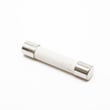
| No display, no response | Open safety fuse or power interruption | Cooktop fuse WPW10328492 |
| Intermittent power, random shutdown | Loose or damaged wiring | Cooktop wire harness WPW10396788 |
Why it matters
Resetting by the breaker is the fastest way to clear a temporary control lockup and confirm whether the problem is a one-time glitch or an ongoing electrical fault that needs troubleshooting.
For wiring and access details specific to your installation, follow the installation guide.
Last updated: February 2026
Why does my KitchenAid cooktop keep clicking?
On the KitchenAid KICU569XSS00 36-inch induction cooktop, repeated clicking is most often the cooling blower fan cycling on and off, a relay switching, or a loose electrical connection vibrating under load. If the clicking happens with no pan on the zone or the cooktop shuts off, focus on power supply and internal protection components.
Quick checks we recommend first
- Confirm you are using induction-compatible cookware (a magnet should stick to the pan bottom).
- Center the pan on the cooking zone; an off-center pan can cause cycling and noise.
- Turn off all zones and listen: if clicking continues, it is not normal cooking-zone cycling.
- Reset power: switch the cooktop breaker off for 1 minute, then back on.
- If clicking starts when heat is raised, check that the cooling airflow is not blocked under the cabinet.
What the clicking usually means (and what to do)
| When it clicks | Most likely cause | What to do next |
|---|---|---|
| Only while heating, especially at low settings | Normal power cycling (induction “pulsing”) | Try a higher setting; test a different pan |
| Clicking plus fan noise | Cooling system cycling | Make sure vents are clear; verify fan runs smoothly |
| Clicking and zones stop heating | Overheat or protection trip | Let it cool; check airflow; inspect internal components |
| Clicking even when off | Relay/control issue | Shut off breaker; schedule a repair inspection |
Parts that can be involved on this model
If the clicking is paired with loss of power, intermittent operation, or a dead cooktop, these model-specific parts are common suspects:
- Cooktop fuse WPW10328492 (can open if there is an electrical fault)
- Blower fan W10328378 or blower fan W10328381 (noisy or failing fan can cause cycling)
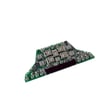
- Cooktop display board WPW10396615 (control/relay behavior)
- Cooktop wire harness WPW10396788 (loose or heat-damaged connections)
Why it matters
Induction cooktops can make some normal switching sounds, but persistent clicking with performance issues often points to overheating, a failing fan, or an electrical protection event. Addressing it early helps prevent repeated shutdowns and component damage.
For model-specific operating notes, ventilation requirements, and error indications, follow the guidance in the owner's manual and the installation guide.
Last updated: February 2026