




How can I tell what size my microwave is?
For your KitchenAid KMHP519ESS2 microwave/hood combo, “size” usually means two things: the outside dimensions (to fit the cabinet space) and the inside capacity (cubic feet). We recommend measuring the installed unit and the cabinet opening so you can match both fit and cooking space.
Measure the outside (fit in your space)
Use a tape measure and record width, height, and depth of the microwave itself, then measure the cabinet opening and clearances.
- Measure width across the front from left edge to right edge.
- Measure height from the bottom of the microwave to the top.
- Measure depth from the back (wall side) to the front face (not including the handle), then note handle depth separately.
- Check door swing clearance so the door can open fully without hitting a cabinet or wall.
- Confirm venting clearance above the cooktop (microwave/hood combos need airflow).
Estimate the inside capacity (cubic feet)
If you need a quick capacity estimate, measure the cooking cavity (inside) and calculate:
| What to measure | How to measure | What you do with it |
|---|---|---|
| Cavity width | Inside left wall to inside right wall | Multiply for volume |
| Cavity height | Inside floor to inside top | Multiply for volume |
| Cavity depth | Inside back wall to inside door surface | Multiply for volume |
Formula: (width × height × depth in inches) ÷ 1728 = cubic feet.
What size is “typical” for this style?
Most over-the-range microwave/hood combos are about 30 inches wide externally, but depth and height vary by design and venting. Measuring your KMHP519ESS2 is the best way to avoid a poor fit.
Why it matters
Getting the size right prevents installation problems (mounting alignment, cabinet interference, venting mismatch) and helps you choose accessories like a turntable tray that fits correctly.
If you are replacing a broken interior tray, match the diameter and hub style to the model-specific part, such as the microwave glass turntable tray W11402532.
Last updated: January 2026
How to hard reset a KitchenAid microwave?
To hard reset your KitchenAid KMHP519ESS2 microwave/hood combo, unplug it (or switch off the breaker) for 2 to 5 minutes, then restore power and reset the clock. This clears many control glitches without replacing parts.
Hard reset steps (power cycle)
- Press Cancel/Off to stop any cooking cycle.
- Unplug the microwave, or turn OFF the dedicated circuit breaker.
- Wait 2 to 5 minutes (this lets the control fully discharge).
- Restore power.
- Set the clock and test a simple cook cycle.
If it still will not respond after a reset
A reset will not fix a failed safety switch, blown fuse, or a high-voltage heating problem. These checks narrow it down:
- No display or totally dead: likely a power supply issue, fuse, or fuse holder.
- Display works but will not start: often a door interlock or latch issue.
- Runs but does not heat: often a high-voltage component issue.
Quick symptom-to-part guide
| Symptom | Most common area | Example parts for KMHP519ESS2 |
|---|---|---|
| No power, blank display | Line fuse circuit | Microwave fuse W11707984, microwave fuse holder W10245194 |
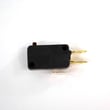
| Won’t start, door feels “off” | Door interlock system | Microwave door interlock switch W10269458, microwave door latch W10740455 |
| Runs but food stays cold | High-voltage circuit | Diode W11256462 |
Why it matters
A hard reset is the fastest way to clear a locked-up control. If the microwave still will not run or heat afterward, the symptoms usually point to a specific circuit (door interlock, fuse circuit, or high-voltage components), which helps you choose the right repair path.
Related help: why is my microwave not heating
Last updated: January 2026
What are the signs that a microwave is going bad?
Common signs your KitchenAid KMHP519ESS2 microwave/hood combo is going bad include weak or uneven heating, unusual buzzing or humming, burning smells, sparking/arcing, a door that does not latch consistently, or a keypad that stops responding. These symptoms usually point to a failing high-voltage, door-safety, or control component.
Quick symptoms checklist
- Food takes much longer than normal to heat, or heats unevenly
- Loud buzzing, grinding, or a new “heavy” hum during cooking
- Burning smell, smoke, or discoloration inside the cavity
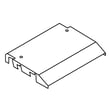
- Sparking/arcing (especially near the waveguide cover area)
- Door feels loose, does not close smoothly, or pops back open
- Unit goes dead, trips a breaker, or blows a fuse repeatedly
What the symptom often points to
| Symptom | Common area involved | What we typically check first |
|---|---|---|
| Runs but does not heat | High-voltage circuit | Diode W11256462 and related HV components |
| Starts then stops when door moves | Door interlock system | Microwave door interlock switch W10269458 and latch alignment |
| Completely dead (no display) | Power in, fuse, control | Fuse and connections; then control board |
| Sparking/arcing | Cavity or waveguide area | Burn marks, damaged cover, metal rack/foil use |
Safe troubleshooting steps you can do first
- Test with a cup of water: Heat 1 cup for 60 seconds; a noticeable drop in performance is a strong clue.
- Inspect the cavity: Look for burn marks, chipped paint, or carbon tracking where arcing occurs.
- Check the door close feel: The door should close firmly and consistently; any “bounce” can indicate an interlock or latch issue.
- Listen for changes: A new loud buzz during cook often tracks to the high-voltage side.
- Rule out simple causes: Dirty vents/filters and blocked airflow can cause overheating and shutdowns.
Why it matters
A microwave/hood combo like the KMHP519ESS2 relies on door interlocks and high-voltage components to operate safely. When heating performance drops or the door-safety system acts up, continued use can lead to repeated shutdowns, blown fuses, or worsening arcing damage.
When to stop using it and schedule service
- Sparking/arcing that returns after cleaning and removing any metal/foil
- Burning smell or smoke
- Door that will not latch reliably
- Repeated fuse blowing or breaker tripping
Last updated: January 2026