



What are common problems with Whirlpool microwaves?
Common problems we see on Whirlpool microwave/hood combos like model WMH31017HS12 include not heating, dead display or no power, door not latching, sparking/arcing, and turntable or vent fan issues. Many start with simple causes (power, door switches, airflow, or a blown fuse) before a control or high-voltage part is involved.
Most common symptoms and what they usually point to
- Runs but does not heat: high-voltage circuit issue (diode, capacitor, transformer, magnetron) or a door interlock problem.
- Completely dead (no lights, no display): power supply issue, blown fuse, or door switch/interlock not closing.
- Starts then stops, or blows the breaker: shorted high-voltage component, failing door switch, or wiring problem.
- Sparking/arcing inside: food splatter, metal in the cavity, damaged interior coating, or a problem near the waveguide cover.
- Turntable not rotating: turntable motor/driver issue or the tray not seated correctly.
Quick checks we recommend before replacing parts
- Confirm the outlet has power (try a small lamp or another appliance).
- Open and close the door firmly; listen for a solid latch “click” and check for looseness.
- Clean the cavity and remove any metal racks/foil or twist ties.
- If the unit is dead, inspect and test the fuse; see how to tell if a fuse is blown.
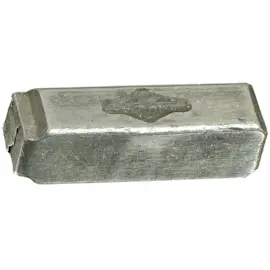
- If it is dead or intermittent, the fuse is a common failure point on this model family; see microwave fuse W11707984.
Common parts tied to common failures (examples)
| Symptom | Often involved | Example part for WMH31017HS12 |
|---|---|---|
| No power / dead display | Fuse, door interlock | Microwave Fuse W11707984; Interlock WPW10156813 |
| Not heating | Diode, capacitor, transformer, magnetron | Gaoxin-hvd C W11256462; Capacitor WPW10574736 |
| Turntable not turning | Turntable motor/driver | Microwave Turntable Motor W10642989; Driver, Turntable W11245707 |
Why it matters
Microwaves can appear to “work” (light, fan, timer) even when the heating circuit has failed. Separating “no power” from “no heat” helps you target the right checks and avoid replacing the wrong Whirlpool parts.
Last updated: January 2026
What type of appliance is WMH31017HS12?
The Whirlpool WMH31017HS12 is a microwave/hood combo, meaning it is an over-the-range microwave that also works as a range hood with a built-in vent fan and grease filtration for your cooktop.
What “microwave/hood combo” means for this model
A microwave/hood combo like WMH31017HS12 combines two functions in one appliance:
- Microwave cooking in the upper cabinet space above the range
- Ventilation to help remove smoke, steam, and cooking odors
- Grease filtering to protect the vent fan and internal ducting
- Cooktop lighting to illuminate the surface below
Common parts you will see on a microwave/hood combo
These parts are typical for this appliance type and are also common service items:
- Grease filter (captures grease from cooking vapors)
- Door and handle components
- Control panel and electronic control board
- Safety interlock switches (door switches)
- Vent damper and vent louver components
Quick part examples for WMH31017HS12
| Function | Example part for this model | What it affects |
|---|---|---|
| Grease filtration | Filter W10208631A | Venting performance and grease capture |
| Door safety switching | Interlock WPW10156813 | Starts and stops cooking safely |
| Venting airflow control | Microwave vent damper W10843943 | Backdraft prevention and airflow |
Why it matters
Knowing WMH31017HS12 is a microwave/hood combo helps you choose the right replacement parts and troubleshooting steps, because symptoms like weak venting, a noisy fan, or poor cooktop lighting are hood-related issues, not just microwave heating issues.
If the microwave runs but does not heat, focus on the high-voltage heating circuit and use a microwave-specific troubleshooting guide like why is my microwave not heating.
Last updated: January 2026
What is the average lifespan of a Whirlpool microwave?
Most Whirlpool microwaves, including the Whirlpool WMH31017HS12 microwave/hood combo, typically last 7 to 10 years with normal household use. Heavy daily use, poor ventilation, and frequent power surges can shorten lifespan; consistent cleaning and proper airflow help it reach the high end of that range.
What affects lifespan the most
- Heat and ventilation: Grease buildup and restricted airflow make internal components run hotter.
- Door use and slamming: Wears door latches and interlock switches faster.
- Power quality: Surges can damage the electronic control.
- Cooking habits: Running the microwave empty or repeated overheating stresses the magnetron circuit.
- Maintenance: Cleaning filters and keeping the cavity clean reduces strain.
Common “end-of-life” symptoms (and parts often involved)
If your WMH31017HS12 is acting up, these are the most common failure patterns we see:
- Runs but does not heat (often in the high-voltage circuit)
- Dead display or random resets (control or fuse related)
- Stops when the door moves or won’t start (door interlock system)
- Loud humming or burning smell (stop using and have it checked)
Helpful model-related parts to know:
- Microwave fuse W11707984
- Electronic control W11552018
- Assembly, lower interlock (includes switches) W11551761
Quick decision guide: repair or replace
| What you’re seeing | Typical cause area | Best next step |
|---|---|---|
| No power at all | Fuse, control, wiring | Check house power, then inspect fuse/control |
| Powers on, no heat | High-voltage components | Use a pro for diagnosis due to stored high voltage |
| Door-related starting issues | Interlock switches/latch | Inspect door alignment and interlock assembly |
| Weak performance + age 10+ years | Wear and efficiency loss | Compare repair cost vs replacement |
Why it matters
A microwave/hood combo like the WMH31017HS12 also handles ventilation. Keeping the grease filter clean helps the hood fan move air properly and reduces heat stress on internal electrical parts, which directly supports longer service life.
For safe-use habits that protect the appliance, follow never do these things with a microwave.
Last updated: January 2026
What is WMH31017HS12 used for?
Whirlpool model WMH31017HS12 is an over-the-range microwave/hood combo used to heat and cook food in the microwave cavity while also venting smoke, steam, and cooking odors from the cooktop below using its built-in hood fan and cooktop light.
What you can do with this microwave/hood combo
Common everyday uses include:
- Reheat leftovers, beverages, and plated meals
- Defrost frozen foods using time or weight-based settings
- Cook simple microwave foods (vegetables, popcorn, frozen entrees)
- Vent the range area while you cook on the stovetop
- Light the cooktop area for better visibility
Parts that support those functions
If your WMH31017HS12 is not heating, not venting well, or has electrical issues, these model-matched parts are commonly involved:
| Function | What you notice | Example model-matched part |
|---|---|---|
| Heating circuit protection | Microwave goes dead or won’t start | Microwave fuse W11707984 |
| Door safety/starting | Won’t run, runs only with door pressure, or blows fuse | Interlock WPW10156813 |
| Venting airflow control | Vent door/louver doesn’t open or close correctly | Microwave vent louver motor cam plate W10562613 |
| Grease capture for hood fan | Grease buildup, poor airflow, filter damage | Filter W10208631A |
Why it matters
Because WMH31017HS12 combines a microwave and a range hood, a single symptom can point to either the cooking side (heating, turntable, door switches) or the ventilation side (fan, damper, grease filter). Matching the symptom to the correct system helps you choose the right repair path and parts.
Quick safety and care tips
- Keep the hood grease filter clean to maintain airflow and reduce odors
- Never run the microwave empty; it can damage internal components
- If you see arcing or burn marks, stop using it until the cause is corrected
- Use microwave-safe containers and covers to reduce splatter and cleanup
For additional guidance on common heating problems, use our why is my microwave not heating article.
Last updated: January 2026