 Installation guide
 Owner’s manual




What's the average lifespan of a GE microwave?
A GE microwave typically lasts about 7 to 10 years with normal household use. For your GE JVM7195SK4SS over-the-range microwave/hood combo, lifespan depends most on daily run time, keeping the cavity and vents clean, and avoiding door-slam and arcing; see the JVM7195SK4SS owner's manual for care and cleaning guidance.
Typical lifespan and what changes it
Most microwaves fail from heat stress, door-interlock wear, or high-voltage component issues. These factors have the biggest impact:
- Heavy use (multiple long cook cycles daily) shortens life
- Poor airflow (blocked top grille or greasy filters) overheats internal parts
- Door wear (slamming or misalignment) stresses interlock switches and latches
- Arcing events (metal, twist ties, damaged waveguide cover) can damage the cavity and components
- Power quality (frequent outages or surges) can stress the control board
Quick maintenance checklist (best ROI)
Use this routine to help your JVM7195SK4SS reach the high end of the 7 to 10 year range:
- Wipe the cavity after messy cooking to prevent baked-on residue
- Keep the vent grille clear and clean grease buildup regularly
- Run the hood fan when cooking on the range to reduce heat load
- Close the door gently; confirm it latches smoothly every time
- Stop using the microwave if you see repeated sparking; correct the cause before continuing
Common “end-of-life” symptoms and likely areas
These symptoms often show up in the last phase of a microwave’s life:
| Symptom | What it often points to | Example part on this model page |
|---|---|---|
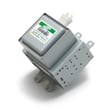
| Runs but does not heat | High-voltage circuit issue | Microwave magnetron WB27X11079 |
| Dead display, no response | Power supply, fuse, or control issue | Board WB27X30632 |
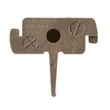
| Starts only with door pressure, or stops when door moves | Door interlock switch/lever wear | Micro-switch WB24X830 |
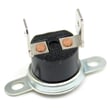
| Loud hum, burning smell, repeated shutdown | Overheating or failing electrical component | Microwave thermal cut-off WB24X26785 |
Why it matters
Microwaves can appear to “work” (light, fan, turntable) even when heating performance is failing. Catching early symptoms helps you decide whether a targeted repair (like an interlock switch) makes sense versus replacing a major assembly.
Ordering the right replacement part
We recommend matching parts by the full model number JVM7195SK4SS and comparing the part ID on the parts list. You can order model-matched parts from the list for this microwave, or search by model number on Sears PartsDirect.
Last updated: February 2026
Who created JVM7195SK4SS?
The JVM7195SK4SS microwave/hood combo was created and manufactured under the GE brand (GE is a trademark of the General Electric Company, produced under trademark license). For model-specific identification details such as the exact model and serial label location, use the JVM7195SK4SS owner's manual.
What “created by GE” means for this model
For JVM7195SK4SS, “GE” refers to the brand and trademark used for the product line. In practical terms, that affects:
- Which replacement parts fit (door switches, control board, filters)
- Which installation requirements apply (mounting plate, cabinet attachment)
- Which operating features and troubleshooting steps match your unit
- Which wiring and safety instructions you should follow
How to confirm you have the exact JVM7195SK4SS
We recommend matching the model number on the unit’s label to ensure you order the right parts and follow the correct instructions.
- Open the door and look for the model/serial label inside the oven
- Match the full model number exactly: JVM7195SK4SS
- If your model number differs by even one character, parts can change
Parts that commonly come up when identifying or repairing this GE microwave
If you are asking “who created it” because you need parts or service history, these are common model-matched items for JVM7195SK4SS:
| What you are fixing | Common related part on this model | What it does |
|---|---|---|
| Door won’t start or stops when closing | Micro-switch WB24X830 | Door interlock safety switch |
| Turntable not rotating | Microwave turntable motor WB26X10233 | Drives the turntable |
| Recirculating vent odors/smoke linger | Microwave charcoal filter WB02X11544 | Filters air in recirculation mode |
Why it matters
Microwave/hood combos use safety interlocks and high-voltage components; using the correct GE model documentation and model-matched parts helps keep heating performance, venting, and door safety systems working as designed.
If you need to order replacement parts for JVM7195SK4SS, start with the parts list for this model, or search by model number on Sears PartsDirect.
Last updated: February 2026
What is JVM7195SK4SS?
JVM7195SK4SS is a GE microwave/hood combo (an over-the-range microwave oven with a built-in vent fan and cooktop light). It mounts above your range, provides microwave cooking features, and can vent to the outside or recirculate air using a charcoal filter; see the JVM7195SK4SS owner's manual for the exact features and operating instructions.
What this model number tells you
Model number JVM7195SK4SS identifies the exact GE unit so you can match the correct parts, installation hardware, and documentation.
- It is an over-the-range microwave designed to install between cabinets.
- It combines microwave cooking with a range hood vent function.
- It supports outside venting or recirculating setups (recirculating uses a charcoal filter).
- It uses model-specific components such as door interlock switches, control board, and turntable drive parts.
Common parts customers replace on JVM7195SK4SS
If you are troubleshooting or planning maintenance, these are some of the most commonly replaced items for this model.
| Symptom | Likely part area | Example part for this model |
|---|---|---|
| Microwave will not start or stops when door moves | Door interlock system | Micro-switch WB24X830 |
| Turntable not rotating | Turntable drive | Microwave turntable motor WB26X10233 |
| No heat (unit runs but doesn’t warm food) | High-voltage circuit | Microwave magnetron WB27X11079 |
| Vent fan works but odors remain in recirculation mode | Venting filtration | Microwave charcoal filter WB02X11544 |
Why it matters
Using the exact model number JVM7195SK4SS prevents ordering the wrong GE parts. Even small differences in door assemblies, control panels, or venting configurations can change which part IDs fit.
Ordering the right parts
We recommend matching parts by model number first, then confirming the part ID and description.
- Start with the parts list for JVM7195SK4SS on this model page.
- Compare the symptom to the part area (door, turntable, lighting, venting).
- Confirm fit using the diagrams and notes in the JVM7195SK4SS installation guide.
- If you are shopping across models, search by model number on Sears PartsDirect.
Last updated: February 2026


