 Installation guide
 Owner’s manual



How big is a Kenmore microwave model 79048883110 in inches?
For Kenmore Elite model 79048883110, the installation instructions show two possible cabinet widths (27-inch or 30-inch) with corresponding product dimensions; most units in this family are about 30 inches wide, roughly 21 3/4 inches high, and about 20 3/4 inches deep. For the exact configuration used in your kitchen, confirm the dimension set in the 79048883110 installation guide.
Model 79048883110 size ranges (from the installation instructions)
The installation guide lists product dimensions by cabinet width option. Use the column that matches your cutout and trim.
| Cabinet width option | Approx. width (A/B) | Approx. height (C) | Approx. depth (D) |
|---|---|---|---|
| 27-inch cabinet | 27" | 21 3/4" | 20 3/4" |
| 30-inch cabinet | 30" | 21 3/4" | 20 3/4" |
How to tell which size applies in your home
These quick checks usually identify whether you have the 27-inch or 30-inch version installed.
- Measure the visible front width of the microwave trim/frame (left edge to right edge).
- Measure the cabinet cutout width behind the trim if accessible.
- Check the installation paperwork for “27-inch” vs “30-inch” cutout notes.
- Verify the minimum spacing requirements if installed above a wall oven.
- Compare your measurements to the “Product Dimensions” table in the 79048883110 installation guide.
Why it matters
Correct dimensions help you avoid fit issues when replacing the unit, ordering trim pieces, or planning cabinet modifications. They also help ensure proper clearance, leveling, and anti-tip bracket engagement during installation.
Last updated: January 2026
How do you reset a Kenmore Elite microwave?
To reset a Kenmore Elite microwave model 79048883110, we recommend doing a simple power reset first (unplug or switch the breaker off, then restore power). If your unit has a settings reset option, use the reset steps shown in the 79048883110 owner's manual.
Quick reset methods (start here)
- Power reset: unplug the microwave (or turn the circuit breaker off) for 2 to 5 minutes, then restore power.
- Control lock check: if the keypad seems unresponsive, turn Control Lock off (many models use a 3-second press on a specific key).
- Clock reset: after power is restored, set the clock; some models will not run certain functions until the clock is set.
- Cancel/Stop: press Cancel/Stop once to clear a stuck cooking program.
If the display says “reset” or you see a settings reset option
Some Kenmore Elite microwaves include a menu-based reset that restores default settings.
| Reset type | What it fixes | What it does not fix |
|---|---|---|
| Power reset | Frozen display, minor control glitches | Blown fuse, failed control board, door switch problems |
| Menu/settings reset | Custom settings, odd beeps, default preferences | No-heat issues, dead display, tripping breaker |
Follow the exact button sequence for your control panel in the 79048883110 owner's manual.
When a “reset” will not solve it
If the microwave is completely dead, keeps blowing the breaker, or stops when the door moves, the issue is usually a safety or power component, not a setting.
Common culprits on this model include:
- A blown microwave fuse 5304480634
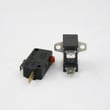
- A failing door safety switch such as the microwave door interlock switch 5304493153
- A door latch alignment problem (latch body or latch hook)
Why it matters
A proper reset clears temporary control errors, but door interlock and fuse problems are safety-related and can prevent the microwave from running at all. Using the correct reset method helps you avoid replacing parts that are still good.
Last updated: January 2026
How do I find the model number on my 79048883110?
On the Kenmore Elite 79048883110 microwave/hood combo, the model and serial number are printed on the serial plate located on the oven front frame (the front frame you see when the door is open). Use that exact model number when ordering parts or looking up diagrams.
Where to look on the appliance
Open the microwave door and check these common spots on the front frame:
- Along the left vertical front frame
- Along the right vertical front frame
- Along the top front frame, just above the door opening
- Near the latch area on the front frame
If you see multiple labels, use the one that lists both model and serial.
What to write down (and why)
We recommend copying the full information from the serial plate before you start a repair:
- Model number (for example, 79048883110)
- Serial number
- Lot number or letter (if shown)
Quick reference table
| Label item | What it’s used for | Example |
|---|---|---|
| Model number | Ensures correct part fit and diagrams | 79048883110 |
| Serial number | Helps match production run details | Varies |
| Lot number/letter | Helps narrow revisions | Varies |
Why it matters
Kenmore Elite microwaves can have small design changes within the same series; using the exact model number from the serial plate helps us match the correct door switch, fuse, control panel, or other replacement parts the first time.
For more details on the model/serial plate location and other installation notes, use the installation guide.
Last updated: March 2026


