 Installation guide
 Owner’s manual



How to clean a Jenn air microwave?
For your Jenn-Air built-in microwave model JMC8127DDB, we recommend unplugging the unit (or switching off power at the breaker) before cleaning, then wiping the cavity, door, and exterior with mild soap and water and drying thoroughly. Keep the door seal area clean so the door closes tightly.
Safe cleaning steps (JMC8127DDB)
- Disconnect power before cleaning to prevent an accidental start.
- Wipe the inside of the oven with a damp cloth; remove greasy spatters with a sudsy cloth, then rinse and dry.
- Clean the area between the door and the cavity front carefully; this helps maintain a tight seal.
- Wash the glass tray and rotating ring by hand or in the dishwasher; rinse and dry thoroughly.
- Wipe the control panel with a damp cloth, then dry right away.
- After cleaning, reinstall the rotating ring and glass tray in the correct position.
Stainless steel exterior (if applicable)
We clean stainless steel by wiping with the grain and avoiding cleaners that contain chlorine bleach.
- Light soil: soapy water or a vinegar and water solution; rinse and dry
- Heavier soil: a nonabrasive cleaner applied with a damp sponge; rinse and dry
- Avoid letting water seep into ventilation openings
Quick do and don’t list
- Do use mild detergent and a soft cloth or nonabrasive sponge.
- Do dry surfaces right away to reduce streaks and spotting.
- Do wipe away steam condensation around the door with a soft cloth.
- Don’t use harsh detergents or abrasive cleaners inside the microwave.
- Don’t allow water to run into vents or control areas.
Helpful reference table
| Area | What we use | What to avoid |
|---|---|---|
| Inside cavity | Damp cloth; mild soapy water | Abrasives; harsh detergents |
| Glass tray, rotating ring | Dishwasher or hand-wash | Leaving wet; reinstalling incorrectly |
| Control panel | Damp cloth, then dry | Excess water; soaking |
| Stainless steel | Wipe with grain; mild cleaner | Chlorine bleach cleaners |
Why it matters
Regular cleaning prevents odors, reduces smoke from splatters, and helps the door seal properly, which supports consistent cooking performance.
For model-specific care notes and cleaning cautions, follow the JMC8127DDB owner's manual.
Last updated: February 2026
What is the glass plate in a microwave called?
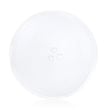
The glass plate in a microwave is called the glass turntable (also commonly called the glass tray). On the Jenn-Air JMC8127DDB built-in microwave, the turntable is designed to rotate on a ring and shaft to help heat food more evenly; see the owner's manual for the turntable parts and specifications.
What it does (and what it works with)
The glass turntable is part of the turntable system. If any piece is missing, cracked, or not seated correctly, the plate may not rotate or may rattle.
- Holds cookware and food while the microwave runs
- Rotates to reduce hot and cold spots
- Sits on the rotating ring and engages the turntable shaft/drive
- Must match the correct diameter and bottom coupling shape
JMC8127DDB turntable size and fit
For Jenn-Air JMC8127DDB, the specified turntable diameter is 12 3/4 inches. Use that measurement as your starting point, then confirm the bottom hub shape matches your drive coupling.
| What to check | Why it matters |
|---|---|
| Diameter (12 3/4 in.) | Prevents scraping, wobble, or binding |
| Bottom hub/coupler shape | Ensures the tray actually turns |
| Condition (chips, cracks) | Reduces breakage risk and noise |
| Rotating ring condition | Prevents uneven rotation and rattling |
If your turntable is not turning
A non-rotating tray is often caused by a seating issue or a worn drive component.
- Make sure the tray is centered and fully seated on the drive
- Clean the roller ring area and the oven floor so rollers can move freely
- Check for a warped tray or damaged roller ring
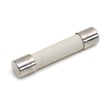
- If the microwave is completely dead, check the fuse WPM0805101 as a common no-power cause
Why it matters
A correctly fitted glass turntable helps your Jenn-Air built-in microwave heat more evenly and reduces vibration and noise. Using the correct diameter and hub style also prevents damage to the turntable drive parts.
Last updated: February 2026
What to salvage from a microwave?
We do not recommend salvaging parts from a Jenn-Air JMC8127DDB built-in microwave because the high-voltage section can store a dangerous charge even when unplugged. If you need a replacement component, we recommend using the correct OEM part and the procedures in the owner's manual.
Safety first (what makes microwaves risky)
Microwaves contain a high-voltage circuit that can remain hazardous after power is removed. Before any service work, we follow these basics:
- Unplug the microwave (do not rely on the door switch)
- Avoid opening the cabinet unless you are trained for high-voltage appliance service
- Never handle high-voltage components (capacitor, diode, transformer) as a DIY salvage project
- Use proper test equipment and procedures when diagnosing electrical issues
- Replace failed parts with model-correct parts rather than reusing unknown components
What people commonly try to salvage (and why we avoid it)
These are the items most often mentioned for salvage, but they are also the most likely to create shock or fire risk if mishandled:
| Component | Typical purpose | Why salvage is a bad idea |
|---|---|---|
| High-voltage capacitor | Stores energy for the magnetron circuit | Can retain a dangerous charge |
| High-voltage diode | Rectifies high voltage | Miswiring can cause arcing or failure |
| Transformer (if equipped) | Steps voltage up for HV circuit | Heavy, high current, high risk |
| Door interlock switches | Safety shutoff when door opens | Incorrect fit or timing defeats safety |
| Turntable motor | Rotates the tray | Wrong RPM/shaft can cause binding |
Better option: replace the exact failed part
If your goal is repair (not salvage), we match the symptom to the correct replacement part for JMC8127DDB:
- No power or dead display: check the fuse WPM0805101
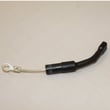
- Runs but does not heat: test/replace the diode WPR9800486 (high-voltage service)
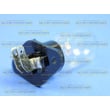
- Light out: replace the lamp WP8183592
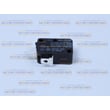
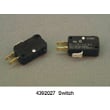
- Door won’t start or stops when closing: inspect the primary switch WP56001036
- Tray issues: replace the glass tray WP8172138
Why it matters
Microwave safety systems (door lock system, interlocks, and high-voltage components) are designed as a set. Salvaged parts with unknown wear can defeat those protections and create unsafe operation.
Last updated: February 2026
What are the internal parts of a microwave?
A built-in microwave like the Jenn-Air JMC8127DDB uses a high-voltage heating system plus safety and control components to generate microwave energy, circulate air, and run the turntable. Inside, you will typically find the magnetron, high-voltage parts, door interlocks, fan, and wiring.
Common internal parts (what they do)
- Magnetron: creates the microwave energy that heats food.
- High-voltage capacitor and diode: convert and boost voltage for the magnetron.
- Door safety interlock switches: prevent the oven from running with the door open.
- Cooling fan and air ducts: move air to keep components from overheating.
- Turntable drive parts: rotate the tray for more even heating.
- Fuse and wiring harness: protect the circuit and distribute power.
Parts you can identify on the JMC8127DDB
These are examples of internal or service-related parts commonly involved in “won’t start,” “runs but won’t heat,” or “blows fuse” symptoms:
| Part | What it’s related to | Example symptom when failed |
|---|---|---|
| Primary switch WP56001036 | Door interlock safety circuit | No start, intermittent operation |
| Fuse WPM0805101 | Overcurrent protection | Dead microwave, no display |
| Diode WPR9800486 | High-voltage circuit | No heat or weak heat |
| "capacitor, h" WP59001168 | High-voltage circuit | No heat, humming, blown fuse |
Safety notes before checking internal parts
Microwaves contain high-voltage components that can store a dangerous charge even when unplugged.
- Unplug the microwave or shut off power at the breaker before any inspection
- Do not remove the outer cover unless you are trained for microwave service
- If the unit is dead, start with the house outlet and circuit, then check the fuse
- If it runs but does not heat, high-voltage parts (diode, capacitor, magnetron) are common suspects
Why it matters
Knowing the internal parts helps you troubleshoot by symptom: door-switch issues often cause “won’t start,” while high-voltage component failures often cause “runs but won’t heat.” For model-specific diagrams, specs, and component locations, use the owner's manual.
Last updated: February 2026


