- Kenmore refrigerator water filters
- Whirlpool refrigerator water filters
- Samsung refrigerator water filters
- GE refrigerator water filters
- LG refrigerator water filters
- Frigidaire refrigerator water filters
- KitchenAid refrigerator water filters
- Maytag refrigerator water filters
- Kenmore Elite refrigerator water filters
- Estate refrigerator water filters
- GE Profile refrigerator water filters
- Amana refrigerator water filters
- Bosch refrigerator water filters
- Dacor refrigerator water filters
- Electrolux refrigerator water filters
Top DIY repair help
View All Repair Categories
Appliances
Lawn & Garden
Power Tools
Home Improvement
Sports & Leisure
Heating & Cooling
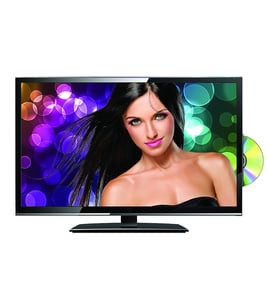
Superscan Lcd television Parts — Browse All Models
Superscan LCD televisions feature crisp and clear displays so you can enjoy watching your favorite shows and videos. Precise controls in Superscan LCD televisions produce consistently clear images on their large LCD display screens. When your Superscan LCD television quits working, find the replacement parts you need to fix the problem at Sears PartsDirect.
Browse by Category
LCD Televisions

 Owner’s manual
Popular maintenance items for LCD Televisions

Filter
In Stock
$21.77

Qty

Ic Sdram
In Stock
$63.65
Qty
Ic
In Stock
$10.31
Qty
Ic Control
In Stock
$31.79
Qty
Cn507,jack
In Stock
$42.89
Qty
Ic
Part #670773901
This item is not returnable
In Stock
$6.03
Qty
Common repair parts for Superscan LCD televisions
- Remote control. When you can't find the lost remote, it's time to order a new one. Some remotes wear out or break. If your remote isn't working, you'll need to replace it.
- Cooling fan. The cooling fan helps prevent the television from overheating, which could cause severe damage. If you notice the fan has stopped working, replace it.
- Power control board. The power control board supplies electrical current to television components and other control boards that control sound and the video display. You may need to replace the power control board if the television won't power up.
- Power cord. Replace the power cord if it's worn or damaged.
Maintenance tips for your Superscan LCD television
- Unplug the television from the wall outlet before performing any cleaning and maintenance tasks.
- Wipe down the LCD screen gently using a soft, lint-free cloth.
- Remove deposits or stains from the screen using a soft cloth slightly moistened with a solution of mild soap (dish detergent) and warm water. Wipe soap residue off the screen using a soft cloth slightly moistened with plain water. Dry the screen using a soft, lint-free cloth.
- Never use strong chemicals or solvents such as paint thinner, alcohol or benzene for cleaning the LCD screen.
- Check the television stand for stability and tighten any loose screws or fasteners. Make sure the television is properly secured to the home entertainment stand so it won't topple.
- Check the mounting brackets for the home entertainment stand. Tighten any loose screws in the mounting brackets.
- Clean dust and lint from ventilation slots and grills in the television cabinet. Use dry, canned air to clear air ventilation slots and grills if needed. Wipe down the television cabinet with a soft cloth moistened with water. Dry the cabinet with a soft, lint-free cloth.
- Plug the television power cord back into the wall outlet.
Parts & More
Bottom-Mount Refrigerator
Dishwasher
Electric Chainsaw
Elliptical Machine
Floor Scrubber
Front-Engine Lawn Tractor
Lawn Sweeper
Miter Saw
Parts
Refrigerator
Side-By-Side Refrigerator
Toys & Games
Wet/Dry Vacuum