- Kenmore refrigerator water filters
- Whirlpool refrigerator water filters
- Samsung refrigerator water filters
- GE refrigerator water filters
- LG refrigerator water filters
- Frigidaire refrigerator water filters
- KitchenAid refrigerator water filters
- Maytag refrigerator water filters
- Kenmore Elite refrigerator water filters
- Estate refrigerator water filters
- GE Profile refrigerator water filters
- Amana refrigerator water filters
- Bosch refrigerator water filters
- Dacor refrigerator water filters
- Electrolux refrigerator water filters
Top DIY repair help
View All Repair Categories
Appliances
Lawn & Garden
Power Tools
Home Improvement
Sports & Leisure
Heating & Cooling
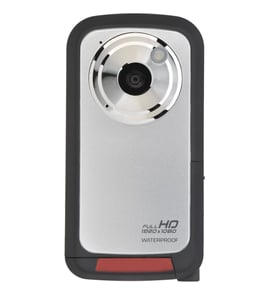
GPX Camcorder Parts — Browse All Models
GPX camcorders have a reputation for rugged dependability. Although GPX camcorders rarely break down, those infrequent failures can occur at any time. When a camcorder failure happens, get the repair parts you need to fix your GPX camcorder at Sears PartsDirect.

GPX C981 camcorder
Shop Parts
10 Parts
GPX C986 camcorder
Shop Parts
5 Parts
GPX C920 camcorder
Shop Parts
4 Parts
Popular maintenance items for Camcorders

Button Assembly
In Stock
$55.52

Qty

Sony Holder Assembly
Part #X25157801
Replaced by #X-2515-780-1
Manufacturer substitution
This part replaces X25157801. Substitute parts can look different from the original.
In Stock
$183.43
Qty
Base Bt Re
Part #425757601
This item is not returnable
In Stock
$6.49
Qty
Packing
Part #442757601
This item is not returnable
In Stock
$8.74
Qty
Sony Hinge Assembly
In Stock
$36.93
Qty
Pcb Board
In Stock
$25.34
Qty
Safety precautions for your GPX camcorder
- Your camcorder shouldn't be exposed to rain or moisture. Don't plug in the power adapter to a wall outlet or operate your camcorder if it's wet. The camcorder is designed for outdoor use but it isn't designed for sustaining direct exposure to water, rain or spills.
- Unplug your camcorder before cleaning and performing any maintenance on the device.
- Don't expose the camcorder to high temperature such as direct sunlight or heat generated in a closed car during summer. High heat can damage camcorder components.
- Don't leave the power supply for your camcorder turned on when it isn't attended or it's not in use.
- Keep the lens cap installed on the camcorder when you're not using the device to prevent lens damage.
Playing GPX camcorder video using the audio/video cable
- Connect the audio/video cable to audio/video out jacks on your camcorder. Connect the other end of the audio/video cable to audio/video in jacks on your television.
- Turn on your television and select line input to play video from the camcorder.
- Connect your camcorder to a power source such as a battery pack, AC adapter or car battery cord.
- Turn on the camcorder power button and select the VCR or Camera playback mode on the camcorder.
- Start playback or begin recording to send the video signal to the television.
Parts & More
Air Compressor
Bottom-Mount Refrigerator
Chest Freezer
Dishwasher
Front-Engine Lawn Tractor
Gas Walk-Behind Mower
Lawn & Garden Engine
Parts
Rear-Engine Riding Mower
Upright Freezer
Upright Vacuum
Wet/Dry Vacuum