- Kenmore refrigerator water filters
- Whirlpool refrigerator water filters
- Samsung refrigerator water filters
- GE refrigerator water filters
- LG refrigerator water filters
- Frigidaire refrigerator water filters
- KitchenAid refrigerator water filters
- Maytag refrigerator water filters
- Kenmore Elite refrigerator water filters
- Estate refrigerator water filters
- GE Profile refrigerator water filters
- Amana refrigerator water filters
- Bosch refrigerator water filters
- Dacor refrigerator water filters
- Electrolux refrigerator water filters
Top DIY repair help
View All Repair Categories
Appliances
Lawn & Garden
Power Tools
Home Improvement
Sports & Leisure
Heating & Cooling
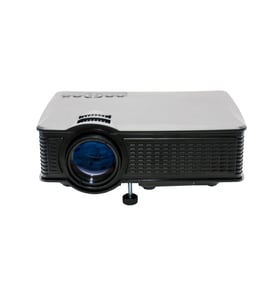
Modern Maid Office Parts — Browse All Models
Don't let Modern Maid office equipment failures get you down. Whether it's your printers or your projectors that need repair, you can trust Sears PartsDirect to have the Modern Maid office equipment replacement parts you need to get your products going again fast.

Modern Maid DESKWRITER printer
Frequently bought Modern Maid parts
Dishwasher Tub Corner Baffle, Right
In Stock
$21.90
22% OFF Phone Price : $27.90

Qty

Dishwasher Tub Corner Baffle, Left
In Stock
$23.44
20% OFF Phone Price : $29.44
Qty
Dishwasher Sump Clamp
In Stock
$27.68
18% OFF Phone Price : $33.68
Qty
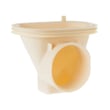
Dishwasher Sump Inlet
Part #WD18X213
This item is not returnable
In Stock
$31.11
16% OFF Phone Price : $37.11
Qty
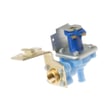
Dishwasher Water Inlet Valve
In Stock
$60.17
9% OFF Phone Price : $66.17
Qty

Dishwasher Gate Shaft Seal
Part #WD8X181
This item is not returnable
In Stock
$35.85
14% OFF Phone Price : $41.85
Qty
Popular maintenance items for Office
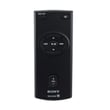
Remote Commander (rm-x400)
In Stock
$25.03
19% OFF Phone Price : $31.03
Qty

Agri-fab Lawn & Garden Equipment Washer
Part #44008
This item is not returnable
In Stock
$2.74
27% OFF Phone Price : $3.74
Qty
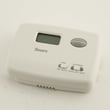
Sears Central Air Conditioner Wall Control Thermostat
In Stock
$25.59
25% OFF Was : $34.12
Qty
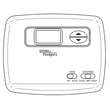
Sears White-rodgers Thermostat
In Stock
$16.80
40% OFF Was : $28.00
Qty

Spring(9142)
In Stock
$29.13
Qty
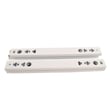
Refrigerator Drawer Slide Rail Assembly
In Stock
$42.92
12% OFF Phone Price : $48.92
Qty
Common Modern Maid office equipment failures
- No power. Lack of power can be caused by a tripped overload switch in the equipment. Check for an overload switch and reset the switch if it's tripped. If you're unsure whether your equipment has an overload switch, check the owner's manual for information about switches in the equipment. A failed transformer, bad control board or faulty power cord can also prevent office equipment from powering up.
- Paper jam. Don't overload paper bins and refill paper bins when they're nearly empty to help prevent paper jams. Monitor the machine as it's running and clear any paper jams quickly to avoid equipment damage. Have a service technician remove jammed paper if you're unable to clear the paper jam yourself.
- Stuck button. A stuck button on the control panel can prevent the equipment from operating. Try to free up a stuck button by pressing firmly around the edges of the button. If you're unable to free up a stuck button, you'll likely need to replace the user interface or control panel. Have a service technician replace the control panel or user interface if you're unable to complete the repair yourself.
Troubleshooting tips for your Modern Maid printer when it won't print documents
- Check printer power supply. Make sure that the printer is plugged into a working electrical outlet or power strip. Make sure the printer is powered on.
- Check the printer data connection. Make sure that the printer cable is plugged into the computer and the printer or that the Blue Tooth settings for the printer are configured properly and working.
- Check your computer settings. Make sure that you're sending the data to the correct printer.
- Reboot the computer and printer to reset controls on both devices.
Parts & More
Bottom-Mount Refrigerator
Gas Walk-Behind Mower
Microwave/Hood Combo
Range Hood
Refrigerator
Riding Mowers & Tractors
Room Air Conditioner
Rotary Tool
Side-By-Side Refrigerator
Television
Toaster
Top-Mount Refrigerator