- Kenmore refrigerator water filters
- Whirlpool refrigerator water filters
- Samsung refrigerator water filters
- GE refrigerator water filters
- LG refrigerator water filters
- Frigidaire refrigerator water filters
- KitchenAid refrigerator water filters
- Maytag refrigerator water filters
- Kenmore Elite refrigerator water filters
- Estate refrigerator water filters
- GE Profile refrigerator water filters
- Amana refrigerator water filters
- Bosch refrigerator water filters
- Dacor refrigerator water filters
- Electrolux refrigerator water filters
Top DIY repair help
View All Repair Categories
Appliances
Lawn & Garden
Power Tools
Home Improvement
Sports & Leisure
Heating & Cooling
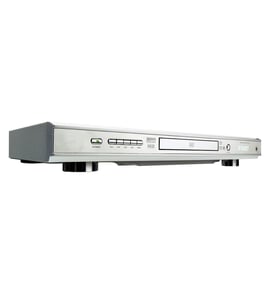
Sansui Video equipment Parts — Browse All Models
Sansui video equipment provides the outstanding video and sound playback that you expect from digital recordings and video cassettes. Sansui video equipment uses the latest innovations in video and sound reproduction so your entertainment experience is always awesome. When your Sansui video equipment breaks down, get the repair parts you need to fix the player at Sears PartsDirect.

Sansui SV7 vcr
Shop Parts
8 Parts

Sansui CP77W video
Shop Parts
1 Parts
Sansui AM90 video
Shop Parts
1 Parts
Sansui SVR9000 vcr
Shop Parts
12 Parts
Sansui D99CW video
Shop Parts
3 Parts
Sansui A1100 video
Shop Parts
4 Parts
Frequently bought Sansui parts

Sansui Txstr Npn
In Stock
$10.37

Qty

Sansui Cathode Ray Tube
In Stock
$208.99
Qty
Sansui Power Pcb
In Stock
$101.98
Qty
Popular maintenance items for Video Equipment
Pcb Assembly
In Stock
$161.04
Qty
Thermistor
In Stock
$17.87
Qty
Holder
In Stock
$29.10
Qty
Cover
In Stock
$31.99
Qty
Magnavox Part
In Stock
$25.71
Qty
Ant-008sm
In Stock
$62.37
Qty
Top replacement parts for Sansui video equipment
- DVD deck assembly. The DVD deck assembly contains the main components of the DVD player, including the tray, disc drive motor and gears.
- Main electronic control board. The main electronic control board governs the settings and functions of the video equipment and powers the components inside the video equipment.
- Audio control board. The audio control board receives audio signals from the DVD disc or video cassette. The audio control board processes the audio signals to produce audio playback output.
- DVD optical pick-up. The DVD optical pick-up receives the digital image from the DVD and sends the signal back to the control board.
- Wi-Fi module. The Wi-Fi module allows you to connect the video equipment with your wireless network to get software updates and perform other advanced video equipment functions.
Troubleshooting your Sansui video equipment when it won't power up
- If you're using the remote control to attempt to power up the video equipment, try using the power button on the video equipment.
- If the video equipment won't power up when you press the power button, check the power cord. Plug the video equipment power cord securely into the electrical wall outlet if the outlet cord plug is loose.
- If the video equipment power cord is properly plugged into the electrical wall outlet, check the electrical outlet for power by plugging a different item into the wall outlet. If the wall outlet is dead, reset the house circuit breaker for the wall outlet. Have an electrician repair the wall outlet if it remains dead after resetting the house circuit breaker.
- If you have the video equipment plugged into a surge protector, check for a tripped circuit breaker on the surge protector. Reset the surge protector circuit breaker if it's tripped.
- If the video equipment is getting power through the power cord but won't power up, you may need to replace the power control board in the video equipment.
Parts & More
Bottom-Mount Refrigerator
Dishwasher
Electric Line Trimmer
Engine & Drivetrain
Gas Grill
Laundry Center
Parts
Riding Mowers & Tractors
Router
Storm & Screen Doors