- Kenmore refrigerator water filters
- Whirlpool refrigerator water filters
- Samsung refrigerator water filters
- GE refrigerator water filters
- LG refrigerator water filters
- Frigidaire refrigerator water filters
- KitchenAid refrigerator water filters
- Maytag refrigerator water filters
- Kenmore Elite refrigerator water filters
- Estate refrigerator water filters
- GE Profile refrigerator water filters
- Amana refrigerator water filters
- Bosch refrigerator water filters
- Dacor refrigerator water filters
- Electrolux refrigerator water filters
Top DIY repair help
View All Repair Categories
Appliances
Lawn & Garden
Power Tools
Home Improvement
Sports & Leisure
Heating & Cooling
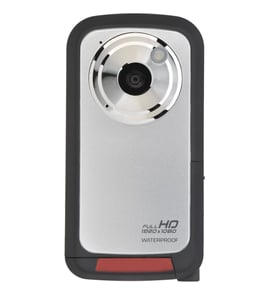
JVC Camcorder Parts — Browse All Models
JVC offers many different types of camcorders to help you capture precious memories. Precision lenses and digital components are used in every JVC camcorder so you can record every moment accurately. When your JVC camcorder isn't working, count on Sears PartsDirect to have the parts you need to fix the problem.


Frequently bought JVC parts

Jvc Integrated Circuit
In Stock
$18.80

Qty

Jvc Integrated Circuit
In Stock
$12.36
Qty
A/c Head
In Stock
$33.11
Qty
Magnavox Fuse
Part #483525397109
This item is not returnable
In Stock
$3.78
Qty
Jvc Home Electronics Owner's Manual
In Stock
$54.99
Qty
Stator
In Stock
$31.40
Qty
Popular maintenance items for Camcorders
Cabinet,bu
In Stock
$25.27
Qty
Ic, Mb4499
In Stock
$43.10
Qty
Emblem
In Stock
$33.42
Qty
Washer A
Part #420873901
This item is not returnable
In Stock
$3.54
Qty
Door
In Stock
$59.24
Qty
Magnavox Cover
In Stock
$72.93
Qty
How to fix problems when you see JVC camcorder error codes
- Communication error. Check the USB cable connection and reconnect the cable if it's loose. Turn off the camcorder and all connected device then power the devices back on to reset the control boards in all devices.
- Error in built-in memory. Reboot the camcorder to reset its electronic control board. If the error resumes, back up your files and format the memory using the setup menu.
- Insufficient available space. Delete files or move files to another storage device. Replace the memory card with a new one.
- Memory card error. Make sure the memory card is supported by your model of camcorder. Reboot the camcorder to reset the electronic control board. Back up your files and format the memory card using the setup menu.
Top-selling JVC camcorder replacement parts
- Audio/video cable. The audio/video cable connects the camcorder to a television or home theater system so you can watch recorded video.
- Battery charger. The battery charger charges the camcorder battery.
- Drum. The drum allows the record head to spin freely.
- Video lens. The video lens allows light into the camcorder for recording images.
Parts & More
Chainsaw
Electric Range
Elliptical Machine
Front-Engine Lawn Tractor
Furnace
Gas Grill
Gas Walk-Behind Mower
Gas Water Heater
Laundry Center
Side-By-Side Refrigerator
Toys & Games
Vacuum Cleaner
Welder