- Kenmore refrigerator water filters
- Whirlpool refrigerator water filters
- Samsung refrigerator water filters
- GE refrigerator water filters
- LG refrigerator water filters
- Frigidaire refrigerator water filters
- KitchenAid refrigerator water filters
- Maytag refrigerator water filters
- Kenmore Elite refrigerator water filters
- Estate refrigerator water filters
- GE Profile refrigerator water filters
- Amana refrigerator water filters
- Bosch refrigerator water filters
- Dacor refrigerator water filters
- Electrolux refrigerator water filters
Top DIY repair help
View All Repair Categories
Appliances
Lawn & Garden
Power Tools
Home Improvement
Sports & Leisure
Heating & Cooling
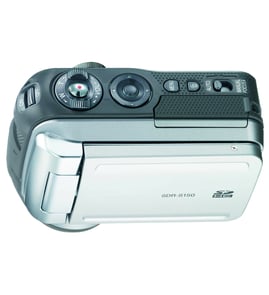
JVC Digital camcorder Parts — Browse All Models
JVC digital camcorders have the advanced features that you look for in a recording device. Precision lenses in JVC digital camcorders help capture images and action accurately and clearly. When your JVC digital camcorder needs repair, find the replacement parts you need at Sears PartsDirect.

 Owner’s manual
JVC GR-DVM1U digital video camera
Frequently bought JVC parts

Jvc Integrated Circuit
In Stock
$12.36

Qty

Jvc Integrated Circuit
In Stock
$18.80
Qty
A/c Head
In Stock
$33.11
Qty
Magnavox Fuse
Part #483525397109
This item is not returnable
In Stock
$3.78
Qty
Jvc Home Electronics Owner's Manual
In Stock
$54.99
Qty
Ac Cord
Part #483532117084
This item is not returnable
In Stock
$8.46
Qty
Popular maintenance items for Digital Camcorders
Piece F
Part #420875001
This item is not returnable
In Stock
$7.22
Qty
Piece F
Part #420877501
This item is not returnable
In Stock
$7.74
Qty
Washer A
Part #420873901
This item is not returnable
In Stock
$3.54
Qty
Ic
In Stock
$62.37
Qty
Im Rubber,
Part #427728001
This item is not returnable
In Stock
$5.80
Qty
Light
In Stock
$25.27
Qty
Dubbing video from your JVC digital camcorder to a VCR
- Connect the audio/video cord to the audio and video outlet jacks on your camcorder. Connect the other end of the audio/video cord to the audio in and video in jacks on the back of your VCR.
- Insert a pre-recorded take into the camcorder and power the camcorder on.
- Turn the VCR on and set the input signal selector to the Line In source.
- Press Play and Record then Pause on the VCR to set up the VCR for recording the video signal from the camcorder.
- Find the beginning of the video that you want to record on the tape in the camcorder. Press Play on the camcorder then press the Pause button on the VCR to play the camcorder video and record the camcorder video signal on the VCR.
Cleaning the eyepiece on your JVC digital camcorder
- Turn the digital camcorder power off and unplug the power cord. Pull the battery pack off the camcorder.
- Turn the eyepiece 1/8 of a turn counterclockwise to release it from the camcorder body and pull the eyepiece free from the camcorder. Set the eyepiece on a padded surface.
- Remove any lint or dust particles from the eyepiece lens using a soft, clean, lint-free cloth. Be careful not to scratch the eyepiece lens surface while cleaning.
- Clean the body of the eyepiece using a soft cloth moistened with mild detergent and water. Rinse off detergent residue from the eyepiece body using a damp cloth moistened with plain water. Dry the eyepiece body thoroughly with a dry, soft cloth.
- Position the eyepiece on the camcorder body and line up the marks on the eyepiece body with the grooves in the eyepiece receptacle on the camcorder body. Attach the eyepiece to the camcorder and rotate the eyepiece 1/8 turn clockwise to lock the eyepiece in place.
Parts & More
Bottom-Mount Refrigerator
Dehumidifier
Front-Engine Lawn Tractor
Gas Pressure Washer
Gas Snowblower
Miter Saw
Others
Parts
Refrigerator
Snow Blade
Television
Treadmill