- Kenmore refrigerator water filters
- Whirlpool refrigerator water filters
- Samsung refrigerator water filters
- GE refrigerator water filters
- LG refrigerator water filters
- Frigidaire refrigerator water filters
- KitchenAid refrigerator water filters
- Maytag refrigerator water filters
- Kenmore Elite refrigerator water filters
- Estate refrigerator water filters
- GE Profile refrigerator water filters
- Amana refrigerator water filters
- Bosch refrigerator water filters
- Dacor refrigerator water filters
- Electrolux refrigerator water filters
Top DIY repair help
View All Repair Categories
Appliances
Lawn & Garden
Power Tools
Home Improvement
Sports & Leisure
Heating & Cooling
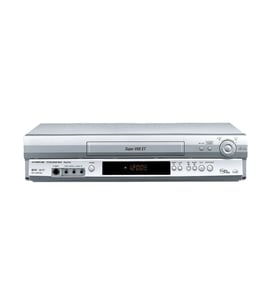
Go Video Vhs players & vcrs Parts — Browse All Models
Sears PartsDIrect is a leading supplier of Go Video VHS player replacement parts. Go Video VHS players use dependable components to play your video cassette tapes but you can never tell when a failure will occur. When you find yourself in need of Go Video VHS player replacement parts, trust Sears PartsDirect to have the parts you need to fix your player.

Go Video GV2030X vcr
Shop Parts
10 Parts
Go Video GV6060/MOMTAGE videocassette recorder
Go Video GV-6250 videocassette recorder
Popular maintenance items for VHS Players & VCRs

Lever Solenoid
Part #7391900270
This item is not returnable
In Stock
$3.78

Qty

Cylinder Assembly
In Stock
$123.49
Qty
Cchp 22p 5
Part #996500042229
This item is not returnable
In Stock
$4.50
Qty
Gear
Part #395816104
This item is not returnable
In Stock
$4.20
Qty
Plate
In Stock
$43.04
Qty
Antenna
In Stock
$34.74
Qty
Replacing the control panel assembly on your Go Video VHS player
- Unplug the VHS player's power cord from the electrical wall outlet to disconnect electrical power.
- Remove the cabinet cover mounting screws then pull the cabinet cover off the VHS player.
- Unplug the control panel ribbon cable from the control panel.
- Remove the control panel mounting screws and pull the control panel off the front cover of the VHS player.
- Install the new control panel in the front cover and secure it with the mounting screws. Plug in the control panel ribbon cable to the new control panel.
- Reinstall the VHS player cabinet cover and secure it with the mounting screws.
- Plug the VHS player's power cord back into the electrical wall outlet to restore power.
Safety precautions for your Go Video VHS player
- Unplug the VHS player's power cord from the electrical wall outlet to disconnect electrical power before performing any maintenance or repairs on the player.
- Unplug the VHS player if you don't intend to use it for an extended period of times (such as 6 months or more).
- One blade of the power cord plug is wider than the other so the plug will only fit into the electrical wall outlet one way. Don't attempt to force the power cord plug into the wall outlet with the prongs reversed.
- If your VHS player has a 3-prong plug, don't remove the third prong to plug the power cord into an outlet designed for a 2-prong plug. Use a properly grounded adapter plug.
- Unplug the VHS player if liquids get spilled on the player. Completely clean and dry the VHS player before plugging the power cord back into the wall outlet and using the player.
Parts & More
Downdraft Ventilation System
Electric Wall Oven
Freestanding Ice Maker
Front-Engine Lawn Tractor
Miter Saw
Parts
Power Saw
Rear-Engine Riding Mower
Side-By-Side Refrigerator
Television
Tiller
Toys & Games
Wine & Beverage Cooler