- Kenmore refrigerator water filters
- Whirlpool refrigerator water filters
- Samsung refrigerator water filters
- GE refrigerator water filters
- LG refrigerator water filters
- Frigidaire refrigerator water filters
- KitchenAid refrigerator water filters
- Maytag refrigerator water filters
- Kenmore Elite refrigerator water filters
- Estate refrigerator water filters
- GE Profile refrigerator water filters
- Amana refrigerator water filters
- Bosch refrigerator water filters
- Dacor refrigerator water filters
- Electrolux refrigerator water filters
Top DIY repair help
View All Repair Categories
Appliances
Lawn & Garden
Power Tools
Home Improvement
Sports & Leisure
Heating & Cooling
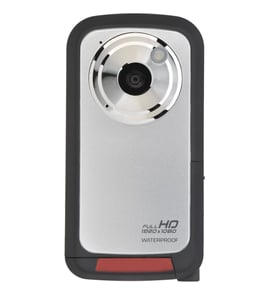
Curtis Mathes Camcorder Parts — Browse All Models
Curtis Mathes camcorders have a reputation for rugged dependability. Although Curtis Mathes camcorders rarely break down, those infrequent failures can occur at any time. When a camcorder failure happens, get the repair parts you need to fix your Curtis Mathes camcorder at Sears PartsDirect.


Frequently bought Curtis Mathes parts

Curtis Mathes Tube
In Stock
$128.00

Qty

Panasonic Idler Tire
In Stock
$10.16
Qty
Idler Tire
In Stock
$10.16
Qty
Curtis Mathes Kit Belt
In Stock
$11.70
Qty
Curtis Mathes Vcr Belt K
In Stock
$10.50
Qty
Curtis Mathes Belt Dr
Part #483535837076
This item is not returnable
In Stock
$2.65
Qty
Popular maintenance items for Camcorders
Motor
In Stock
$92.51
Qty
Adaptor, A
In Stock
$44.19
Qty
Ret.claw
Part #417181801
This item is not returnable
In Stock
$7.22
Qty
Panasonic Br Frame
Part #VYK5J70
Replaced by #VYK5J70-1
Manufacturer substitution
This part replaces VYK5J70. Substitute parts can look different from the original.
In Stock
$20.50
Qty
Base Assembly
Part #X20244601
Replaced by #X-2024-460-1
Manufacturer substitution
This part replaces X20244601. Substitute parts can look different from the original.
This item is not returnable
In Stock
$6.36
Qty
Ic
In Stock
$43.10
Qty
Top replacement parts for Curtis Mathes camcorders
- Len cover. The lens cover protects the camcorder lens from scratches, spills, dirt and debris when you're not using the device.
- Carrying strap. The carrying strap attaches to the camcorder and allows you keep control of the camcorder so you don't drop it when filming video.
- Battery. The battery provides electrical current to operate the camcorder control board and video capture components.
- USB cable. The camcorder USB cable connects the camcorder to a computer, television or home theater system so you can store or watch recorded video.
Cleaning the eyepiece on your Curtis Mathes camcorder
- Turn the camcorder power off and unplug the power cord. Pull the battery pack off the camcorder.
- Turn the eyepiece 1/8 of a turn counterclockwise to release it from the camcorder body and pull the eyepiece free from the camcorder. Set the eyepiece on a padded surface.
- Remove any lint or dust particles from the eyepiece lens using a soft, clean, lint-free cloth. Be careful not to scratch the eyepiece lens surface while cleaning.
- Clean the body of the eyepiece using a soft cloth moistened with mild detergent and water. Rinse off detergent residue from the eyepiece body using a damp cloth moistened with plain water. Dry the eyepiece body thoroughly with a dry, soft cloth.
- Position the eyepiece on the camcorder body and line up the marks on the eyepiece body with the grooves in the eyepiece receptacle on the camcorder body. Attach the eyepiece to the camcorder and rotate the eyepiece 1/8 turn clockwise to lock the eyepiece in place.
Parts & More
Bottom-Mount Refrigerator
Electric Wall Oven
Front-Engine Lawn Tractor
Gas Grill
Gas Range
Laundry Center
Lawn & Garden
Lawn Edger
Microwave/Hood Combo
Parts
Range Hood
Top-Mount Refrigerator
Upright Freezer