- Kenmore refrigerator water filters
- Whirlpool refrigerator water filters
- Samsung refrigerator water filters
- GE refrigerator water filters
- LG refrigerator water filters
- Frigidaire refrigerator water filters
- KitchenAid refrigerator water filters
- Maytag refrigerator water filters
- Kenmore Elite refrigerator water filters
- Estate refrigerator water filters
- GE Profile refrigerator water filters
- Amana refrigerator water filters
- Bosch refrigerator water filters
- Dacor refrigerator water filters
- Electrolux refrigerator water filters
Top DIY repair help
View All Repair Categories
Appliances
Lawn & Garden
Power Tools
Home Improvement
Sports & Leisure
Heating & Cooling
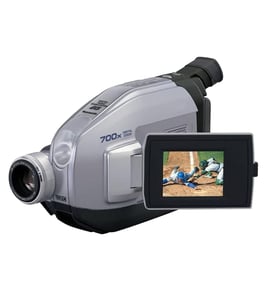
Sylvania Compact vhs-c camcorder Parts — Browse All Models
Sylvania compact VHS camcorders are packed with the advanced features that you look for in a recording device. Precision lenses in Sylvania compact VHS camcorders help capture images and action accurately and clearly. When your Sylvania compact VHS camcorder needs repair, find the replacement parts you need at Sears PartsDirect.

Frequently bought Sylvania parts

Sylvania Integrated Circuit
In Stock
$21.98

Qty

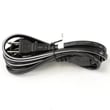
Television Power Cord
In Stock
$10.49
Qty
Sylvania Cable 3pin
Part #WX1A17N1-212
This item is not returnable
In Stock
$3.49
Qty
Sylvania Service Manual
In Stock
$98.99
Qty
Magnavox Cable 2pin
Part #WX1A17N1-321
This item is not returnable
In Stock
$2.16
Qty
Montgomery Ward Ic Kit
In Stock
$47.69
Qty
Popular maintenance items for Compact VHS-C Camcorders
5.1k Resisto
Part #121666811
This item is not returnable
In Stock
$4.34
Qty
Rear Cabin
In Stock
$81.05
Qty
Screw,+ptpwh
Part #366948021
This item is not returnable
In Stock
$2.16
Qty
Sylvania Service Manual
In Stock
$86.49
Qty
Rf Adapt/mod
In Stock
$59.95
Qty
Washer,stopp
Part #372682901
This item is not returnable
In Stock
$2.16
Qty
Dubbing video from your Sylvania compact VHS camcorder to a VCR
- Connect the audio/video cord to the audio and video outlet jacks on your camcorder. Connect the other end of the audio/video cord to the audio in and video in jacks on the back of your VCR.
- Insert a pre-recorded take into the camcorder and power the camcorder on.
- Turn the VCR on and set the input signal selector to the Line In source.
- Press Play and Record then Pause on the VCR to set up the VCR for recording the video signal from the camcorder.
- Find the beginning of the video that you want to record on the tape in the camcorder. Press Play on the camcorder then press the Pause button on the VCR to play the camcorder tape and record the camcorder video signal on the VCR.
Cleaning tips for your Sylvania compact VHS camcorder
- Use a commercial camcorder lens cleaning solution and lens paper when cleaning the camcorder lens to avoid scratching the lens and distorting video capture. Don't touch the lens surface with your bare fingers or hand while cleaning.
- Don't use strong or abrasive detergents when cleaning the camcorder body. Use only mild detergent and water to moisten a non-abrasive cloth and wipe down the camcorder body. Wipe off detergent residue using a lint-free cloth moistened with plain water. Dry the camcorder body thoroughly with a non-abrasive, lint-free cloth.
- To protect the finish of the camcorder body, wash your hands and face to remove any chemical products such as make-up or suntan lotion that can damage the finish.
- Protect the lens by keeping the lens cover installed on the camcorder then you're not using the device.
Parts & More
Bottom-Mount Refrigerator
Electric Wall Oven
Front-Engine Lawn Tractor
Lawn & Garden Engine
Miter Saw
Parts
Refrigerator
Toaster Oven
Top-Mount Refrigerator
Vacuum Cleaner