- Kenmore refrigerator water filters
- Whirlpool refrigerator water filters
- Samsung refrigerator water filters
- GE refrigerator water filters
- LG refrigerator water filters
- Frigidaire refrigerator water filters
- KitchenAid refrigerator water filters
- Maytag refrigerator water filters
- Kenmore Elite refrigerator water filters
- Estate refrigerator water filters
- GE Profile refrigerator water filters
- Amana refrigerator water filters
- Bosch refrigerator water filters
- Dacor refrigerator water filters
- Electrolux refrigerator water filters
Top DIY repair help
View All Repair Categories
Appliances
Lawn & Garden
Power Tools
Home Improvement
Sports & Leisure
Heating & Cooling
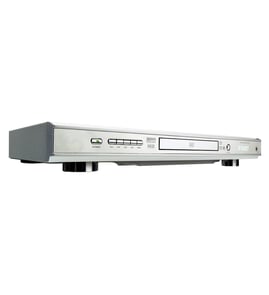
Sylvania Dvd player Parts — Browse All Models
Sylvania DVD players use the latest technology to produce the best video and audio playback possible from digital recordings. Progressive scanning in Sylvania DVD players create improved pictures that are near perfect. When your Sylvania DVD player acts up and needs repairs, find the replacement parts you need to fix the problem at Sears PartsDirect.
Browse by Category
DVD Players

 Owner’s manual
Frequently bought Sylvania parts

Sylvania Integrated Circuit
In Stock
$21.98

Qty

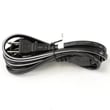
Television Power Cord
In Stock
$10.49
Qty
Sylvania Cable 3pin
Part #WX1A17N1-212
This item is not returnable
In Stock
$3.49
Qty
Sylvania Service Manual
In Stock
$98.99
Qty
Magnavox Cable 2pin
Part #WX1A17N1-321
This item is not returnable
In Stock
$2.16
Qty
Montgomery Ward Ic Kit
In Stock
$47.69
Qty
Popular maintenance items for DVD Players
Filter
In Stock
$12.61
Qty
Cable Assembly
In Stock
$27.38
Qty
Sw Transf
In Stock
$33.23
Qty
Transformer
In Stock
$51.55
Qty
Tray Cover
In Stock
$14.54
Qty
Screw
In Stock
$27.13
Qty
Troubleshooting your Sylvania DVD player when it won't power up
- If you're using the remote control to attempt to power up the DVD player, try using the power button on the DVD player.
- If the DVD player won't power up when you press the power button on the player, check the power cord. Plug the DVD player power cord securely into the electrical wall outlet if the outlet cord plug is loose.
- If the DVD player power cord is properly plugged into the electrical wall outlet, check the electrical outlet for power by plugging a different item into the wall outlet. If the wall outlet is dead, reset the house circuit breaker for the wall outlet. Have an electrician repair the wall outlet if it remains dead after resetting the house circuit breaker.
- If you have the DVD player plugged into a surge protector, check for a tripped circuit breaker on the surge protector. Reset the surge protector circuit breaker if it's tripped.
- If the DVD player is getting power through the power cord but won't power up, you may need to replace the power control board in the DVD player.
Steps to take when the television won't play your Sylvania DVD player's video
- Check the television settings and select the correct video input source on the television if necessary.
- Check the HDMI or video cable connections on the back of the DVD player and the television. Reconnect any loose cables. Connect the cables correctly if the cables were connected to the wrong jacks.
- Check the DVD disc to make sure it's inserted in the tray properly. The label of the DVD disc should be facing upward.
- Check the DVD disc for deposits or scratches. Clean the DVD disc thoroughly if you find spills or deposits on the disc.
- Reset the DVD player control board by unplugging the DVD player from the electrical wall outlet for several minutes. Plug the DVD player power cord back in to the electrical outlet and attempt to play the DVD disc again.
Parts & More
Bottom-Mount Refrigerator
Electric Water Heater
Front-Engine Lawn Tractor
Range Hood
Side-By-Side Refrigerator
Top-Mount Refrigerator
Vhs Camcorder
Water Pump