- Kenmore refrigerator water filters
- Whirlpool refrigerator water filters
- Samsung refrigerator water filters
- GE refrigerator water filters
- LG refrigerator water filters
- Frigidaire refrigerator water filters
- KitchenAid refrigerator water filters
- Maytag refrigerator water filters
- Kenmore Elite refrigerator water filters
- Estate refrigerator water filters
- GE Profile refrigerator water filters
- Amana refrigerator water filters
- Bosch refrigerator water filters
- Dacor refrigerator water filters
- Electrolux refrigerator water filters
Top DIY repair help
View All Repair Categories
Appliances
Lawn & Garden
Power Tools
Home Improvement
Sports & Leisure
Heating & Cooling
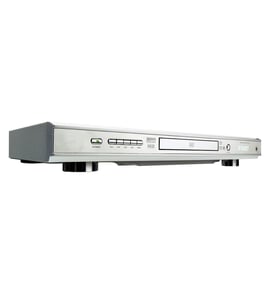
Mitsubishi Video equipment Parts — Browse All Models
Mitsubishi video equipment provides the outstanding video and sound playback that you expect from digital recordings and video cassettes. Mitsubishi video equipment uses the latest innovations in video and sound reproduction so your entertainment experience is always awesome. When your Mitsubishi video equipment breaks down, get the repair parts you need to fix the player at Sears PartsDirect.

Mitsubishi HSU31 vcr
Shop Parts
13 Parts

Mitsubishi HS304UR vcr
Shop Parts
11 Parts
Mitsubishi HSU52 vcr
Shop Parts
20 Parts
Frequently bought Mitsubishi parts

Mitsubishi Picture Tube
In Stock
$439.49

Qty

Mitsubishi Crt-itc (a
In Stock
$1154.20
Qty
Mitsubishi Blue Crt
In Stock
$347.99
Qty
Mitsubishi Cathode Ray Tube
In Stock
$405.99
Qty
Mitsubishi Txstr Npn
In Stock
$11.00
Qty
Mitsubishi Crt Green
In Stock
$297.49
Qty
Popular maintenance items for Video Equipment
Manual,ser
In Stock
$65.84
Qty
Side Panel
Part #420836101
This item is not returnable
In Stock
$2.16
Qty
Jack-pin
In Stock
$35.23
Qty
Block
Part #483536127078
This item is not returnable
In Stock
$2.16
Qty
Picture Tu
In Stock
$386.50
Qty
Tuner
In Stock
$10.64
Qty
Troubleshooting your Mitsubishi video equipment when the remote control doesn't work
- Check the batteries in the remote control. Weak or dead batteries won't power up the remote device. Replace the remote control batteries if they're weak or dead.
- The remote control has an effective range of about 20-feet. Make sure that you're within range of the video equipment when attempting to use the remote.
- Check for items blocking the RF sensor on the video equipment and move any items out of the way to allow the video equipment to receive remote control RF signals.
- The microprocessor inside the remote can fill up its internal memory or the microprocessor can get the memory scrambled at times. Reset the microprocessor and drain the memory in the remote by removing the remote control batteries and holding down one or more buttons on the remote device for several minutes. Reinstall the batteries and the remote may work normally again.
- You may need to replace the remote if it won't work after resetting the microprocessor and it has good batteries.
Playing a disc on your Mitsubishi video equipment
- Turn on your television and select the video input mode that your video equipment is connected to on your television (HDMI In).
- If you connected the video equipment to an external audio system, turn on your audio system receiver and select the correct audio input on the receiver to play the video equipment's audio.
- Press the Open/Close button on the DVD player of the video equipment to open the disc tray.
- Position the DVD disc gently into the tray with the disc's label facing upward.
- Press the Open/Close button to close the disc tray.
- Press the Play button to play the DVD disc.
Parts & More
Bottom-Mount Refrigerator
Dishwasher
Gas Line Trimmer
Gas Water Heater
Lawn & Garden Engine
Parts
Refrigerator
Top-Mount Refrigerator
Toys & Games