- Kenmore refrigerator water filters
- Whirlpool refrigerator water filters
- Samsung refrigerator water filters
- GE refrigerator water filters
- LG refrigerator water filters
- Frigidaire refrigerator water filters
- KitchenAid refrigerator water filters
- Maytag refrigerator water filters
- Kenmore Elite refrigerator water filters
- Estate refrigerator water filters
- GE Profile refrigerator water filters
- Amana refrigerator water filters
- Bosch refrigerator water filters
- Dacor refrigerator water filters
- Electrolux refrigerator water filters
Top DIY repair help
View All Repair Categories
Appliances
Lawn & Garden
Power Tools
Home Improvement
Sports & Leisure
Heating & Cooling
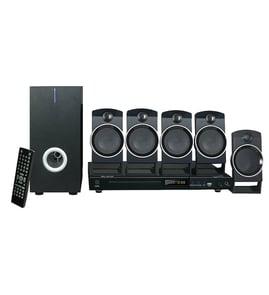
Sony Home theater system Parts — Browse All Models
Sears PartsDirect is a leading supplier of repair parts for Sony home theater systems. Sony home theater systems are known for their high-fidelity sound reproduction and dependability. When your Sony home theater system isn't performing as it should, find the repair parts you need to fix the problem at Sears PartsDirect.
 Owner’s manual
Sony DAV-IS10 home theater
Shop Parts
154 Parts
Frequently bought Sony parts

Blind Hing
Part #425762301
This item is not returnable
In Stock
$3.54

Qty

Usb Spring
Part #427916001
Replaced by #4-279-160-01
Manufacturer substitution
This part replaces 427916001. Substitute parts can look different from the original.
This item is not returnable
In Stock
$2.65
Qty
Sony Cushion
Part #427980602
Replaced by #4-279-806-02
Manufacturer substitution
This part replaces 427980602. Substitute parts can look different from the original.
In Stock
$16.22
Qty
Piece F
Part #420875001
This item is not returnable
In Stock
$7.22
Qty
Plate
Part #427449901
This item is not returnable
In Stock
$2.65
Qty
Ap Ring
In Stock
$12.74
Qty
Popular maintenance items for Home Theater Systems
Jack
Part #181504511
This item is not returnable
In Stock
$8.04
Qty
Ser Manual
In Stock
$13.63
Qty
Ic
In Stock
$67.40
Qty
Filter
In Stock
$44.19
Qty
Switch
Part #178665021
This item is not returnable
In Stock
$2.16
Qty
Module
In Stock
$100.81
Qty
Troubleshooting your Sony home theater system when it won't power up
- If you're using the remote control to attempt to power up the home theater system, try using the power button on the amplifier cabinet to power it up.
- If the home theater system won't power up when you press the power button on, check the power cord. Plug the home theater system power cord securely into the electrical wall outlet if the outlet cord plug is loose.
- If the home theater system power cord is properly plugged into the electrical wall outlet, check the electrical outlet for power by plugging a different item into the wall outlet. If the wall outlet is dead, reset the house circuit breaker for the wall outlet. Have an electrician repair the wall outlet if it remains dead after resetting the house circuit breaker.
- If you have the home theater system plugged into a surge protector, check for a tripped circuit breaker on the surge protector. Reset the surge protector circuit breaker if it's tripped.
- If the home theater system is getting power through the power cord but won't power up, you may need to replace the power supply board in the amplifier.
Maintenance tips for your Sony home theater system
- Unplug the home theater system's power cord from the electrical wall outlet before performing any cleaning and maintenance on the system.
- Remove the amplifier's cabinet cover. Spray canned air through all ventilation slots of the cabinet to clear out dust and debris that can interfere with airflow through the cabinet.
- Carefully blow dust and debris from internal components in the amplifier.
- Use electrical contact cleaner to remove corrosion and deposits from all jacks, plugs and switches. Allow the cleaner to dry completely before reassembling the amplifier.
- Wipe down all external amplifier cabinet surfaces using a damp micro-fiber cloth. Dry the surfaces with a lint-free cloth.
- Reassemble the amplifier and plug the power cord back into the electrical wall outlet.
Parts & More
Bottom-Mount Refrigerator
Cycling
Electric Range
Food Processor
Front-Engine Lawn Tractor
Parts
Side-By-Side Refrigerator
Small Appliance