- Kenmore refrigerator water filters
- Whirlpool refrigerator water filters
- Samsung refrigerator water filters
- GE refrigerator water filters
- LG refrigerator water filters
- Frigidaire refrigerator water filters
- KitchenAid refrigerator water filters
- Maytag refrigerator water filters
- Kenmore Elite refrigerator water filters
- Estate refrigerator water filters
- GE Profile refrigerator water filters
- Amana refrigerator water filters
- Bosch refrigerator water filters
- Dacor refrigerator water filters
- Electrolux refrigerator water filters
Top DIY repair help
View All Repair Categories
Appliances
Lawn & Garden
Power Tools
Home Improvement
Sports & Leisure
Heating & Cooling
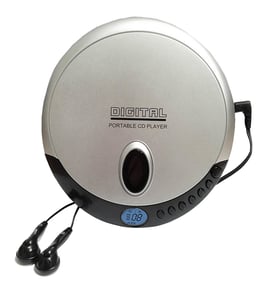
Sanyo Cd player Parts — Browse All Models
Sears PartsDIrect is a leading supplier of replacement parts for Sanyo CD players. Sanyo CD players are known for their clear and powerful sound reproduction. When your Sanyo CD player isn't performing as it should, find the repair parts you need to fix the problem at Sears PartsDirect.
Browse by Category
CD Players

Sanyo 61735 cd deck receiver
Sanyo 67715 cd player
Frequently bought Sanyo parts

Sanyo R 5w
Part #2493092285
This item is not returnable
In Stock
$2.16

Qty

Pict Tube
Part #320CSB22
Replaced by #320CSB22R
Manufacturer substitution
This part replaces 320CSB22. Substitute parts can look different from the original.
In Stock
$188.00
Qty
Sanyo Integrated Circuit
In Stock
$47.96
Qty
Cathode Ray Tube
In Stock
$224.99
Qty
Picture Tube
In Stock
$128.00
Qty
Sanyo Integrated Circuit
In Stock
$30.33
Qty
Popular maintenance items for CD Players
Ac Inlet
In Stock
$57.10
Qty
Window
In Stock
$18.29
Qty
Magnavox Service Manual
In Stock
$57.67
Qty
Knob (dia.10
Part #335493101
This item is not returnable
In Stock
$3.06
Qty
Ic
In Stock
$11.11
Qty
Magnavox Switch
In Stock
$10.08
Qty
Troubleshooting your Sanyo CD player when the remote control doesn't work
- Check the batteries in the remote control. Weak or dead batteries won't power up the remote device. Replace the remote control batteries if they're weak or dead.
- The remote control has an effective range of about 20-feet. Make sure that you're within range of the CD player when attempting to use the remote.
- Check for items blocking the RF sensor on the CD player and move any items out of the way to allow the CD player to receive remote control RF signals.
- The microprocessor inside the remote can fill up its internal memory or the microprocessor can get the memory scrambled at times. Reset the microprocessor and drain the memory in the remote by removing the remote control batteries and holding down one or more buttons on the remote device for several minutes. Reinstall the batteries and the remote may work normally again.
- You may need to replace the remote if it won't work after resetting the microprocessor and it has good batteries.
Handling and care tips for compact discs used in your Sanyo CD player
- Handle the compact disc by grasping it on the outer edge and inner hole when removing the disc from its case or the CD player disc tray. Don't touch the media side of the compact disc with your fingers because oil and dirt from your fingers can interfere with compact disc playback.
- Don't expose compact discs to direct sunlight or extreme heat sources such as heater air ducts or a car parked in direct sunlight.
- Insert and remove compact discs in the CD player disc tray carefully to avoid scratching the media side of the compact disc. Make sure the compact disc is properly inserted in the disc tray before pressing the button to insert the disc tray into the player to avoid marring the compact disc.
- After removing the compact disc from the CD player, store the disc in its storage case.
- Don't use tape or labels on the top of compact discs. Use a non-solvent-based felt-tip marker to label the top side of the disc.
Parts & More
Bottom-Mount Refrigerator
Canister Vacuum
Chainsaw
Front-Engine Lawn Tractor
Gas Snowblower
Gas Walk-Behind Mower
Gas Water Heater
Generator
Lawn & Garden Engine
Refrigerator
Room Air Conditioner