- Kenmore refrigerator water filters
- Whirlpool refrigerator water filters
- Samsung refrigerator water filters
- GE refrigerator water filters
- LG refrigerator water filters
- Frigidaire refrigerator water filters
- KitchenAid refrigerator water filters
- Maytag refrigerator water filters
- Kenmore Elite refrigerator water filters
- Estate refrigerator water filters
- GE Profile refrigerator water filters
- Amana refrigerator water filters
- Bosch refrigerator water filters
- Dacor refrigerator water filters
- Electrolux refrigerator water filters
Top DIY repair help
View All Repair Categories
Appliances
Lawn & Garden
Power Tools
Home Improvement
Sports & Leisure
Heating & Cooling
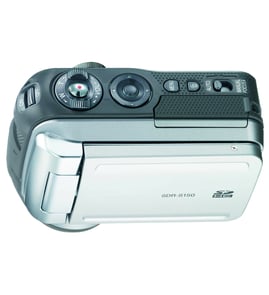
Panasonic Digital camcorder Parts — Browse All Models
Sears PartsDirect is a leading supply of replacement parts for Panasonic digital camcorders. Panasonic makes digital camcorders that include convenient features such as autofocus and digital zoom. When your Panasonic digital camcorder isn't working, find the repair parts you need to fix the problem at Sears PartsDirect.


 Owner’s manual
Frequently bought Panasonic parts
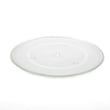
Panasonic Cook Tray
In Stock
$48.77
11% OFF Phone Price : $54.77

Qty

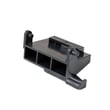
Panasonic Open Lever
Part #F82565X00AP
This item is not returnable
In Stock
$35.03
Qty
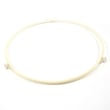
Panasonic Roller
In Stock
$17.89
10% OFF Phone Price : $19.89
Qty
Panasonic Cover
Part #F20555K00AP
This item is not returnable
In Stock
$12.90
13% OFF Phone Price : $14.90
Qty
Panasonic Panasonic Sensor
In Stock
$61.47
Qty
Panasonic Motor
In Stock
$37.49
14% OFF Phone Price : $43.49
Qty
Popular maintenance items for Digital Camcorders

Piece F
Part #420875001
This item is not returnable
In Stock
$7.22
Qty
Piece F
Part #420877501
This item is not returnable
In Stock
$7.74
Qty
Washer A
Part #420873901
This item is not returnable
In Stock
$3.54
Qty
Ic
In Stock
$62.37
Qty
Im Rubber,
Part #427728001
This item is not returnable
In Stock
$5.80
Qty
Light
In Stock
$25.27
Qty
Cleaning the eyepiece on your Panasonic digital camcorder
- Turn the digital camcorder power off and unplug the power cord. Pull the battery pack off the camcorder.
- Turn the eyepiece 1/8 of a turn counterclockwise to release it from the camcorder body and pull the eyepiece free from the camcorder. Set the eyepiece on a padded surface.
- Remove any lint or dust particles from the eyepiece lens using a soft, clean, lint-free cloth. Be careful not to scratch the eyepiece lens surface while cleaning.
- Clean the body of the eyepiece using a soft cloth moistened with mild detergent and water. Rinse off detergent residue from the eyepiece body using a damp cloth moistened with plain water. Dry the eyepiece body thoroughly with a dry, soft cloth.
- Position the eyepiece on the camcorder body and line up the marks on the eyepiece body with the grooves in the eyepiece receptacle on the camcorder body. Attach the eyepiece to the camcorder and rotate the eyepiece 1/8 turn clockwise to lock the eyepiece in place.
Safety precautions for your Panasonic digital camcorder
- Your camcorder shouldn't be exposed to rain or moisture. Don't plug in the power adapter to a wall outlet or operate your camcorder if it's wet. The camcorder is designed for outdoor use but it isn't designed for sustaining direct exposure to water, rain or spills.
- Unplug your camcorder before cleaning and performing any maintenance on the device.
- Don't expose the camcorder to high temperature such as direct sunlight or heat generated in a closed car during summer. High heat can damage camcorder components.
- Don't leave the power supply for your camcorder turned on when it isn't attended or it's not in use.
- Keep the lens cap installed on the camcorder when you're not using the device to prevent lens damage.
Parts & More
Bottom-Mount Refrigerator
Electric Range
Furnace
Gas Grill
Gas Leaf Blower
Gas Walk-Behind Mower
Parts
Side-By-Side Refrigerator
Toys & Games
Vacuum Cleaner
Weight System