- Kenmore refrigerator water filters
- Whirlpool refrigerator water filters
- Samsung refrigerator water filters
- GE refrigerator water filters
- LG refrigerator water filters
- Frigidaire refrigerator water filters
- KitchenAid refrigerator water filters
- Maytag refrigerator water filters
- Kenmore Elite refrigerator water filters
- Estate refrigerator water filters
- GE Profile refrigerator water filters
- Amana refrigerator water filters
- Bosch refrigerator water filters
- Dacor refrigerator water filters
- Electrolux refrigerator water filters
Top DIY repair help
View All Repair Categories
Appliances
Lawn & Garden
Power Tools
Home Improvement
Sports & Leisure
Heating & Cooling
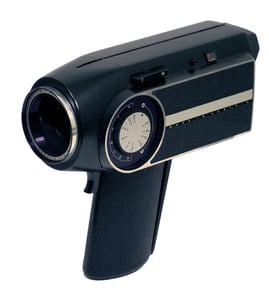
Panasonic 8mm camcorder Parts — Browse All Models
Panasonic 8mm camcorders have a reputation for rugged dependability. Although Panasonic 8mm camcorders rarely break down, those infrequent failures can occur at any time. When a camcorder failure happens, get the repair parts you need to fix your Panasonic 8mm Camcorder at Sears PartsDirect.
Browse by Category
8mm Camcorders

 Owner’s manual
Frequently bought Panasonic parts
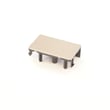
Panasonic Button
In Stock
$21.41
22% OFF Phone Price : $27.41

Qty

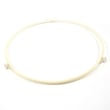
Panasonic Roller
In Stock
$17.89
10% OFF Phone Price : $19.89
Qty
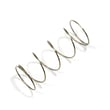
Panasonic Button
Part #F80375K00AP
This item is not returnable
In Stock
$12.90
13% OFF Phone Price : $14.90
Qty
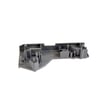
Panasonic Door Hook
Part #F3020-1200
Replaced by #F30206G30CP
Manufacturer substitution
This part replaces F3020-1200. Substitute parts can look different from the original.
In Stock
$17.78
10% OFF Phone Price : $19.78
Qty
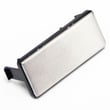
Panasonic Button,doo
In Stock
$38.16
Qty
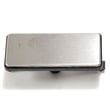
Panasonic Panasonic Button
In Stock
$41.63
Qty
Popular maintenance items for 8mm Camcorders

Rail
In Stock
$19.04
Qty
Screw
Part #394850001
This item is not returnable
In Stock
$2.16
Qty
Coil Spring
Part #372686401
This item is not returnable
In Stock
$2.16
Qty
Ic
In Stock
$38.40
Qty
Ic
Part #TA75S393F
This item is not returnable
In Stock
$3.52
Qty
Ic Sc7s02f
Part #875903590
This item is not returnable
In Stock
$9.51
Qty
Dubbing video from your Panasonic 8mm camcorder to a VCR
- Connect the audio/video cord to the audio and video outlet jacks on your camcorder. Connect the other end of the audio/video cord to the audio in and video in jacks on the back of your VCR.
- Insert a pre-recorded take into the camcorder and power the camcorder on.
- Turn the VCR on and set the input signal selector to the Line In source.
- Press Play and Record then Pause on the VCR to set up the VCR for recording the video signal from the camcorder.
- Find the beginning of the video that you want to record on the tape in the camcorder. Press Play on the camcorder then press the Pause button on the VCR to play the camcorder tape and record the camcorder video signal on the VCR.
Cleaning tips for your Panasonic 8mm camcorder
- Use a commercial camcorder lens cleaning solution and lens paper when cleaning the camcorder lens to avoid scratching the lens and distorting video capture. Don't touch the lens surface with your bare fingers or hand while cleaning.
- Don't use strong or abrasive detergents when cleaning the camcorder body. Use only mild detergent and water to moisten a non-abrasive cloth and wipe down the camcorder body. Wipe off detergent residue using a lint-free cloth moistened with plain water. Dry the camcorder body thoroughly with a non-abrasive, lint-free cloth.
- To protect the finish of the camcorder body, wash your hands and face to remove any chemical products such as make-up or suntan lotion that can damage the finish.
- Protect the lens by keeping the lens cover installed on the camcorder then you're not using the device.
Parts & More
Air Compressor
Bottom-Mount Refrigerator
Gas Walk-Behind Mower
Hedge Trimmer
Impact Wrench
Lawn Vacuum
Microwave/Hood Combo
Parts
Radial Arm Saw
Side-By-Side Refrigerator
Table Saw
Television
Toaster Oven
Top-Mount Refrigerator
Upright Freezer