- Kenmore refrigerator water filters
- Whirlpool refrigerator water filters
- Samsung refrigerator water filters
- GE refrigerator water filters
- LG refrigerator water filters
- Frigidaire refrigerator water filters
- KitchenAid refrigerator water filters
- Maytag refrigerator water filters
- Kenmore Elite refrigerator water filters
- Estate refrigerator water filters
- GE Profile refrigerator water filters
- Amana refrigerator water filters
- Bosch refrigerator water filters
- Dacor refrigerator water filters
- Electrolux refrigerator water filters
Top DIY repair help
View All Repair Categories
Appliances
Lawn & Garden
Power Tools
Home Improvement
Sports & Leisure
Heating & Cooling
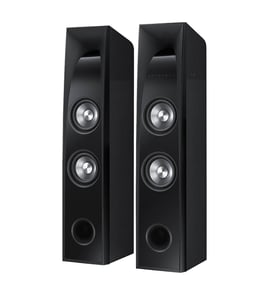
Magnavox Speaker Parts — Browse All Models
Sears PartsDirect is a leading supplier of repair parts for Magnavox speakers. Magnavox speakers are known for the rich bass range in their speakers. When you need repair parts for a Magnavox speaker, you'll find what you need at Sears PartsDirect.
Browse by Category
Speakers

Frequently bought Magnavox parts

Magnavox Owner's Manual
Part #IB38330001
This item is not returnable
In Stock
$4.99

Qty

Magnavox Diode Brdg
Part #996500039490
This item is not returnable
In Stock
$2.16
Qty
Magnavox Pcb Assembly
In Stock
$38.90
Qty
Magnavox Power Supply
In Stock
$97.99
Qty
Service Manual
In Stock
$109.99
Qty
Magnavox Lid Cass R
In Stock
$38.82
Qty
Popular maintenance items for Speakers
Pcb Assembly
In Stock
$303.54
Qty
Speaker
In Stock
$87.00
Qty
Pcb Front
In Stock
$134.64
Qty
Rr Cover
In Stock
$136.20
Qty
Cap
In Stock
$23.63
Qty
Pcb Asy,sm
In Stock
$191.88
Qty
Top repair parts needed for Magnavox speakers
- Tweeter. The tweeter is a speaker component that produces the clear, crisp high frequency sounds above 2kHz up to around 20kHz in the speaker.
- Woofer. The woofer is a speaker component that produces bass sounds in the frequency range of about 50Hz-1kHz in the speaker.
- Speaker grill. The speaker grill covers and protects the front of the speaker components while allowing sound to pass easily through the grill.
- Speaker wire terminal. The speaker wire terminal attaches to the back of the speaker cabinet. The terminal has a spring loaded plug that allows you to connect speaker wires to the speaker.
Troubleshooting the stereo system when your Magnavox speakers won't play
- Check the output settings on your receiver's control panel first. Make sure that you have the correct speaker output selected. Adjust the audio output settings if necessary.
- Check to see if you have the headphones plugged into the headphone jack. Unplug the headphones to play the speakers if you find the headphones plugged into the headphone jack.
- Check the speaker wire connections. Make sure that speaker wires are plugged fully into the speaker jacks on the back of the receiver. Make sure that the speaker wires are securely connected to the speakers. Reconnect any loose wiring connection.
- Check speaker wires for damage. Repair or replace any damaged speaker wire.
Parts & More
Bottom-Mount Refrigerator
Electric Range
Electric Water Heater
Front-Engine Lawn Tractor
Gas Walk-Behind Mower
Hedge Trimmer
Parts
Refrigerator Evaporator Fan Motor 242219204 partsLawn Tractor Blade Drive Belt, 5/8 x 148-5/8-in 196103Refrigerator User Interface 242058230 partsPressure Washer Unloader Valve Kit 190594GS partsRefrigerator Compressor Start Relay EBG60663230Washer Washplate Cap 5006EA3009B partsWasher Suspension Kit AJK72909308Washer Water Inlet Valve WH13X10017 partsRange Main Top WB62X26626
Side-By-Side Refrigerator
Top-Mount Refrigerator