- Kenmore refrigerator water filters
- Whirlpool refrigerator water filters
- Samsung refrigerator water filters
- GE refrigerator water filters
- LG refrigerator water filters
- Frigidaire refrigerator water filters
- KitchenAid refrigerator water filters
- Maytag refrigerator water filters
- Kenmore Elite refrigerator water filters
- Estate refrigerator water filters
- GE Profile refrigerator water filters
- Amana refrigerator water filters
- Bosch refrigerator water filters
- Dacor refrigerator water filters
- Electrolux refrigerator water filters
Top DIY repair help
View All Repair Categories
Appliances
Lawn & Garden
Power Tools
Home Improvement
Sports & Leisure
Heating & Cooling
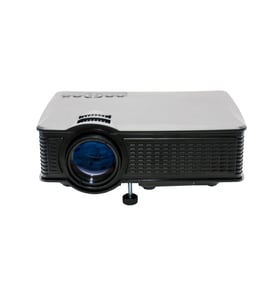
Ithaca Office Parts — Browse All Models
You depend on your Ithaca office products to run your business efficiently. Communication devices made by Ithaca rarely break down but parts failures in your office equipment can happen at any time. When Ithaca office equipment failures occur, find the parts you need to fix the equipment at Sears PartsDirect.

Ithaca 200 200 printer
Popular maintenance items for Office
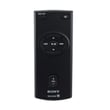
Remote Commander (rm-x400)
In Stock
$25.03
19% OFF Phone Price : $31.03

Qty


Agri-fab Lawn & Garden Equipment Washer
Part #44008
This item is not returnable
In Stock
$2.74
27% OFF Phone Price : $3.74
Qty
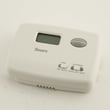
Sears Central Air Conditioner Wall Control Thermostat
In Stock
$25.59
25% OFF Was : $34.12
Qty
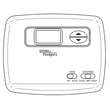
Sears White-rodgers Thermostat
In Stock
$16.80
40% OFF Was : $28.00
Qty

Spring(9142)
In Stock
$29.13
Qty
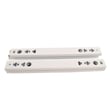
Refrigerator Drawer Slide Rail Assembly
In Stock
$42.92
12% OFF Phone Price : $48.92
Qty
Replacing the projector bulb in your Ithaca office equipment
- Unplug the power cord and let the lamp cool down completely before replacing it.
- Locate the lamp access panel and remove the access panel mounting screws. Remove the lamp access panel.
- Carefully reach in and pull the lamp out of the projector.
- Wear gloves to prevent finger prints and oils from depositing on the new bulb. Unpack the new bulb and carefully install it in the projector.
- Reinstall the lamp access panel and secure the panel with the mounting screws.
- Plug the equipment power cord back in.
Common Ithaca printer error messages
- Access Denied. The printer feature that you want to use is restricted by a function lock. Disable the function lock to use the feature.
- Calibrate. The color calibration function failed. Turn the machine off and wait a few seconds, then turn it on again. Perform the color calibration function using the control panel. If the printer still won't calibrate the color, replace the belt unit.
- Cartridge Error. The toner cartridge isn't installed correctly. Remove the toner cartridge and install it correctly.
- Belt End Soon. The belt is nearly worn out. Install a replacement belt unit.
Parts & More
Bottom-Mount Refrigerator
Chest Freezer
Dishwasher
Elliptical Machine
Exercise Cycle
Front-Engine Lawn Tractor
Laundry Center
Microwave
Microwave/Hood Combo
Others
Parts
Wine & Beverage Cooler