Installation guide
 Owner’s manual

Is it okay to put a wall oven next to a refrigerator?
Yes, it can be okay to place a refrigerator next to a Whirlpool GMC305PDQ1 wall oven/microwave combo, but only if the installation meets the required cabinet cutout dimensions, clearances, and ventilation so heat from the oven does not overwork the refrigerator.
Use the cabinet opening dimensions and minimum clearances specified for the GMC305PDQ1, and keep the oven location away from strong draft areas (windows, doors, and heating vents). For exact cutout and clearance requirements, follow the GMC305PDQ1 installation guide.
- Confirm the cabinet cutout matches the specified dimensions (do not “make it fit”).
- Keep the oven fully enclosed by the recessed installation area as required.
- Make sure the oven support surface is solid, level, and flush with the cabinet cutout.
- Avoid placing the oven where strong drafts can affect cooking performance.
- If the oven is smaller than the cabinet opening, use the correct matching color filler kit listed in the installation instructions.
A refrigerator sheds heat through its condenser system; when it sits next to a hot appliance, it can run longer and struggle to hold temperature. That can lead to warm food, higher energy use, and shortened compressor life.
| Situation | What it means | Best next step |
|---|---|---|
| Cabinet cutout and clearances match the install specs | Layout is typically acceptable | Install per the guide and verify ventilation |
| Tight fit, no side clearance, or blocked airflow | Heat can build up between appliances | Adjust cabinetry or add clearance per the guide |
| Fridge side wall feels hot or fridge runs constantly after install | Heat load is too high | Increase separation or add insulation/air gap |
- Verify the electrical supply and grounding meet requirements before final placement.
- After installation, monitor fridge temps for 24 to 48 hours.
- If the oven area gets unusually hot, check the oven cooling airflow path and cabinet sealing.
Last updated: January 2026
How do I reset my Whirlpool wall oven?
To reset your Whirlpool GMC305PDQ1 wall oven/microwave combo, press OFF/CANCEL to stop the current function and clear the display. This is the normal reset for the control when you entered the wrong command or want to end a cycle.
- Touch OFF/CANCEL once to cancel the active cooking function.
- If you started the wrong setting and want a different one, press OFF/CANCEL first, then select the new function.
- If cooking was interrupted by opening the door, close the door and touch START/ENTER to resume.
- If the display keeps prompting or beeping at the end of a cycle, touch OFF/CANCEL to clear it.
A control reset using OFF/CANCEL is meant to stop a cycle and clear the current programming. It does not change installation wiring, fix a blown fuse, or correct a door switch problem.
| Situation | What to press | Result |
|---|---|---|
| You want to stop cooking immediately | OFF/CANCEL | Cancels the function and clears the display |
| You picked the wrong command pad | OFF/CANCEL, then new selection | Lets you choose a different function in the same session |
| You opened the door mid-cycle | Close door, START/ENTER | Restarts cooking |
These checks help separate a simple control issue from a power or safety-interlock issue:
- Confirm the unit has power at the home breaker (wall oven/microwave combos typically use a dedicated circuit).
- Make sure the microwave door is fully closed and latching.
- If the unit is completely dead (no display), check for a blown internal fuse such as the fuse (black) WP4375321.
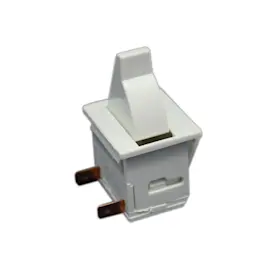
- If the microwave runs only with the door held a certain way, a door interlock issue is common; inspect the microwave door interlock switch W10211972.
Using OFF/CANCEL first prevents invalid entries and clears the control so the next bake, broil, or microwave cycle starts with correct settings. It is the fastest, safest “reset” for day-to-day operation.
For control pad names and operating details specific to this model, use the GMC305PDQ1 owner's manual.
Last updated: January 2026
What are the disadvantages of a microwave oven combo?
A microwave wall oven combo like Whirlpool GMC305PDQ1 saves space, but the tradeoffs are higher repair complexity, less flexibility than separate units, and potential ergonomic and performance compromises. For safe use and installation requirements, follow the GMC305PDQ1 owner's manual and GMC305PDQ1 installation guide.
- More complex repairs: If the microwave section has a door or safety issue, the unit should not be operated until it’s corrected; service is typically best handled by qualified personnel.
- Higher total cost when something fails: A single failure can affect the whole built-in appliance, increasing downtime.
- Less flexibility in the kitchen: You cannot replace or upgrade the microwave without also matching the built-in oven combo format.
- Ergonomics: The microwave can sit higher than a countertop unit, which can be awkward for hot liquids.
- Capacity tradeoffs: Combo designs can mean a smaller microwave cavity than some standalone models.
- Installation constraints: These units require correct electrical supply and proper grounding; they are less forgiving than plug-in countertop microwaves.
The microwave portion relies on door alignment, hinges/latches, and sealing surfaces for safe operation. We recommend these checks:
- Do not use the microwave if the door is bent.
- Do not use it if hinges or latches are loose/broken.
- Do not use it if door seals or sealing surfaces are damaged.
- Keep sealing surfaces clean; residue can interfere with proper closure.
- Use qualified service for adjustments or repairs involving the microwave door system.
| Feature | Combo unit (built-in) | Separate wall oven + microwave |
|---|---|---|
| Space | One cutout, clean look | More cabinetry or counter space needed |
| Repairs | More integrated, can be more involved | One appliance can be serviced/replaced independently |
| Flexibility | Limited upgrade paths | Easier to change one unit later |
| Ergonomics | Microwave height varies by install | You can choose placement |
With a combo, a “small” microwave issue (especially anything involving the door closing properly) can become a “stop using it” situation. Planning for service access, correct electrical installation, and long-term replacement strategy helps avoid surprises.
Last updated: January 2026