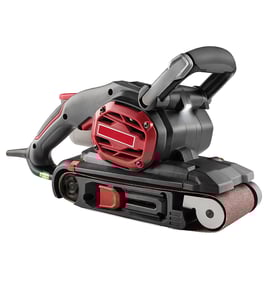

Can you replace the pad on a sander?
Yes. On the Craftsman 315116210 random orbital sander, the sanding pad (also called the backing pad) is a normal wear item and is designed to be replaceable when the hook-and-loop surface stops gripping discs, the pad wobbles, or the foam tears.
When the pad needs replacement
- Sanding discs will not stick or fly off during use
- The sander vibrates more than normal or leaves swirl marks
- The pad looks melted, torn, or uneven
- The tool makes a thumping sound as the pad rotates
- The hook-and-loop face is smooth or clogged and will not clean up
How pad replacement typically works
Most random orbital sanders use a center screw (or a few screws) that hold the pad to the bearing and fan assembly.
- Unplug the sander (or remove the battery if applicable).
- Remove the sanding disc.
- Hold the pad from turning (often by gripping it firmly with a glove or using the tool’s lock if equipped).
- Remove the center fastener(s) and lift off the old pad.
- Install the new pad, align any holes for dust collection, then tighten the fastener(s) snugly.
For electrical safety and basic test steps while you have the tool open, use our how to use a multimeter to test electrical parts video.
Quick checks before you buy a pad
| What you see | Likely cause | What to do |
|---|---|---|
| Discs will not stick | Hook-and-loop worn | Replace the pad |
| Pad wobbles | Pad torn or mounting loose | Tighten fastener; replace pad if damaged |
| Poor dust pickup | Holes misaligned or clogged | Align holes; clean or replace pad |
| Heavy vibration | Pad deformed or bearing issue | Replace pad; inspect bearing area |
Why it matters
A worn pad makes the sander cut unevenly, increases vibration (hand fatigue), and can damage your workpiece. Replacing the pad restores smooth sanding and helps dust collection work as intended.
Last updated: February 2026
Where can I buy Craftsman replacement parts?
You can buy replacement parts for your Craftsman random orbital sander model 315116210 by searching for the exact model number on Sears PartsDirect. Using the full model number helps match the correct diagrams and part listings so you order the right switch, cord, pad, or bearings.
Best way to shop for the right part
- Confirm the tool’s model number is 315116210 (from the rating label on the sander).
- Use the model-based parts lookup first (it narrows parts by exact fit).
- Match the part by description and diagram location, not just by how it looks.
- If multiple versions appear, choose the one that matches your sander’s configuration.
- Order common wear items proactively if you already have the tool opened up.
Common Craftsman sander parts people replace
These are the most frequent replacement needs for a random orbital sander like the Craftsman 315116210:
| Part type | What it affects | Typical symptom |
|---|---|---|
| Power cord | Power delivery | Cuts out when cord is moved |
| Switch | On/off control | Won’t start or won’t shut off |
| Sanding pad (hook-and-loop) | Sandpaper grip, finish quality | Paper won’t stick, uneven sanding |
| Bearings | Smooth rotation | Loud whining, vibration |
| Dust bag or dust port | Dust collection | Poor pickup, dust leaks |
Quick checks before you order
- Inspect the cord for nicks, crushed spots, or a loose strain relief.
- Test the outlet and try a different extension cord (heavy-duty, short length).
- Check for excessive pad wobble (often points to pad wear or bearing issues).
- Look for burning smell or heavy sparking at the motor vents (stop using the tool).
Why it matters
Craftsman parts are model-specific; even small differences in a sanding pad mount, switch style, or cord strain relief can prevent a proper fit. Searching by 315116210 reduces returns and gets your sander back to smooth, low-vibration sanding faster.
Last updated: February 2026
Which is better, an orbital sander or a detail sander?
A random orbital sander like the Craftsman 315116210 is better for fast, smooth sanding over larger areas; a detail sander is better for tight corners and small profiles. For most general refinishing and prep work, we choose a random orbital sander first, then add a detail sander when needed.
Quick comparison
| Feature | Random orbital sander (Craftsman 315116210 type) | Detail sander |
|---|---|---|
| Best for | Large flat areas, gentle curves | Corners, edges, narrow trim, small parts |
| Motion | Random orbit (helps reduce swirl marks) | Small orbit/oscillation with a pointed pad |
| Speed | Faster material removal | Slower, more precise control |
| Finish quality | Very good for broad surfaces | Great where access is limited |
How we choose for your project
- Choose a random orbital sander for tabletops, doors, cabinet faces, and general paint or finish prep.
- Choose a detail sander for inside corners, chair spindles, window trim, and tight edge work.
- If you only want one tool, we typically recommend the random orbital because it covers more jobs.
- If you do a lot of trim or furniture restoration, adding a detail sander saves time and hand sanding.
What “better” means in real use
- Better finish on big surfaces: Random orbit action helps blend scratch patterns so the surface looks more uniform after sanding.
- Better access in corners: A detail sander’s pointed pad reaches places a round pad cannot.
- Better control: Detail sanders excel at “sneaking up” on an edge without rounding it over.
Why it matters
Using the right sander reduces rework. A random orbital sander can leave unsanded corners, and a detail sander can make large surfaces take much longer. Matching the tool to the surface area and shape gets you a cleaner finish with fewer sanding steps.
For more DIY help on identifying the exact model number you are shopping parts for, use how to find your appliance model number (and what it means for parts).
Last updated: February 2026