

Why did my GE Microwave vent fan come on by itself?
On the GE JVM1440WA01 microwave/hood combo, the vent fan can turn on by itself when the unit senses excess heat from the cooktop or from the microwave. This is normal; the fan runs to protect internal components and usually shuts off after temperatures drop.
What’s happening (and what’s normal)
Many over-the-range GE microwaves use an automatic thermostat or heat sensor to control the hood vent fan. If the sensor detects high heat, the fan may:
- Turn on even if you did not press the vent fan button
- Stay on after cooking ends (often 15 to 60 minutes)
- Cycle on and off until the area cools
Quick checks we recommend
Start with these simple steps before assuming a failure:
- Confirm the cooktop burners were recently used (especially high heat or long simmering)
- Check that the microwave’s bottom intake area is not blocked by oversized pans
- Clean grease buildup on the underside filters and surrounding vent openings
- Verify the fan shuts off on its own after the cooktop cools
- If the fan never shuts off, unplug power for 2 minutes, then restore power and recheck
When it points to a part problem
If the vent fan comes on with a cold cooktop and stays on for hours, a heat-sensing control can be stuck closed. On this model, a common heat-safety part in the hood area is the thermal cut-off.
| Symptom | Most likely cause | What to do next |
|---|---|---|
| Fan turns on during/after cooktop use | Normal auto-venting | Let it run until it cools |
| Fan turns on with no heat source | Sensor/control issue | Inspect wiring and heat-sensing parts |
| Fan runs constantly and won’t stop | Stuck heat control or wiring short | Test components; replace failed part |
If testing shows the hood thermal cut-off is faulty, replace the therm-hood WB27X1127.
Why it matters
Automatic fan operation prevents overheating that can damage wiring, controls, and the magnetron. Letting the fan run when it is heat-triggered helps extend the life of your GE microwave/hood combo.
For more troubleshooting steps when microwave behavior seems abnormal, use our guide: never do these things with a microwave.
Last updated: February 2026
Are all GE Microwave mounting brackets the same?
No. GE over-the-range microwave/hood combos (including model JVM1440WA01) do not all use the same mounting bracket; brackets, wall plates, and top-cabinet bolt locations can change by model and generation, even when the microwave fits the same 30-inch cabinet opening.
What’s usually interchangeable (and what isn’t)
Most installations share the same general concept (rear wall plate plus two top bolts), but the exact hole pattern and bracket shape are often model-specific.
- Often similar: overall width class (many are designed for a 30-inch space)
- Often different: wall bracket slot pattern, cabinet template holes, venting cutouts, cord location
- Never assume: an older bracket will match a newer microwave (or vice versa)
- Best practice: install using the bracket and hardware intended for the exact model
How to confirm bracket compatibility before you hang the unit
Use these checks to avoid drilling twice or ending up with a microwave that will not seat on the bracket correctly:
- Compare the rear wall plate shape and mounting slots
- Compare the top-cabinet bolt spacing (center-to-center)
- Confirm the venting direction you need (recirculating, top vent, or rear vent)
- Verify the cabinet cutouts needed for cord and damper
- Inspect the door swing clearance and cabinet depth
Quick compatibility guide
| Item you’re comparing | If it differs | What it means |
|---|---|---|
| Wall plate slot pattern | Even slightly | Bracket is not a safe match |
| Top bolt spacing | Different | Cabinet holes will not line up |
| Venting cutout location | Different | Ducting may not connect correctly |
| Overall width | Same | Still not proof of bracket match |
Why it matters
The mounting bracket is a safety-critical support point. A mismatched bracket can prevent the microwave from locking onto the wall plate correctly, cause vibration, or put stress on the cabinet bolts.
If you’re replacing an older GE unit
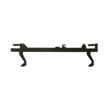
When you’re swapping microwaves, plan on using the bracket and template intended for the replacement model. If you’re troubleshooting a door that will not close or a unit that will not start after a swap, also check the door interlock system; a damaged lever can keep the switches from actuating correctly (see microwave door interlock switch lever WB06X10128).
Last updated: February 2026
What's the average lifespan of a GE Microwave?
A GE microwave like model JVM1440WA01 typically lasts about 7 to 10 years with normal household use. Heavy daily use, poor ventilation (for over-the-range units), and skipped cleaning can shorten life; replacing a few common wear parts can often extend it.
Typical lifespan and what changes it
Most over-the-range microwave/hood combos fall into a predictable range, but usage patterns matter.
- Light to moderate use (reheating, defrosting): often 8 to 10 years
- Heavy use (multiple cook cycles daily): often 5 to 8 years
- Poor airflow or grease buildup: can shorten life by overheating internal components
- Door slamming or misalignment: can wear door interlock parts faster
- Running empty or using metal: can cause damage and early failure
Parts that commonly affect “end of life” symptoms
When a microwave stops heating, won’t start, or acts intermittent, these parts are frequently involved on many GE designs.
| Symptom | Common area to check | Example part for JVM1440WA01 |
|---|---|---|
| Won’t start, door must be held to run | Door interlock switch system | Monitor switch WB24X830 |
| Starts then stops, or blows fuse symptoms | Door switch timing and safety circuit | Switch-micro WB24X829 |
| Runs but does not heat | High-voltage system (advanced repair) | Microwave magnetron WB27X10735 |
| Loud hum, no turntable rotation | Turntable drive | Microwave turntable motor WB26X10038 |
Maintenance that helps you reach the full lifespan
These habits reduce heat stress and prevent avoidable failures.
- Keep the grease filters and vent path clean so heat can escape
- Wipe the cavity and door area so the door closes fully every time
- Use microwave-safe cookware; avoid metal and foil contact
- Do not run the microwave empty
- Replace a failed cooktop light promptly to avoid heat damage around the socket
Why it matters
Microwaves often get replaced when a small safety or wear component (like a door interlock switch) fails. Catching those issues early can restore safe operation and help your JVM1440WA01 reach the typical 7 to 10 year lifespan.
Related safety and usage tips: never do these things with a microwave
Last updated: February 2026
What are common problems with GE JVM1440WA01 microwaves?
Common problems with the GE JVM1440WA01 microwave/hood combo include not heating, not starting, a turntable that will not rotate, a dead display, sparking/arcing, and vent or light issues. Many symptoms trace back to door interlock parts, the turntable drive, or a failed heating component such as the magnetron.
Most common symptoms and likely causes
- Microwave runs but does not heat: magnetron, high-voltage capacitor/diode, or thermal cut-off issue
- No power or goes dead: blown fuse, loose power connection, or an open thermal cut-off
- Starts then stops when the door moves: worn door interlock switches or a damaged switch lever
- Loud humming, grinding, or turntable not moving: turntable motor or tray support problem
- Sparking/arcing inside cavity: food splatter, damaged rack/paint, or waveguide cover damage
- Cooktop light not working: failed bulb or lamp socket
Quick checks we recommend first (safe, no disassembly)
- Unplug the microwave (or switch off the breaker) for 2 minutes, then restore power.
- Confirm the door closes firmly and the latch area is not obstructed.
- Remove and clean the turntable tray and roller area; reseat the tray support.
- If you see arcing, stop using the microwave until the cause is corrected.
Parts that commonly fix these issues on JVM1440WA01
| Symptom | Part that often relates | Example part on this model |
|---|---|---|
| Won’t start or intermittent starting | Door interlock switch or lever | Monitor switch WB24X830, microwave door interlock switch lever WB06X10128 |
| Turntable not rotating | Turntable motor | Microwave turntable motor WB26X10038 |
| Cooktop light out | Bulb or socket | Microwave light bulb WB36X10003, lamp socket WB08X10016 |
| Runs then shuts down | Thermal cut-off | Therm-hood WB27X1127 |
| No heat (advanced repair) | Magnetron | Microwave magnetron WB27X10735 |
Why it matters
Door interlock problems can prevent safe operation, and arcing can damage the cavity and internal components. Catching the root cause early helps avoid repeat failures and reduces the chance of multiple parts being affected.
Helpful DIY troubleshooting
For step-by-step diagnosis, use our guide: why is my microwave not heating.
Last updated: February 2026


