 Owner’s manual




Is LG a good brand for a microwave?
Yes. LG is a strong, reliable choice for a microwave, and LG over-the-range models like MVEL2125D are typically well-regarded for useful cooking features, modern design, and convenient smart options (on Wi-Fi models). For the best day-to-day experience, follow the operating and cookware guidance in the MVEL2125D owner's manual.
What we see customers like about LG microwaves
- Even, consistent cooking results when using proper microwave-safe cookware
- Helpful convenience features such as sensor-style cooking programs (varies by model)
- Easy-to-maintain interiors when cleaned regularly
- Smart features on supported models, including LG ThinQ monitoring and updates
- Quiet, smooth operation when the door and latch system are aligned correctly
Common downsides to plan for
Any brand can have occasional issues; these are the most common pain points we see across over-the-range microwaves:
- Control panel visibility or touch sensitivity preferences
- Interior or cooktop lighting complaints (brightness, longevity)
- Door alignment or latch wear over time (can affect starting and heating)
- Venting performance depends heavily on correct installation and ducting
Quick “good brand” checklist for your kitchen
| What matters most | LG is a good fit when you want | What to verify before buying/keeping |
|---|---|---|
| Cooking performance | Reliable reheating and everyday cooking | Use the cookware rules in the manual |
| Features | Smart functions on supported models | Wi-Fi availability and app setup needs |
| Maintenance | Straightforward cleaning routines | You will clean filters and wipe interior regularly |
Why it matters
A microwave can look great but still disappoint if cookware, venting, and maintenance are ignored. Using the right cookware and keeping the unit clean helps prevent uneven heating, odors, and avoidable service calls.
Tip for long-term reliability
- Keep the interior clean and dry
- Avoid running the microwave empty
- Use microwave-safe bowls and dishes (no metal rims)
- Make sure the door closes firmly every time
- Replace worn electrical parts promptly if symptoms appear (for example, a blown fuse)
Last updated: January 2026
Can you reset an LG microwave?
Yes. For an LG MVEL2125D microwave/hood combo, the most reliable “reset” is a power reset: unplug the microwave (or switch the breaker off), wait about 1 minute, then restore power and set the clock again using the steps in the MVEL2125D owner's manual.
Quick reset options (what to try first)
- Power reset (best overall reset): unplug for 60 seconds, then plug back in.
- Clear a wrong setting: press STOP/Clear once to cancel a cooking program.
- If the keypad is locked: press and hold STOP/Clear for about 3 seconds until LOCKED disappears.
- If it looks like it is “running” but not heating: you may have started the Timer instead of a cook cycle.
Step-by-step: reset after a power interruption
- Restore power (plug in or reset the circuit breaker).
- Press STOP/Clear, then press Clock.
- Enter the time using the number keys, then press START/Enter.
- Press 1 for AM or 2 for PM, then press START/Enter.
What “reset” fixes vs. what it does not
| Symptom | Reset helps? | What to check next |
|---|---|---|
| Display frozen or acting odd | Yes | Power reset, then set clock |
| “LOCKED” on display | Yes | Cancel Child Lock (hold STOP/Clear) |
| Countdown runs but no cooking | Sometimes | Make sure you started a cook mode, not Timer |
| No power at all | Sometimes | Home breaker/GFCI, then internal fuse |
Why it matters
A reset clears temporary control glitches and restores normal operation after a power interruption. If the microwave still will not power on after you confirm the outlet and breaker are good, an internal protection device like the microwave fuse 3B74133Q can be involved.
Last updated: January 2026
What are common problems with LG microwaves?
Common problems with LG microwaves like model MVEL2125D include not starting (door not fully closed, time not set, or a tripped breaker), not heating, buttons not responding due to Control Lock, unusual noises, and venting issues caused by blocked airflow or dirty filters. See the MVEL2125D owner's manual for model-specific troubleshooting steps.
Most common symptoms and what they usually mean
- Microwave does not start: unplugged cord, door open, cook time not set, or a tripped breaker/GFCI.
- Buttons do not work: Control Lock is on (the display shows “LOCKED”); hold Stop/Clear for 3 seconds.
- Not heating or weak heating: high-voltage circuit problem (common suspects include a diode, capacitor, or magnetron).
- Turntable issues: tray not seated, debris under the tray, or a worn drive component.
- Moisture on the window or steam from the vent: normal when cooking high-moisture foods.
Parts that are commonly involved (when symptoms match)
Microwave heating problems often trace back to high-voltage components. If diagnostics point that way, these are common replacement parts for this model:
- Microwave diode 6851W1A002E
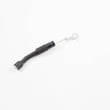
- Goldstar microwave high-voltage capacitor 0CZZW1H004C
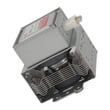
- Microwave magnetron 6324W1A001L
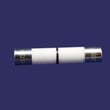
- Microwave fuse 3B74133Q (often involved when the unit is completely dead)
Quick checks you can do safely first
- Confirm the door closes firmly and the latch engages.
- Make sure you started a cooking function, not just the timer.
- Check the home breaker/fuse and any GFCI outlet the microwave is on.
- Verify Control Lock is off (look for “LOCKED” on the display).
- Keep ventilation ports clear so the microwave/hood combo can cool properly.
Symptom-to-likely-cause guide
| Symptom | Likely cause | Best next step |
|---|---|---|
| No power, no display | Tripped breaker, blown fuse, power issue | Check breaker/GFCI; then test fuse |
| Runs but does not heat | High-voltage component failure | Use a pro for HV diagnosis |
| “LOCKED” shown | Control Lock enabled | Hold Stop/Clear 3 seconds |
| Steam on door/window | Normal moisture | Wipe dry after use |
Why it matters
Microwave/hood combos contain high-voltage components that can store dangerous energy even when unplugged. Starting with the safe checks above helps you avoid unnecessary parts replacement and reduces the risk of injury.
Last updated: January 2026
How long should a microwave last?
Most microwave ovens last 9 years (typical range 7 to 10 years) with normal household use. For an LG microwave/hood combo like MVEL2125D, lifespan depends most on daily run time, keeping vents clear, and avoiding overheating or running the oven empty; see the MVEL2125D owner's manual for safe-use practices that protect the cavity and door system.
Typical lifespan and what changes it
- Light use (a few minutes/day): often reaches the 7 to 10 year range
- Heavy use (multiple long cycles/day): can wear out sooner
- Good airflow: helps protect the magnetron and internal thermostats
- Clean operation: reduces arcing, smoke, and interior damage
- Proper power supply: a dedicated 120V, 15A or 20A circuit helps prevent nuisance failures
Signs it is near end of life
If you see these symptoms repeatedly, repair or replacement becomes more likely:
- Food heats very slowly or not at all
- Loud humming with no heating (or heating is inconsistent)
- Door won’t close firmly, or the latch feels loose
- Sparking or burn marks inside the cavity
- Unit goes dead, trips a breaker, or blows a fuse
Repair vs. replace: quick decision guide
| What you notice | Common area involved | What we usually do next |
|---|---|---|
| Runs but does not heat | High-voltage system | Consider pro diagnosis; parts can include magnetron, capacitor, diode |
| Goes dead or won’t start | Fuse, door interlocks, controls | Check door closure and interlock operation; test fuse |
| Fan is noisy or airflow is weak | Venting/blower | Inspect filters and vent path; verify damper operation |
Parts that commonly come up on “no heat” or “won’t start” calls
Microwaves contain high-voltage components; we recommend qualified service for internal electrical repairs.
- Microwave fuse 3B74133Q (no power, intermittent power)
- Microwave door latch housing and interlock switch assembly 3501W1A019S (won’t run when door closes)
- Microwave magnetron 6324W1A001L (runs but does not heat)
Why it matters
A microwave/hood combo is both a cooker and a vent system. Keeping openings unblocked, not running it empty, and avoiding severe overheating helps prevent interior damage and reduces stress on the heating and safety-interlock systems.
Last updated: January 2026





