 Installation guide
 Owner’s manual
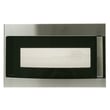


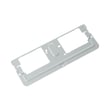


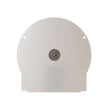
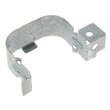
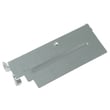
Do all GE over the range microwaves use the same mounting bracket?
No. GE over-the-range microwaves do not all use the same mounting bracket; the wall mounting plate and top-cabinet screw locations are model-specific. For your GE PSA9120SF5SS microwave/hood combo, follow the bracket and hole layout shown in the installation guide.
What to do when replacing an over-the-range microwave
To avoid fit and leveling problems, we use these rules of thumb for PSA9120SF5SS installations:
- Use the mounting plate that’s designed for the exact model being installed.
- Set the mounting plate position based on your cabinet bottom style (flat, recessed, or front overhang).
- Keep the oven level; cabinet trim or an uneven cabinet bottom can throw off alignment.
- Plan for a 2-person lift; the installation instructions call for two people.
- Do not lift or support the microwave by the door handle during installation.
Why brackets are not interchangeable
Even within the GE over-the-range lineup, the mounting plate tab locations and the cabinet hole pattern can differ. The PSA9120SF5SS installation steps show the microwave hooking onto the lower tabs of the mounting plate, then rotating up and being secured with self-aligning screws through the top cabinet. Small differences in tab spacing or hole placement can prevent the unit from seating correctly.
Quick compatibility check (before you drill)
Use this checklist to confirm you have the right plate for the job:
| Checkpoint | What you’re looking for | Why it matters |
|---|---|---|
| Mounting plate tabs | Microwave slots hook cleanly onto the lower tabs | Prevents a loose or tilted hang |
| Cabinet bottom style | Flat, recessed, or front overhang setup matches the instructions | Keeps the microwave level |
| Top cabinet holes | Center and outer holes align with the self-aligning screws | Prevents stripped screws and cabinet damage |
| Exhaust alignment | Damper pivots freely; duct lines up after mounting | Avoids poor venting and rattles |
Why it matters
Using the correct mounting bracket helps the PSA9120SF5SS sit level, reduces stress on the cabinet and fasteners, and helps the venting and damper align properly. A mismatched bracket often leads to a crooked install, vibration, or gaps at the cabinet bottom.
Last updated: February 2026
How long do GE over the range microwaves last?
GE over-the-range microwaves typically last 8 to 10 years with normal household use; for your GE PSA9120SF5SS microwave/hood combo, keeping the venting and filters clean and fixing small issues early helps you reach that lifespan.
Typical lifespan and what to expect
Most over-the-range microwave/hood combos fall into a predictable range based on use and maintenance.
- Typical lifespan: 8 to 10 years
- Heavy daily use: 5 to 7 years
- Light use with good care: 10 to 12 years
- Common wear items: light bulbs, door switches, venting components
| Usage pattern | What it looks like | Typical outcome |
|---|---|---|
| Light | Reheating, occasional cooking | Longer life (often 10 to 12 years) |
| Normal | Daily reheating plus regular cooking | Typical life (8 to 10 years) |
| Heavy | Multiple long cook cycles daily | Shorter life (often 5 to 7 years) |
What shortens the life of an over-the-range microwave
These are the most common factors we see that reduce lifespan on microwave/hood combos like the PSA9120SF5SS:
- Grease buildup restricting airflow through the hood and internal cooling path
- Running the microwave empty (can stress internal components)
- Slamming the door or operating with a misaligned latch
- Ignoring arcing, burning smells, or unusual noises
- Poor cleaning habits around the vent grille and intake areas
Maintenance that helps it last longer
A few simple habits make a real difference in longevity.
- Follow the cleaning and filter guidance in the PSA9120SF5SS owner's manual
- Replace failed cooktop or cavity lighting promptly (for example, microwave halogen light bulb WB25X10019 when applicable)
- Keep the top vent area clear so heat can escape
- Use microwave-safe cookware and avoid metal or foil contact
- Address door-latch issues early; worn interlock switches can cause no-start symptoms (example part: primary switch WB24X10047)
Why it matters
Over-the-range microwaves do double duty as a cooking appliance and a ventilation system. When airflow is restricted or the door system is stressed, internal temperatures rise and electrical parts (like the main board, switches, and motors) wear out faster.
If you need replacement parts for the PSA9120SF5SS, we list model-matched options on this page; you can also search by model number on Sears PartsDirect.
Last updated: February 2026
Is GE Profile considered high end?
Yes. GE Profile is GE’s higher-end mainstream line, and your GE PSA9120SF5SS Advantium microwave/hood combo is sold under the GE Profile family in the owner's manual, which typically means more advanced cooking features and a more premium fit and finish than basic GE models.
What “high end” means for GE Profile
GE Profile generally sits above standard GE appliances and focuses on performance and feature upgrades. For a microwave/hood combo like the PSA9120SF5SS, that usually shows up as:
- More cooking modes (for example, speedcook and convection-style features)
- More sensors and control logic for consistent results
- More premium exterior styling (often stainless finishes)
- More complex electronics and user interface components
- More specialized service parts compared with entry-level models
Where GE Profile fits in the GE lineup
This is a practical way to think about the tiers when shopping or comparing:
| GE family | Typical positioning | What you usually get |
|---|---|---|
| GE (standard) | Value to mid-range | Core features, simpler controls |
| GE Profile | Mid-to-high end | More features, more automation, upgraded design |
| Café / Monogram | Premium to luxury | Design-forward, pro-style options, top-tier features |
Why it matters when you’re buying parts or troubleshooting
Higher-end models often use more sensors, boards, and interlock components, so accurate model matching is important when ordering parts for PSA9120SF5SS.
Common examples on this model include:
- Door safety interlocks such as the primary switch WB24X10047 and monitor switch WB24X25397
- Control electronics such as the main board WB27X35345
- Convenience items like the microwave light bulb WB02X35488
If you are ordering replacements, start with the parts list for PSA9120SF5SS; for broader model searches and account tools, use Sears PartsDirect.
Last updated: February 2026
Is it worth repairing a GE microwave?
Yes, repairing a GE microwave/hood combo like model PSA9120SF5SS is usually worth it when the problem is a common, replaceable part (switches, lights, vent components) and the unit is otherwise in good condition; it is less cost-effective when the failure points to high-voltage heating components or multiple expensive electronic parts.
Quick way to decide (PSA9120SF5SS)
Use this checklist to make a fast, practical call before you spend time or money:
- Repair it if the issue is isolated (light out, door won’t start, turntable not turning, noisy fan).
- Repair it if the microwave is in good cosmetic shape and the door seals and hinges feel solid.
- Repair it if you can confirm a single failed part and the rest of the functions work normally.
- Consider replacement if it intermittently dies, trips the breaker, or has multiple symptoms at once.
- Consider replacement if the repair requires major disassembly beyond basic access panels.
For model-specific access steps and safety basics, follow the PSA9120SF5SS owner’s manual.
Common repairs that are typically “worth it”
These are frequent, straightforward fixes on over-the-range units:
| Symptom | Likely area | Example part on this model |
|---|---|---|
| Won’t start when door closes | Door interlock switches | Primary switch WB24X10047, monitor switch WB24X25397 |
| Cavity light is out | Lamp and shield area | Microwave halogen light bulb WB25X10019 |
| Turntable doesn’t rotate | Turntable drive | Microwave turntable motor WB26X10193 |
If your cavity lamp is out, the manual specifies a 120V to 130V, 20-watt halogen bulb and outlines removing the top grille and lamp shield to replace it.
When replacement makes more sense
Replacement is usually the better value when the problem is tied to heating power or costly electronics:
- No heat (but it runs) and basic checks do not point to a simple door-switch issue
- Repeated failures after a recent repair
- Control problems that suggest a board issue (random beeping, dead keypad, erratic operation)
- Burning smell or visible damage inside the cabinet
For troubleshooting guidance, use our DIY article why is my microwave not heating.
Why it matters
A microwave/hood combo costs more to swap than a countertop unit because it is mounted, vented, and often hardwired or tightly fitted. That extra labor makes small-to-medium repairs (switches, bulbs, motors) especially cost-effective.
If you decide to repair, you can order PSA9120SF5SS parts from the parts list for this model, or search by model number on Sears PartsDirect.
Last updated: February 2026
What are common problems with GE profile microwaves?
Common problems we see on GE Profile microwaves like model PSA9120SF5SS include not heating, arcing (sparking), loud or unusual fan/clicking noises, a turntable that will not rotate, and keypad or display issues; many symptoms trace back to door interlock switches, power protection (fuse), or control electronics.
Most common symptoms and what they usually point to
- Runs but does not heat: high-voltage heating circuit issues (service-level repair)
- Arcing or burn marks inside: metal/foil contact, wrong rack use, or damaged waveguide cover area
- Turntable not turning: failed motor or drive parts
- Buttons not responding or display acting up: control panel or main board problems
- Starts then stops when the door moves: worn or misaligned door interlock switches
Model PSA9120SF5SS notes from the manual (normal vs. not normal)
The manual explains that clicks and a fan blowing can be normal during cooking because the control turns components on and off. It also warns that arcing can occur during speedcook or microwave cooking; if you see sparks, press Cancel/Off and correct the cause (often metal, foil edges, twist ties, or certain dishes). See the PSA9120SF5SS owner's manual for the full arcing and cookware guidance.
Quick checks we recommend before replacing parts
- Stop arcing immediately: remove any metal, foil, twist ties, or gold-rimmed dishes.
- Confirm mode and cookware: speedcook has different cookware rules than microwave cooking.
- Listen for “normal” sounds: steady fan plus periodic clicks is expected; grinding or squealing is not.
- Check turntable operation: verify the tray and coupler are seated and the shaft turns freely.
- Door fit and latch feel: a loose latch feel often correlates with interlock switch trouble.
Parts that commonly relate to these problems (when symptoms match)
| Symptom | Commonly involved part | Example part for PSA9120SF5SS |
|---|---|---|
| Starts/stops with door movement, no heat, door error behavior | Door interlock switch | Primary switch WB24X10047 or monitor switch WB24X25397 |
| Turntable not rotating | Turntable drive motor | Microwave turntable motor WB26X10193 |
| Dead display, erratic operation, unresponsive keypad | Electronic control | Main board WB27X35345 |
Why it matters
Microwaves contain high-voltage components; symptoms like “runs but won’t heat” or repeated arcing can quickly lead to bigger failures. Correcting arcing causes and addressing door interlock issues early helps protect the control board, transformer, and cooking cavity.
You can order replacement parts for PSA9120SF5SS from the parts list for this model, or search by model number on Sears PartsDirect.
Last updated: February 2026


