 Owner’s manual





How do you reset a microwave?
To reset your Jenn-Air JMV8196AAS microwave/hood combo, we recommend a simple power reset first (unplug for a few minutes, then restore power). For day-to-day “reset” actions, the STOP/CLEAR pad clears entries and stops cooking per the JMV8196AAS owner's manual.
Quick reset options (from easiest to strongest)
- Clear the keypad: Press STOP/CLEAR once to clear entries.
- Stop a cooking cycle: Press STOP/CLEAR to stop the oven.
- Power reset: Unplug the microwave (or switch the breaker off) for about 5 minutes, then restore power.
- Re-set preferences: Use CONTROL SET-UP to adjust defaults like sound, clock display, display speed, and defrost weight.
What “reset” means on the JMV8196AAS
On this model, “reset” usually falls into one of these categories:
| What you want to reset | What to do | What it affects |
|---|---|---|
| A wrong entry or stuck program | Press STOP/CLEAR | Clears entries, stops cooking |
| A glitch after a power event | Unplug or flip breaker for ~5 minutes | Reboots the control |
| Default settings (sound, display, units) | Use CONTROL SET-UP | Changes preference settings |
Why it matters
A keypad clear fixes most “oops” moments (wrong time, wrong mode). A power reset helps when the control board is acting erratically after a surge or interruption. Using CONTROL SET-UP is the right approach when the microwave works, but you want different default behavior.
If the microwave still will not run after a reset
- Confirm the door is fully closed and latching normally.
- Try a different outlet (or confirm the breaker is fully reset).
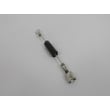
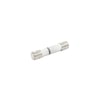
- If it is completely dead, check the internal fuse; this model uses a microwave fuse such as the fuse WP8183507.
Last updated: February 2026
What are the signs of a bad microwave?
If your Jenn-Air JMV8196AAS microwave/hood combo is failing, the most common signs are no heat, repeated blowing of the internal fuse, loud abnormal buzzing or arcing, or a door that will not close and latch correctly. Stop using it if the door, hinges, or seals look damaged and check the owner's manual.
Common warning signs to watch for
- Food stays cold or heats very unevenly even with correct settings.
- Sparks or arcing inside the cavity (often triggered by metal or foil too close to the walls).
- Burning smell, scorch marks, or visible damage inside the cooking area.
- Loud humming or buzzing that is new or much louder than normal operation.
- The unit goes dead, resets, or repeatedly blows the internal fuse.
- Door does not close squarely, or the latch feels loose or inconsistent.
Quick checks you can do safely
Unplug the microwave before any inspection. Do not remove the outer case.
- Inspect the door, hinges, and latch area for bending, looseness, or gaps.
- Clean the door sealing surfaces so residue cannot interfere with sealing.
- Make sure you are not using metal utensils or metal-trimmed dishes; they can cause arcing.
- If the microwave is completely dead, a blown fuse is a common cause; see how to replace a microwave fuse.
What the symptom usually points to
| Symptom | Most likely area | What we recommend |
|---|---|---|
| Runs but does not heat | High-voltage heating system | Have a qualified technician diagnose |
| Dead display, no response | Power supply or internal fuse | Check/replace fuse WP8183507 if appropriate |
| Door will not latch or looks bent | Door, hinges, interlocks | Stop using; service the door/interlock system |
| Arcing/sparking | Cookware/foil use, cavity damage | Remove metal sources; address any burn marks |
Why it matters
A microwave that arcs, will not latch, or has damaged door seals can be unsafe to operate. The manual specifically warns not to operate the oven if it is damaged and not to defeat safety interlocks; those issues should be handled by properly qualified service personnel.
Last updated: February 2026
Is it worth replacing a microwave?
Yes, it’s usually worth replacing a microwave when repair costs are high or the unit is around 10 years old. For a Jenn-Air JMV8196AAS microwave/hood combo, replacement often makes more sense if heating is weak, the door won’t latch correctly, or electrical issues keep returning.
Quick decision guide
- Replace if it’s about 10+ years old and needs a major electrical or heating repair
- Replace if the door, hinges, latches, or seals are damaged (safe operation depends on proper door closure)
- Repair if it’s a simple, low-cost issue (light out, filter replacement, minor hardware)
- Repair if the microwave is otherwise heating normally and the problem is isolated and repeatable
- Replace if you see repeated symptoms like blown fuses, intermittent power loss, or burning smells
Common “repairable” vs “replace” scenarios
| Symptom | Often repairable? | Typical next step |
|---|---|---|
| Hood light out | Yes | Replace a lamp 8206232A or lamp WPA3073101 |
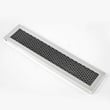
| Greasy airflow, loud vent | Yes | Clean or replace microwave grease filter WPR0130608 |
| No power after surge | Sometimes | Check/replace fuse WP8183507 (after proper diagnosis) |
| Runs but does not heat | Sometimes, but can be costly | Use why is my microwave not heating to narrow likely causes |
| Door won’t close or latch feels wrong | Replace or pro service | Do not use until corrected (door interlocks are safety-critical) |
Why it matters
Microwave/hood combos rely on door safety interlocks to prevent exposure to excessive microwave energy. The manual also warns not to remove the outer case; internal components can present serious shock hazards. Use the owner's manual for safety guidance and operating checks.
If you decide to repair
- Unplug the microwave before any inspection
- Start with the simplest items: filters, lamps, and obvious loose mounting hardware
- If the unit is dead, a blown fuse can be a symptom; diagnose the cause before replacing
- Follow a step-by-step procedure such as how to replace a microwave fuse when applicable
Last updated: February 2026
What is the average lifespan of a microwave?
Most microwaves last 8 years on average (typical range: 7 to 10 years). For a Jenn-Air JMV8196AAS microwave/hood combo, lifespan depends mainly on daily run time, keeping airflow and filters clean, and avoiding misuse such as running the oven empty.
What usually shortens microwave life
- Running the microwave empty (no food or liquid to absorb energy)
- Grease buildup that restricts ventilation in an over-the-range setup
- Slamming the door or forcing it closed (stresses door switches)
- Power issues (shared circuits can contribute to blown fuses)
- Using improper items (metal, twist ties, or damaged cookware)
Signs it is near end-of-life (and what to check first)
If your JMV8196AAS starts acting up, these are common symptoms and first checks.
| Symptom | Common cause | First step |
|---|---|---|
| No power, dead display | Blown fuse, power supply issue | Check outlet and breaker; then inspect the fuse WP8183507 |
| Runs but does not heat | High-voltage component issue | Stop using and troubleshoot heating issues safely |
| Fan loud, smoky odors while cooking | Grease buildup, restricted airflow | Clean and reinstall the microwave grease filter WPR0130608 |
| Light out | Burned-out bulb | Replace the lamp 8206232A |
Maintenance that helps you reach the full lifespan
- Clean the cavity and door seals regularly to prevent arcing and odor buildup.
- Wash the grease filter on a routine schedule; replace it if it is damaged or won’t come clean.
- Replace the charcoal filter on recirculating (non-vented) installations when airflow drops.
- Plug the microwave into a properly grounded outlet; do not use an extension cord.
- Use microwave-safe cookware and avoid overheating small portions.
Why it matters
A microwave/hood combo works harder than a countertop unit because it also manages cooking vapors and grease. Keeping filters clean and the door operating smoothly reduces stress on key components (door switches, fuse, and high-voltage system).
For model-specific operating and care guidance, follow the safety and maintenance sections in the JMV8196AAS owner’s manual.
Last updated: February 2026





