Get free shipping on your order, with any water filter subscription. Find my filter

Open Hamburger Menu
Sears Parts Direct
Tips to find your model number

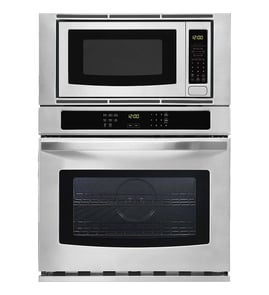
KitchenAid KBHC109JSS05 microwave Parts

Here are the diagrams and repair parts for KitchenAid KBHC109JSS05 microwave, as well as links to manuals and error code tables, if available.

KitchenAid KBHC109JSS05 microwave
By Schematic
By Part
SELECT DIAGRAM
?

This is the number corresponding to the part on the diagram / schematic

Browse Parts for KBHC109JSS05 Microwave

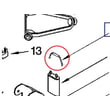
  • Range Screw for KitchenAid KBHC109JSS05 - Part WP4449154

    Microwave compartment parts diagram

    Range Screw

    Part #4449154

    Replaced by #WP4449154

    Info Icon
    Manufacturer substitution
    This part replaces 4449154. Substitute parts can look different from the original.
    This item is not returnable
    In Stock
    $4.41
    18% OFF Phone Price : $5.41Info Icon
    Minus Item
    Qty
    Plus Item
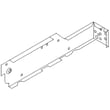
  • Cabinet for KitchenAid KBHC109JSS05 - Part WP4450551

    Top venting parts diagram

    Oven Cabinet

    Part #4450551

    Replaced by #WP4450551

    Info Icon
    Manufacturer substitution
    This part replaces 4450551. Substitute parts can look different from the original.
    In Stock
    $122.94
    Minus Item
    Qty
    Plus Item
  • Screw for KitchenAid KBHC109JSS05 - Part W10276642

    Microwave door parts, optional parts diagram

    Screw (black)

    Part #4451040

    Replaced by #W10276642

    Info Icon
    Manufacturer substitution
    This part replaces 4451040. Substitute parts can look different from the original.
    In Stock
    $31.95
    Minus Item
    Qty
    Plus Item
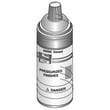
  • Appliance Spray Paint (black) for KitchenAid KBHC109JSS05 - Part 285006

    Microwave door parts, optional parts diagram

    Spray Bl

    Part #830864

    Replaced by #285006

    Info Icon
    Manufacturer substitution
    This part replaces 830864. Substitute parts can look different from the original.
    This item is not returnable
    In Stock
    $45.09
    12% OFF Phone Price : $51.09Info Icon
    Minus Item
    Qty
    Plus Item
  • Wall Oven Door Outer Panel (stainless) for KitchenAid KBHC109JSS05 - Part WP4452259

    Microwave door parts, optional parts diagram

    Wall Oven Microwave Door Outer Panel

    Part #4452259

    Replaced by #WP4452259

    Info Icon
    Manufacturer substitution
    This part replaces 4452259. Substitute parts can look different from the original.
    In Stock
    $239.70
    5% OFF Phone Price : $251.70Info Icon
    Minus Item
    Qty
    Plus Item
  • Side-cont To for KitchenAid KBHC109JSS05 - Part W10790240

    Top venting parts diagram

    Side

    Part #4451598

    Replaced by #W10790240

    Info Icon
    Manufacturer substitution
    This part replaces 4451598. Substitute parts can look different from the original.
    In Stock
    $94.97
    Minus Item
    Qty
    Plus Item
  • Cover for KitchenAid KBHC109JSS05 - Part WP4452367

    Top venting parts diagram

    Cover

    Part #4450554

    Replaced by #WP4452367

    Info Icon
    Manufacturer substitution
    This part replaces 4450554. Substitute parts can look different from the original.
    In Stock
    $110.24
    Minus Item
    Qty
    Plus Item
  • Screw for KitchenAid KBHC109JSS05 - Part 8206180

    Cabinet and stirrer parts diagram

    Screw

    Part #4375251

    Replaced by #8206180

    Info Icon
    Manufacturer substitution
    This part replaces 4375251. Substitute parts can look different from the original.
    In Stock
    $18.61
    10% OFF Phone Price : $20.61Info Icon
    Minus Item
    Qty
    Plus Item
  • 10-16 X 1.00 for KitchenAid KBHC109JSS05 - Part W11684512

    Top venting parts diagram

    Screw

    Part #3400080

    Replaced by #W11684512

    Info Icon
    Manufacturer substitution
    This part replaces 3400080. Substitute parts can look different from the original.
    In Stock
    $43.49
    Minus Item
    Qty
    Plus Item
  • Spring Cavity for KitchenAid KBHC109JSS05 - Part W10465869

    Cabinet and stirrer parts diagram

    Part #4375319

    Replaced by #W10465869

    Info Icon
    Manufacturer substitution
    This part replaces 4375319. Substitute parts can look different from the original.
    In Stock
    $103.90
    Minus Item
    Qty
    Plus Item

KitchenAid Microwave KBHC109JSS05 FAQs

To set the clock on your KitchenAid KBHC109JSS05 wall oven/microwave combo, touch CLOCK SET/START, enter the time using the number pads, then touch CLOCK SET/START (or START) again to save. This model uses a 12-hour clock and does not display a.m. or p.m.; see the KBHC109JSS05 owner's manual.

Steps to set the time

  • Make sure the upper oven, lower oven, Timer, and any Timed Cooking are off.
  • Touch CLOCK SET/START.
  • Use the number pads to enter the time of day.
  • Touch CLOCK SET/START or START to confirm.
  • If you see a power-failure message (such as PF), clear it with CANCEL and then reset the clock.

If the clock is missing from the display

You can hide or show the time-of-day display from the control panel.

What you want What to do What to expect
Remove time of day Touch and hold CLOCK SET/START for 5 seconds Time disappears from the display
Return time of day Touch CLOCK SET/START Time returns (usually without needing to reset)

Why it matters

The clock setting affects how the control behaves after a power interruption and helps you use timed features accurately (Timer and Timed Cooking). If the time is wrong, cooking schedules and reminders can be off.

Last updated: January 2026

To reset your KitchenAid KBHC109JSS05 wall oven/microwave combo, turn power off at the breaker for about 1 minute, then restore power. When power returns, the display may show a power-failure message; press the appropriate CANCEL key to clear it and reset the clock if needed (see the KBHC109JSS05 owner’s manual).

Quick reset steps (power cycle)

  • Turn OFF the circuit breaker (or remove the fuse) that supplies the wall oven.
  • Wait 60 seconds.
  • Turn the breaker ON.
  • If the display shows “PF id = 27” or “PF id = 30”, press LOWER OVEN CANCEL, UPPER OVEN CANCEL, or CANCEL OFF (varies by model) to clear it.
  • Reset the clock if needed.

If the control panel seems “stuck” (not a full reset)

Sometimes the oven is not failed; it is locked or waiting for a cancel.

  • Control Lock on: Touch and hold 3 CONTROL LOCK for about 3 seconds to unlock.
  • “Err” on display: Press the appropriate CANCEL key, then re-enter the setting.
  • “RETRY” flashes: Re-enter the selection; an invalid pad was touched.

What you should see after a successful reset

Situation What it means What to do
Display lights up for ~5 seconds at power-up Normal startup Wait for prompts to finish
“PF id = 27” or “PF id = 30” Power failure detected Press CANCEL, reset clock
Display returns to time of day Normal idle mode Start cooking as usual

Why it matters

A reset clears many temporary control glitches after a power interruption and helps restore normal keypad response, clock operation, and cooking functions without replacing parts.

Last updated: January 2026

If the display on your KitchenAid KBHC109JSS05 wall oven/microwave combo looks blank, the most common causes are a recent power interruption (the control may be waiting for a cancel/clock reset), a tripped breaker or loose power connection, or a failed control or fuse in the unit.

What to check first (fast, no tools)

  • Confirm the unit has power: check the home breaker(s) for the wall oven and reset fully OFF then ON.
  • Look for a power-failure message: when power is restored, the display can show a “PF” code that clears by pressing CANCEL and then resetting the clock (see the KBHC109JSS05 owner’s manual).
  • Try a control reset: turn the breaker OFF for 5 minutes, then restore power.
  • Press the correct cancel key: use LOWER OVEN CANCEL, UPPER OVEN CANCEL, or CANCEL OFF (varies by model).
  • If the lower oven is not in use, its display can be blank by design; the upper display typically shows time of day when idle.

If the display is still blank (likely electrical or control issue)

A blank display after confirming power usually points to an internal power-supply problem (fuse, fuse holder, wiring) or a failed electronic control.

Symptom Most likely area What we recommend
Completely dead, no lights, no response Power supply to unit, internal fuse Check breaker and wiring; test/replace fuse (black) WP4375321 if applicable
Display flickers or resets Loose connection, failing component Inspect connections; check terminal block and harness seating
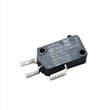
Works sometimes, door-related behavior Door switch circuit Inspect/replace microwave door interlock switch W10211972 if symptoms match

Why it matters

A blank display is often a power-interruption or power-delivery problem, but it can also be an internal fuse opening to protect the control. Restoring stable power and clearing a PF condition prevents unnecessary parts replacement and helps you pinpoint whether the issue is in the home supply or inside the appliance.

Last updated: January 2026

Symptoms for gas ranges

Main causes: gas supply problem, faulty pressure regulator, clogs in burner or orifice, control system failure, faulty t…

Main causes: burner igniter switch failure, bad spark module, dirty or damaged spark electrode, wiring failure…

Repair guides for gas ranges

How to replace a gas range oven igniter

How to replace a gas range oven igniter

If your gas oven doesn't heat up, the problem could be a faulty oven igniter. These step-by-step instructions guide you …

Repair time and Difficulty

 45 minutes or less
How to replace an oven temperature sensor on a gas range

How to replace an oven temperature sensor on a gas range

See how to replace an oven temperature sensor on a gas range.…

Repair time and Difficulty

 15 minutes or less
How to replace a gas range oven control board

How to replace a gas range oven control board

These step-by-step instructions explain how to replace an oven control board on a gas range…

Repair time and Difficulty

 15 minutes or less

Articles and videos for gas ranges

Oven keeps beeping? What those alerts might mean

Oven keeps beeping? What those alerts might mean

Beeping oven driving you nuts? Find out what your oven is trying to tell you.…

Tapping into a new feature in the Search Bar on Sears PartsDirect

Tapping into a new feature in the Search Bar on Sears PartsDirect

Learn about a new feature added to the Search Bar on Sears PartsDirect…

Parts & More

Circular Saw
Cooktop
Dishwasher
Dryer
Dvd Player
Electric Range
Front-Engine Lawn Tractor
Furnace
Parts
Speaker
Top-Mount Refrigerator
Wet/Dry Vacuum