


How do I reset a Frigidaire dehumidifier?
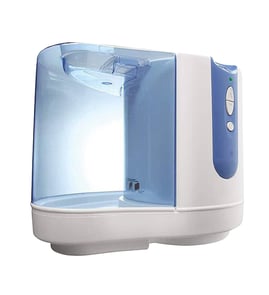
To reset your Frigidaire FFAD3534W10 dehumidifier, we recommend doing a simple power reset: turn the unit off, unplug it, wait a few minutes, then plug it back in and turn it on. This clears many control glitches and restores normal operation.
Quick reset steps (power reset)
- Press Power to turn the dehumidifier off.
- Unplug the power cord from the wall outlet.
- Wait 3 to 5 minutes (this lets the control fully discharge).
- Plug the unit back in.
- Press Power to turn it on and reselect your humidity setting.
If the reset does not help
A reset fixes temporary control issues, but it will not correct a physical problem like a stuck bucket float or a power connection issue.
- Make sure the bucket is fully seated and the bucket-full switch can engage.
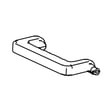
- Check the bucket float for sticking or damage; replace the float,bucket 5304523391 if it is swollen, cracked, or binding.
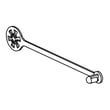
- Inspect the cord and plug for heat damage or looseness; replace the power cord,assembly 5304512498 if the cord is damaged.
- Clean the air inlet and filter area; restricted airflow can cause poor performance and odd behavior.
- If the unit still will not run or remove moisture, use the troubleshooting steps in dehumidifier not running and dehumidifier doesn't remove moisture.
What a reset changes (and what it does not)
| Item | After a reset | Notes |
|---|---|---|
| Control glitches | Often cleared | Helps after power flickers or lockups |
| Humidity setpoint | May return to default | Re-enter your preferred setting |
| Bucket-full condition | Not “overridden” | Bucket/float must be correct |
| Cooling system issues | Not fixed | Frost, leaks, or sealed-system problems need diagnosis |
Why it matters
Resetting is the fastest safe first step for FFAD3534W10 when the display is unresponsive, the unit behaves erratically, or it will not start after a brief outage. It helps you separate a temporary control issue from a part problem such as the bucket float or power cord.
Last updated: February 2026
Why is my Frigidaire dehumidifier leaking water?
If your Frigidaire FFAD3534W10 dehumidifier is leaking water, the most common causes are a mis-seated or cracked bucket, the unit sitting out of level, or restricted airflow that leads to icing and overflow during defrost. Start by leveling the cabinet and checking the bucket and float.
Quick checks that fix most leaks
- Place the dehumidifier on a hard, level floor (not thick carpet) and re-test.
- Remove the bucket, empty it, then reinstall it fully so it seats squarely.
- Inspect the bucket for hairline cracks, warped edges, or a damaged handle that prevents full seating.
- Make sure the bucket float moves freely and is not stuck in the “full” position.
- Clean the air inlet and filter area so airflow is not restricted.
Parts to inspect on model FFAD3534W10
If the bucket is damaged or the float is sticking, replacing the affected part typically stops the leak.
| What to check | What it affects | Model-matched part to consider |
|---|---|---|
| Bucket cracked or not sealing | Water drips onto floor near bucket | Bucket assembly 5304535477 |
| Float stuck, missing, or binding | Overfill, shutoff issues, spill/overflow | Float,bucket 5304523391 |
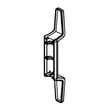
| Air inlet/filter area clogged | Coil icing, water overflow during thaw | Grill,air inlet ,includes filter 5304535480 |
Why it matters
A dehumidifier that leaks can damage flooring and also signals a drainage or airflow problem. Fixing bucket seating, float operation, and airflow helps the FFAD3534W10 collect water into the bucket instead of spilling it outside the cabinet.
When to stop and service
- Water appears to be coming from inside the cabinet (not the bucket area)
- You see heavy frost on the coil repeatedly
- The unit leaks even with a known-good bucket and float
For step-by-step troubleshooting, use our dehumidifier leaks water guide.
Last updated: February 2026
How long will a Frigidaire dehumidifier last?
A Frigidaire dehumidifier like model FFAD3534W10 typically lasts 5 to 10 years with normal home use and basic maintenance. Lifespan depends most on airflow (clean filter), drainage setup, and how hard the unit runs in high-humidity spaces.
What affects lifespan the most
- Airflow and cleanliness: A clogged inlet filter makes the compressor and fan work harder.
- Humidity load: Basements and very damp rooms shorten life because the unit runs longer.
- Drainage habits: Frequent bucket overflows or poor hose drainage can cause water-related issues.
- Power quality: Surges and frequent on-off cycling stress electronics.
- Handling and storage: Rough moves can damage the bucket float and internal components.
Maintenance that helps you reach the 5 to 10 year range
- Clean the air inlet filter regularly (many owners do this every 2 to 4 weeks in heavy use).
- Keep the unit level so the bucket seats correctly and the float moves freely.
- Empty and rinse the bucket; wipe down any slime or residue.
- Maintain clearance around the air inlet and outlet (avoid pushing it tight against a wall).
- If using continuous drain, keep the hose sloped downward with no kinks.
Parts that commonly wear first (and what they do)
| Part | What it impacts | Common symptom when failing |
|---|---|---|
| Grill,air inlet ,includes filter 5304535480 | Airflow and filtration | Poor moisture removal, icing, louder operation |
| Float,bucket 5304523391 | Full-bucket shutoff | Unit stops early or “thinks” bucket is full |
| Power cord,assembly 5304512498 | Power delivery | Intermittent power, no power |
Why it matters
A dehumidifier that runs with restricted airflow or unreliable drainage can overwork the sealed system (compressor and coils). Keeping airflow open and water handling consistent is the simplest way to extend service life and reduce nuisance shutdowns.
Last updated: February 2026
Is it okay to run a dehumidifier 24 hours a day?
Yes. It’s OK to run the Frigidaire FFAD3534W10 dehumidifier 24 hours a day because dehumidifiers are designed to cycle on and off to maintain a target humidity; continuous operation is normal in damp basements or during humid weather.
Best settings for 24/7 use
For comfort, building protection, and efficiency, we recommend aiming for 40% to 50% relative humidity in most living spaces.
- Start at 45% and adjust up or down based on comfort and condensation
- Keep doors and windows closed so the unit is not fighting outdoor humidity
- Leave clearance around the air inlet and outlet so airflow stays strong
- Clean the air inlet filter regularly (restricted airflow reduces moisture removal)
- Empty the bucket before it gets full, or use continuous drain if your setup supports it
What to watch for (and what it usually means)
If you run 24/7, these symptoms help you decide whether the unit is working normally or needs attention:
| What you notice | Most common cause | What to do next |
|---|---|---|
| Runs constantly but humidity stays high | Room too large, warm humid air leaking in, dirty filter | Improve sealing, clean filter, verify sizing |
| Little or no water collected | Humidity already low, temperature too cool, airflow blocked | Raise humidity setpoint check, warm the space, clear airflow |
| Water on the floor | Bucket not seated, drain issue, unit not level | Reseat bucket, level unit, inspect drain path |
| Unit stops and “full” behavior happens early | Float sticking or bucket issue | Check bucket float movement |
Parts that commonly affect 24/7 operation
If the unit won’t run reliably or shuts off unexpectedly, these model-specific parts are often involved:
- Float,bucket 5304523391 (controls “bucket full” shutoff)
- Bucket assembly 5304535477 (bucket fit and float alignment)
- Grill,air inlet ,includes filter 5304535480 (airflow and filtration)
- Power cord,assembly 5304512498 (power delivery if cord is damaged)
Why it matters
Running a dehumidifier continuously is usually about protecting your home: steady humidity control helps reduce condensation, musty odors, and moisture that can damage flooring, drywall, and stored items.
Last updated: February 2026
Why did my Frigidaire dehumidifier stop working?
Your Frigidaire FFAD3534W10 dehumidifier usually stops working because it is not getting power, the bucket safety switch is open (bucket not seated or float stuck), airflow is restricted, or the unit is in a protection delay after a shutdown. We start with power, bucket/float, and filter checks before suspecting a control or sealed-system issue.
Quick checks we recommend first
- Confirm the outlet has power (try a lamp) and reset the breaker or GFCI.
- Unplug the unit for 5 minutes, then plug it back in to clear a control glitch.
- Reseat the bucket fully; make sure it clicks into place.
- Inspect the bucket float for sticking or misalignment; clean the float track.
- Clean the air inlet and filter area; restricted airflow can cause icing and shutdown.
- Move the unit to a warmer area if the room is cold; coil frost can stop operation.
Parts that commonly cause “won’t run” or “shuts off” symptoms
If the basic checks point to a physical or electrical issue, these model-matched parts are common suspects:
| Symptom | What to inspect | Model-matched part to consider |
|---|---|---|
| Dead, intermittent power | Cord damage, loose plug, heat marks | Power cord,assembly 5304512498 |
| Runs then stops, “bucket full” behavior | Float stuck, bucket not seated | Float,bucket 5304523391 |
| Poor airflow, icing, weak performance | Dirty inlet/filter, blocked grill | Grill,air inlet ,includes filter 5304535480 |
Why it matters
A dehumidifier depends on steady airflow across the evaporator coil and a closed bucket safety circuit. A dirty inlet/filter or a stuck float can mimic bigger failures, while a damaged power cord can create a true no-power condition.
When to move beyond DIY
If the fan runs but it never removes moisture, or you see repeated coil icing even with a clean inlet and warm room, the issue is often in the sensor/control system or the sealed refrigeration system. Use our dehumidifier doesn't remove moisture troubleshooting steps to narrow it down before replacing parts.
Last updated: February 2026
What does FO stand for on a Frigidaire dehumidifier?
On the Frigidaire FFAD3534W10 dehumidifier, F0 (often read as “FO”) is a fault code related to the sealed refrigeration system, most commonly indicating the unit is not cooling properly due to low refrigerant. This typically points to a refrigerant leak and is not a normal user-adjustment issue.
What to do first (safe, quick checks)
- Turn the unit off, then unplug it for 5 minutes and plug it back in to reset the control.
- Remove and clean the air filter; a clogged filter can cause poor airflow and icing.
- Make sure the air intake is not blocked; leave several inches of clearance around the cabinet.
- Confirm the bucket is seated correctly and the float moves freely.
- Run the unit in a warm-enough space; most dehumidifiers struggle and can frost in cooler rooms.
If the code returns after these checks, the problem is usually not something cleaning alone will fix.
Parts that commonly relate to “won’t run” or “bucket full” symptoms
F0 is usually sealed-system related, but customers often see it alongside airflow or bucket-sensing issues. These model-specific parts are the most relevant to inspect:
Symptom guide: what you see vs. what it usually means
| What you notice | Common cause | Best next step |
|---|---|---|
| Fan runs, little or no water collected | Poor cooling, low refrigerant | Service evaluation (sealed system) |
| Frost/ice on coil area | Low airflow or low room temp | Clean filter, warm room, recheck |
| Unit stops and bucket light is on | Float stuck or bucket not seated | Check float and bucket fit |
Why it matters
A dehumidifier removes moisture by cooling air across an evaporator coil. If refrigerant is low, the coil cannot cool correctly, so moisture removal drops sharply and the control may trigger F0 to protect the system.
For deeper troubleshooting steps by symptom, use our dehumidifier doesn't remove moisture guide.
Last updated: February 2026