Get free shipping on your order, with any water filter subscription. Find my filter

Open Hamburger Menu
Sears Parts Direct
Tips to find your model number

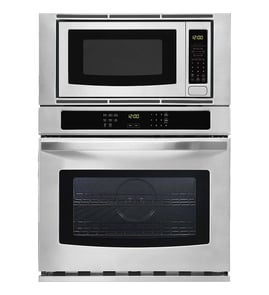
Jenn-Air JMW2430DS01 wall oven/microwave combo Parts

Here are the diagrams and repair parts for Jenn-Air JMW2430DS01 wall oven/microwave combo, as well as links to manuals and error code tables, if available.

Jenn-Air JMW2430DS01 wall oven/microwave combo
By Schematic
By Part
SELECT DIAGRAM
?

This is the number corresponding to the part on the diagram / schematic

Browse Parts for JMW2430DS01 Wall Oven/Microwave Combo

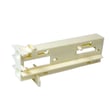
  • Microwave Door Interlock Support for Jenn-Air JMW2430DS01 - Part WP8205683

    Cabinet and stirrer parts diagram

    Interlock

    Part #8205683

    Replaced by #WP8205683

    Info Icon
    Manufacturer substitution
    This part replaces 8205683. Substitute parts can look different from the original.
    In Stock
    $51.26
    10% OFF Phone Price : $57.26Info Icon
    Minus Item
    Qty
    Plus Item
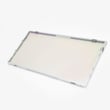
  • Wall Oven Door Middle Glass for Jenn-Air JMW2430DS01 - Part WPW10347596

    Oven door parts diagram

    Wall Oven Door Middle Glass

    Part #W10347596

    Replaced by #WPW10347596

    Info Icon
    Manufacturer substitution
    This part replaces W10347596. Substitute parts can look different from the original.
    In Stock
    $176.45
    6% OFF Phone Price : $188.45Info Icon
    Minus Item
    Qty
    Plus Item
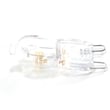
  • Wall Oven Light Bulb for Jenn-Air JMW2430DS01 - Part WPW10472384

    Oven parts diagram

    Oven Light Bulb

    Part #W10472384

    Replaced by #WPW10472384

    Info Icon
    Manufacturer substitution
    This part replaces W10472384. Substitute parts can look different from the original.
    In Stock
    $76.09
    7% OFF Phone Price : $82.09Info Icon
    Minus Item
    Qty
    Plus Item
  • Refrigerator for Jenn-Air JMW2430DS01 - Part W11233072

    Microwave door parts diagram

    Screw

    Part #7101P338-60

    Replaced by #W11233072

    Info Icon
    Manufacturer substitution
    This part replaces 7101P338-60. Substitute parts can look different from the original.
    In Stock
    $17.63
    Minus Item
    Qty
    Plus Item
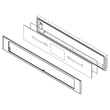
  • Whirlpool Wall Oven Control Panel Assembly, Black for Jenn-Air JMW2430DS01 - Part W11236896

    Control panel parts diagram

    Glass Control Panel

    Part #W10524518

    Replaced by #W11236896

    Info Icon
    Manufacturer substitution
    This part replaces W10524518. Substitute parts can look different from the original.
    In Stock
    $892.46
    $12.00 OFF Phone Price : $904.46Info Icon
    Minus Item
    Qty
    Plus Item
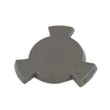
  • Microwave Turntable Motor Coupler for Jenn-Air JMW2430DS01 - Part W11179756

    Internal microwave parts diagram

    Tt Drive Ht

    Part #W10545578

    Replaced by #W11179756

    Info Icon
    Manufacturer substitution
    This part replaces W10545578. Substitute parts can look different from the original.
    This item is not returnable
    In Stock
    $26.39
    19% OFF Phone Price : $32.39Info Icon
    Minus Item
    Qty
    Plus Item
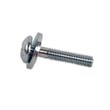
  • Range Oven Door Handle Screw for Jenn-Air JMW2430DS01 - Part W10831019

    Oven door parts diagram

    8-32 X .860

    Part #W10480830

    Replaced by #W10831019

    Info Icon
    Manufacturer substitution
    This part replaces W10480830. Substitute parts can look different from the original.
    This item is not returnable
    In Stock
    $5.31
    16% OFF Phone Price : $6.31Info Icon
    Minus Item
    Qty
    Plus Item
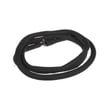
  • Wall Oven Door Gasket for Jenn-Air JMW2430DS01 - Part W11623080

    Oven parts diagram

    Pyro Gasket

    Part #W10739089

    Replaced by #W11623080

    Info Icon
    Manufacturer substitution
    This part replaces W10739089. Substitute parts can look different from the original.
    In Stock
    $109.40
    Minus Item
    Qty
    Plus Item
  • Rod for Jenn-Air JMW2430DS01 - Part WPW10120235

    Cabinet and stirrer parts diagram

    Release Rod

    Part #W10120235

    Replaced by #WPW10120235

    Info Icon
    Manufacturer substitution
    This part replaces W10120235. Substitute parts can look different from the original.
    In Stock
    $8.37
    11% OFF Phone Price : $9.37Info Icon
    Minus Item
    Qty
    Plus Item
  • Motor-fan for Jenn-Air JMW2430DS01 - Part W11344874

    Cabinet and stirrer parts diagram

    Cooling Fan

    Part #461968969271

    Replaced by #W11344874

    Info Icon
    Manufacturer substitution
    This part replaces 461968969271. Substitute parts can look different from the original.
    In Stock
    $114.35
    9% OFF Phone Price : $126.35Info Icon
    Minus Item
    Qty
    Plus Item

Jenn-Air Wall Oven/Microwave Combo JMW2430DS01 FAQs

Most Jenn-Air wall ovens typically last about 15 years with normal use and good care. For your JMW2430DS01 wall oven/microwave combo, keeping airflow unobstructed and following the care guidance in the JMW2430DS01 owner's manual helps you get the longest service life.

Typical lifespan (what to expect)

Most built-in wall ovens fall into a similar lifespan range; the difference is usually how they are installed, ventilated, and maintained.

  • Typical wall oven lifespan: ~15 years
  • Common “life-shorteners”: blocked vents, frequent self-clean misuse, power surges, heavy daily use
  • Common “life-extenders”: clear vents, gentle cleaning habits, prompt repair of small issues
Usage pattern What we typically see What helps most
Light (a few times/week) Often reaches or exceeds 15 years Keep vents clear, avoid slamming doors
Average (most days) Around 15 years Routine cleaning, address error codes early
Heavy (multiple cycles/day) Can be under 15 years Ventilation, electrical protection, timely part replacement
Maintenance habits that extend oven life

The biggest day-to-day factor is cooling airflow. Your manual notes that oven vents should not be blocked because they bring fresh air into the cooling system and exhaust heated air.

  • Keep the oven vent and bottom vent clear of foil, pans, and liners
  • Avoid covering racks or the oven floor with foil (it can disrupt airflow and heat)
  • Let the oven cool with the door closed after cooking (supports designed airflow)
  • Clean spills after the oven cools to reduce smoke and overheating during future bakes
  • If the door doesn’t close smoothly, stop using self-clean until the door seal and hinges are checked
When a repair makes sense vs. replacement

If the oven heats unevenly, takes much longer to preheat, or trips errors, a targeted repair often restores normal performance.

Why it matters

A wall oven/microwave combo like JMW2430DS01 is a built-in appliance; good ventilation and early fixes protect expensive components (controls, wiring, heating parts) and help the unit reach its full 15-year expected lifespan.

Last updated: January 2026

To reset your JMW2430DS01 wall oven/microwave combo, we recommend doing a full power reset: turn the oven circuit breaker(s) OFF for 1 minute, then turn them back ON. After power is restored, start a Bake cycle and watch for about 1 minute to confirm normal operation.

Reset steps (power reset)
  • Turn OFF the circuit breaker(s) that supply the oven.
  • Wait 1 full minute (this clears many temporary control glitches).
  • Turn the circuit breaker(s) back ON.
  • Touch Power on the control panel.
  • Start a Bake cycle.
  • Monitor the display for about 1 minute to make sure the error code does not return.
If the oven still will not operate after a reset

Some conditions can make it look like the oven needs a reset when it actually needs a setting changed or a power issue corrected.

  • Check for a tripped breaker or blown household fuse (reset/replace as needed).
  • Confirm Delay Start is not set.
  • Confirm Button Lock is not enabled.
  • Check whether Sabbath Mode is active; on this model, Sabbath Mode can be turned off by touching the Power keypad.
  • If the display is dead or the unit is completely unresponsive, verify the home power supply and wiring match the requirements in the installation guide.
Quick reference: common “reset” situations
What you see What to do first Why it helps
Error code or odd behavior Power reset (breaker OFF 1 minute) Clears temporary control faults
Oven will not start cooking Check Delay Start, Button Lock, Sabbath Mode Settings can prevent operation
Nothing operates at all Check breaker/fuse, then wiring Restores power to the control
Why it matters

A power reset is the fastest safe way to clear a temporary electronic control issue on the JMW2430DS01. If a setting like Sabbath Mode or Button Lock is enabled, the oven can appear “stuck” even though no parts have failed.

For model-specific control features and operating steps, use the JMW2430DS01 owner's manual.

Last updated: January 2026

If your JENN-AIR JMW2430DS01 wall oven will not turn on, the most common causes are a tripped breaker or blown house fuse, a control setting that prevents operation (Button Lock, Sabbath Mode, Delay Start), or a control/power component issue. Start with power and settings checks before replacing parts.

Quick checks (fastest fixes first)
  • Reset the home circuit breaker (or replace the household fuse) supplying the oven.
  • Touch Power to wake the display; the oven will not operate if the display is off.
  • Turn off Button Lock (when locked, only the Power keypad works).
  • Make sure Sabbath Mode is not enabled.
  • Cancel any Delay Start or timed cooking setting.
  • If this is a double-oven style control, confirm one cavity is not in Self Clean (the other cavity may be disabled).
What to check next if power and settings are OK
Electrical and installation items

Use the JMW2430DS01 installation guide to confirm the oven is wired correctly and on the proper dedicated circuit.

Control and internal protection parts

If the display is dead or the oven still will not respond after confirming power and settings, these parts are common suspects:

Symptom Most likely area Example part for this model
Display completely off Internal fuse or power feed issue Fuse mda 20a W11188752
Display on, keys unresponsive or erratic Touch/control interface Control panel assembly (model-specific)
Powers up but won’t run functions consistently Main control Electronic control board WPW10260060
Why it matters

A wall oven that will not power up is often a simple supply or settings issue; fixing that first prevents unnecessary parts replacement and helps protect the electronic oven control from repeated power cycling.

For control lock, Sabbath Mode, and basic “oven will not operate” troubleshooting steps, follow the JMW2430DS01 owner's manual.

Last updated: January 2026
Repair guides for side-by-side refrigerators

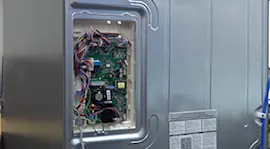
How to replace an electronic control board on the back of a refrigerator

How to replace an electronic control board on the back of a refrigerator

If your refrigerator isn't running, an electronic control board failure could be the problem. A service technician can d…

Repair time and Difficulty

 15 minutes or less
How to replace a press-in door gasket in a side-by-side refrigerator

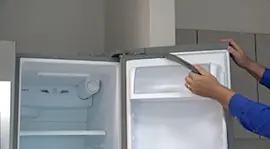
How to replace a press-in door gasket in a side-by-side refrigerator

The door gasket seals the gap around the door to keep the cold air in and the warm air out. Replace a worn or damaged do…

Repair time and Difficulty

 15 minutes or less
How to replace an ice maker in a side-by-side refrigerator

How to replace an ice maker in a side-by-side refrigerator

Learn how to replace the ice maker in a side-by-side refrigerator with these step-by-step instructions.…

Repair time and Difficulty

 30 minutes or less

Articles and videos for side-by-side refrigerators

How to reset the door alarm on a GE refrigerator

How to reset the door alarm on a GE refrigerator

Your fridge is tattling again. Here’s how to reset the door alarm on your GE refrigerator—and how to tell if the beeping…

How to Replace the Water Filter in a Kenmore Pro Refrigerator

How to Replace the Water Filter in a Kenmore Pro Refrigerator

Discover how easy it is to replace the water filter in a Kenmore Pro refrigerator.…

Common Refrigerator Ice Maker Problems and Solutions

Common Refrigerator Ice Maker Problems and Solutions

Find tips on how to fix the ice maker in your fridge when it isn't working or when it isn't working right.…

Parts & More

Air Compressor
Built-In Microwave
Cooktop
Dishwasher
Furnace
Gas Cooktop
Gas Range
Gas Snowblower
Home Improvement
Household Fan
Range Hood
Refrigerator
Side-By-Side Refrigerator
Top-Mount Refrigerator
Upright Vacuum
Wall Oven
Washer
Wine & Beverage Cooler