



Can you replace the microwave on a wall oven microwave combo?
For the GE JKP61G wall oven/microwave combo, the microwave is typically not designed to be replaced as a separate, standalone appliance; it is built into the combo frame and shares mounting and electrical integration. In most cases, you either repair the microwave section or replace the entire combo unit.
What you can do instead
- Repair the microwave section when the failure is limited to common service items (door switches, lamp, fan, wiring connections, etc.).
- Troubleshoot by symptom or error code to narrow the failure before buying parts.
- Replace oven-side service parts if the issue is actually in the oven (for example, no heat or uneven baking).
- Plan for full unit replacement when the microwave cavity, major control system, or structural mounting is damaged.
Quick checks before you decide
- Confirm the problem is in the microwave, not the oven (for example, oven heats but microwave does not).
- Check for a tripped breaker or loose power connection at the junction box.
- If the display shows a fault, use GE combination wall oven and microwave error codes to identify the likely circuit involved.
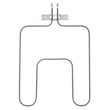
- If the oven is also acting up, inspect common oven service items such as the range bake element WB44X200 or broil unit WB44X173 (depending on the symptom).
Repair vs replace: what usually makes sense
| Situation | Best next step | Why |
|---|---|---|
| Microwave won’t run but unit powers on | Diagnose and repair | Often a switch, fan, or connection issue |
| Repeated faults, multiple functions failing | Deeper diagnosis | Can involve controls or wiring harnesses |
| Physical damage to microwave cavity or mounting | Replace combo unit | Built-in structure is part of the appliance |
Why it matters
A wall oven/microwave combo is engineered as one integrated appliance. The microwave section is not a “drop-in” module like a countertop microwave, so swapping only the microwave usually is not practical compared with repairing the failed components.
Last updated: February 2026
Do all GE microwaves use the same mounting bracket?
No. GE microwaves do not all use the same mounting bracket; the bracket is designed to match the exact microwave model, cabinet cutout, and mounting-hole pattern. For a GE JKP61G wall oven/microwave combo, you should choose mounting hardware by the full model and the parts list for that unit.
Why mounting brackets are not universal
Even within GE, brackets vary because of differences in:
- Overall microwave chassis size and weight
- Wall or cabinet mounting-hole locations
- Venting and duct alignment (top, rear, recirculating)
- Trim kit and frame design (especially on built-in combos)
- Generation changes within the same model family
How to make sure you get the right bracket
Use these checks before ordering:
- Confirm the complete model number from the rating label (for this page, the model family is GE JKP61G).
- Match the bracket by part listing for your exact unit, not by brand alone.
- Compare the old bracket’s hole pattern and overall shape to the replacement listing.
- If the bracket is missing, also check for related mounting pieces (plates, screws, retainers) that may be listed separately.
What to do if you are missing mounting hardware
This model’s parts list shown here does not include a clearly labeled “mounting bracket” for the microwave section. When that happens, we recommend browsing the full parts diagrams for mounting and support items that may apply, such as a mounting plate or retainer.
Here are examples of hardware-type parts that may be involved in securing panels or assemblies:
| Part type | Example on this model page | What it typically does |
|---|---|---|
| Mounting plate | Mounting plate WB2X3164 | Provides a fixed attachment point for an assembly |
| Retainer | Retainer WB2X2030 | Holds a component in position |
| Screw | Screw WB1X524 | Fastens brackets, covers, or supports |
Why it matters
Using the wrong bracket can leave the microwave unsupported or misaligned, which can cause vibration, door fit issues, and cabinet damage. Matching the bracket to the exact model keeps the installation secure and the trim fit correct.
Last updated: February 2026
What does code 610 mean?
On a GE wall oven/microwave combo like model JKP61G, code 610 is treated as an electronic control or communication fault (the control is detecting a problem it cannot clear on its own). Start with a power reset, then check for repeat codes and heat symptoms to narrow the failure.
Quick checks we recommend first
- Turn the unit off at the breaker for 2 to 5 minutes, then restore power.
- If the code returns immediately, note when it appears (at idle, during bake, during microwave use).
- Try Bake and Broil separately; watch for no-heat, overheating, or shutdown.
- If the oven light is out, replace the bulb so you can better observe element operation (see range oven light bulb 40A15).
- If the display is glitchy or buttons do not respond, avoid repeated cycling; it can worsen intermittent control issues.
What usually causes a 610-type fault
In GE combination units, a 610-style code commonly points to one of these conditions:
- Loose or oxidized wiring connection at the control or harness plugs
- Failing electronic control board (intermittent relay or logic fault)
- Temperature sensing problem that drives the control into a protective fault
- Heat-related damage from a poor door seal or excessive cabinet heat buildup
What to do next (safe, practical path)
- Reset power and retest.
- If the code returns, use our error-code reference to match symptoms and next steps: GE combination wall oven and microwave error codes.
- If you also have poor heating, inspect the elements for visible damage:
- Bake issues often involve the range bake element WB44X200.
- Broil issues often involve the broil unit WB44X173.
- If the oven is overheating or cooking unevenly, check the door seal condition; a worn gasket can contribute to control faults (see range oven door gasket WB2X3138).
Symptoms and the most likely direction
| What you notice | Most likely direction | What we check first |
|---|---|---|
| Code appears at idle | Control or wiring | Power reset, harness connections |
| Code appears when starting Bake | Heat circuit feedback issue | Bake element, sensor-related checks |
| Code appears when starting Broil | Broil circuit feedback issue | Broil element, wiring |
| Random beeping or dead keypad | Control problem | Control area connections, heat damage |
Why it matters
A repeating 610 code means the control is not seeing normal operating feedback. Addressing it early helps prevent no-heat failures, overheating, and repeated shutdowns during cooking.
Last updated: February 2026
What's the average lifespan of a GE microwave?
A GE microwave typically lasts about 9 to 10 years with normal household use. In a built-in wall oven and microwave combo like GE JKP61G, lifespan depends most on ventilation, door-switch wear, and how often the microwave runs at high power.
Typical lifespan and what affects it
Most microwaves fail from heat stress, door interlock issues, or control problems rather than “old age.” These factors make the biggest difference:
- Usage frequency: multiple long cook cycles per day shortens life
- Ventilation and heat: poor airflow in a built-in cabinet raises internal temperatures
- Door use: frequent slamming wears door latches and interlock switches
- Power quality: repeated breaker trips or voltage dips stress the control board
- Cleaning habits: heavy steam and grease buildup can damage internal components
What “end of life” usually looks like
If your microwave is nearing the end of its service life, we usually see one or more of these symptoms:
- Runs but does not heat
- Stops mid-cycle or resets
- Sparking/arcing (often from a damaged cavity coating or waveguide cover)
- Loud humming or unusual buzzing
- Door won’t close cleanly or unit won’t start unless the door is held
Quick decision guide (repair vs. replace)
Use this as a practical rule-of-thumb for a GE combo unit.
| Situation | What it usually means | Typical next step |
|---|---|---|
| Interior light out | Simple wear item | Replace the bulb or lens cover |
| Oven works, microwave dead | Microwave-side component failure | Diagnose door switches, thermal cutout, control |
| Intermittent operation | Heat or door-interlock issue | Inspect door alignment and interlocks |
| No heat but runs | High-voltage system issue | Professional diagnosis recommended |
Why it matters
A built-in combo like the GE JKP61G relies on proper airflow and safe door interlock operation. Catching early symptoms helps prevent repeat shutdowns, uneven cooking, and avoidable part damage.
Parts that commonly support basic fixes
For simple, non-heating-related issues (like visibility inside the cavity), these model-matched parts are commonly used:
- Range oven light bulb 40A15 (part number WX12X1510)
- Range oven light lens WB36X192 (part number WB36X192)
Last updated: February 2026